

Available in🇮🇳 India
After creating an Offer and a Subscription Plan, you need to link the Offer to a Subscription.
You can also delete an Offer linked to a Subscription.
Link an Offer While Creating a Subscription
Watch this video to see how to link an Offer to a Subscription.
You can link an Offer while creating a Subscription from the Dashboard or using APIs.
Link an Offer While Creating a Subscription From Dashboard
You can link an Offer to a Subscription by selecting the required Offer using the Offer drop-down list when creating the Subscription.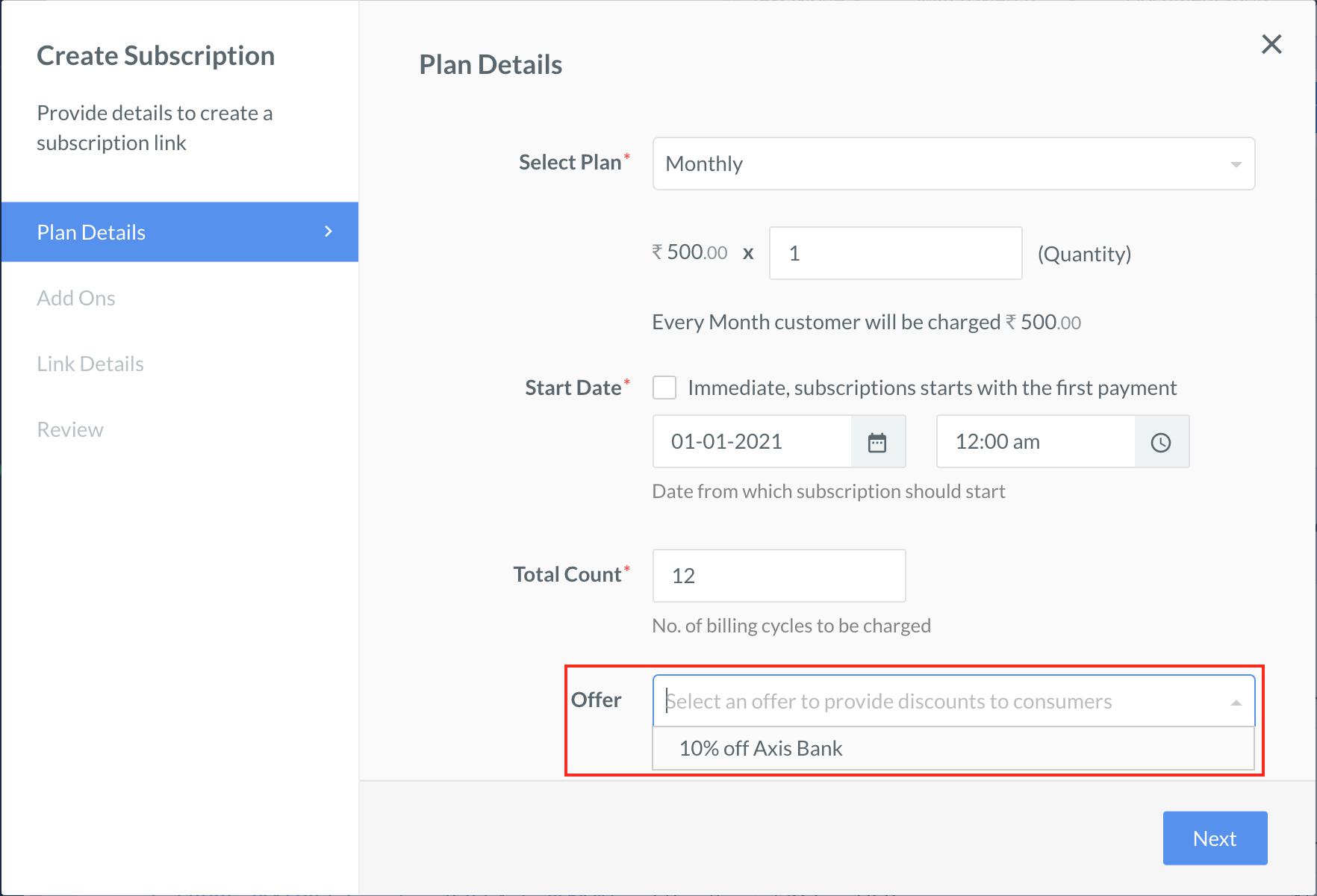 Know more about Subscription Links.
Link an Offer While Creating a Subscription Using APIs
Use the Link an Offer to a Subscription API.Link an Offer to an Existing Subscription
You can link an Offer to a Subscription or update the Offer linked to a Subscription from the Dashboard or using API.- This is possible only if the Subscription is in the
activestate and not in any other state. - The Offer is applied to the Subscription at the end of the current billing cycle. It is not possible to update an Offer linked to a Subscription immediately.
Link an Offer to an Existing Subscription From Dashboard
You can link an Offer to an existing active Subscription by selecting the required Offer using the Offer drop-down when updating the Subscription.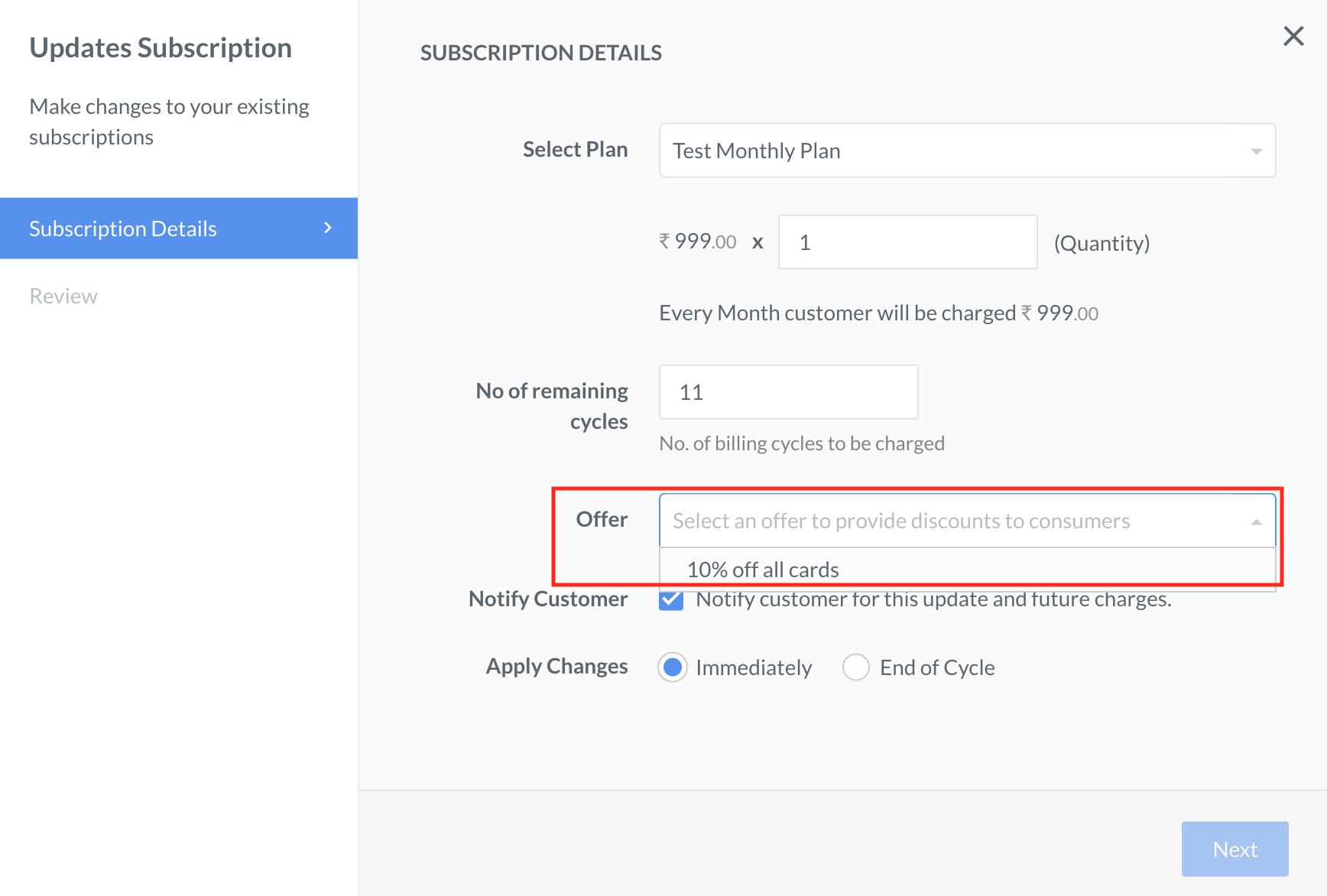 Know more about updating a Subscription.
Link an Offer to an Existing Subscription Using APIs
Use the Update a Subscription API to link an Offer to an existing active Subscription by passing theoffer_id: <offer_id> in the request body.