

Available in🇮🇳 India
A payslip is a document that provides a detailed view of an employee’s total earnings, gross and net pay additions and deductions (such as bonus, professional tax, loss of pay and more). It is also a proof of employment.
On the Payroll Dashboard, you can:
- View year-wise payslips.
- View and download Form 16 when available.
- Request for a Salary Advance.
Available Now!Watch the video on to how to check and download pay slips.
Payslip Actions
To view your payslips:- Log in to the Payroll Dashboard.
- Navigate to My Pay Slips in the left menu.
View Latest Payslips
View Latest Payslips
To view the payslip for the latest months:
- Navigate to My Pay Slips.
- Select financial year from the drop-down menu. By default, the current financial year is selected.
-
Click the month to view the payslip for that month.
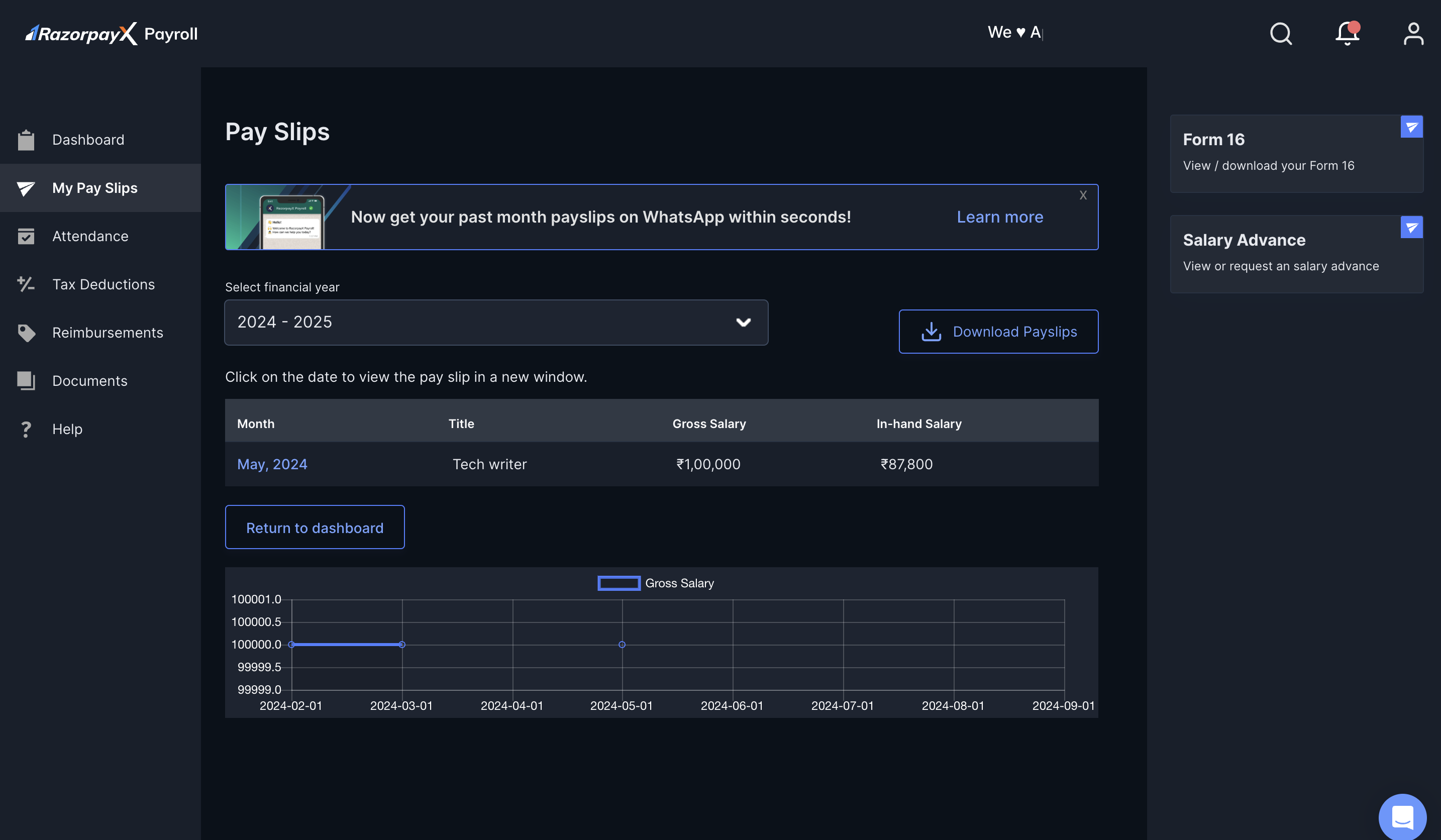
- Click DOWNLOAD at the bottom of the page to download the selected payslip.
- Click VIEW DETAILS to view the month-wise comparative view of the salary received.
Download Older Payslips
Download Older Payslips
To download payslips of the previous year:
- Navigate to My Pay Slips.
- Click the month to open the payslip for the respective months.
- Click Download Payslips. The Download Your Payslips pop-up modal opens.
- Select the Date Range using the drop-down menu. We email the payslips to your registered email address.
.zip file.Preview Current Payslip
Preview Current Payslip
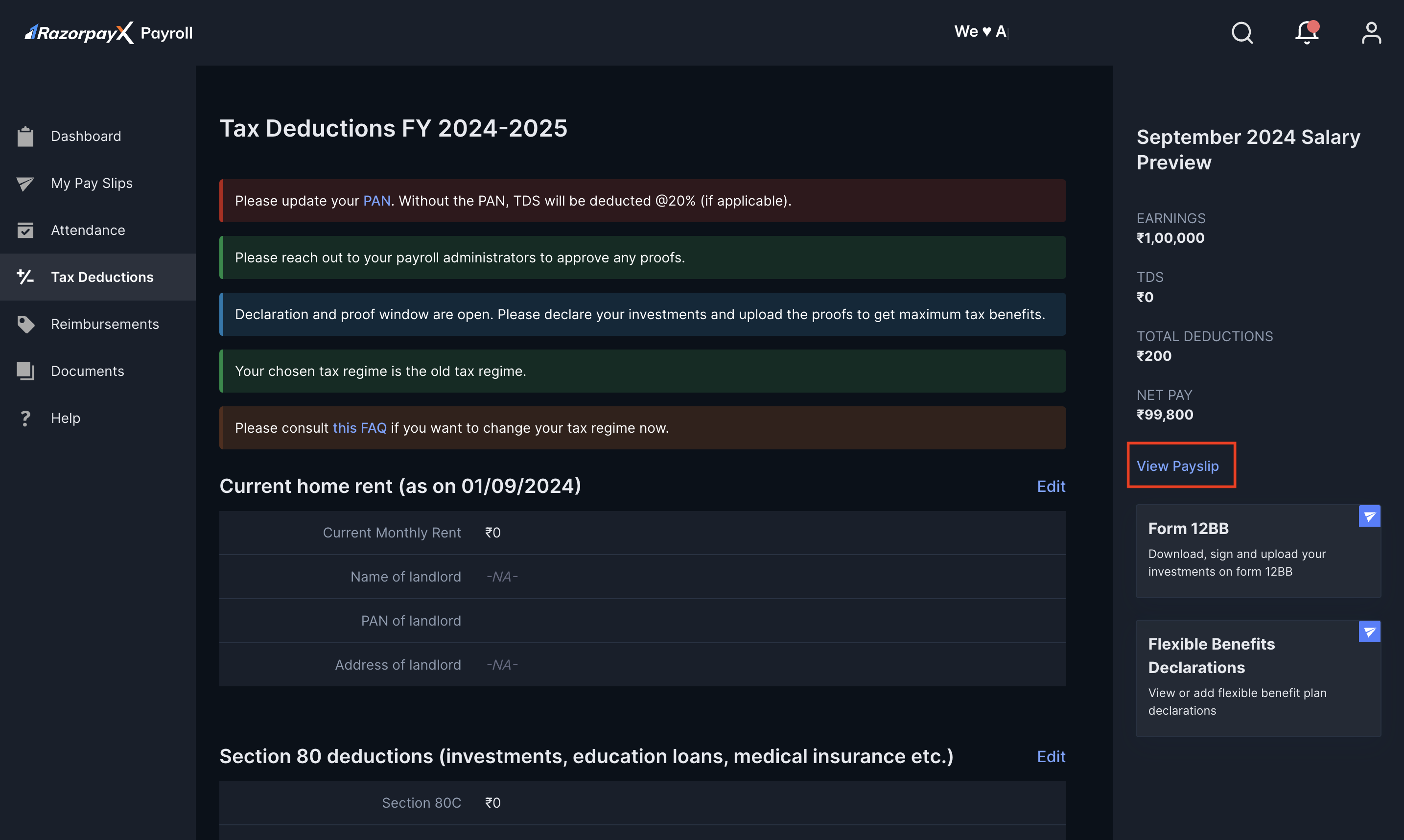
You can also preview the payslip for the current month. This lets you view your additions and deductions for the current month in real time.To view payslips for the current month:
- Log in to the Payroll Dashboard.
- Navigate to Tax Deductions in the left menu.
- Click View Payslip in the right pane.
About Form 16
Form 16 is a TDS certificate employees can download from the Payroll Dashboard. It is available to all employees whose yearly income is greater than ₹2.5 lakhs. Know more about Form 16/Salary TDS Certificate. To download your Form 16s for the previous financial year/current assessment year:- Log in to the Payroll Dashboard.
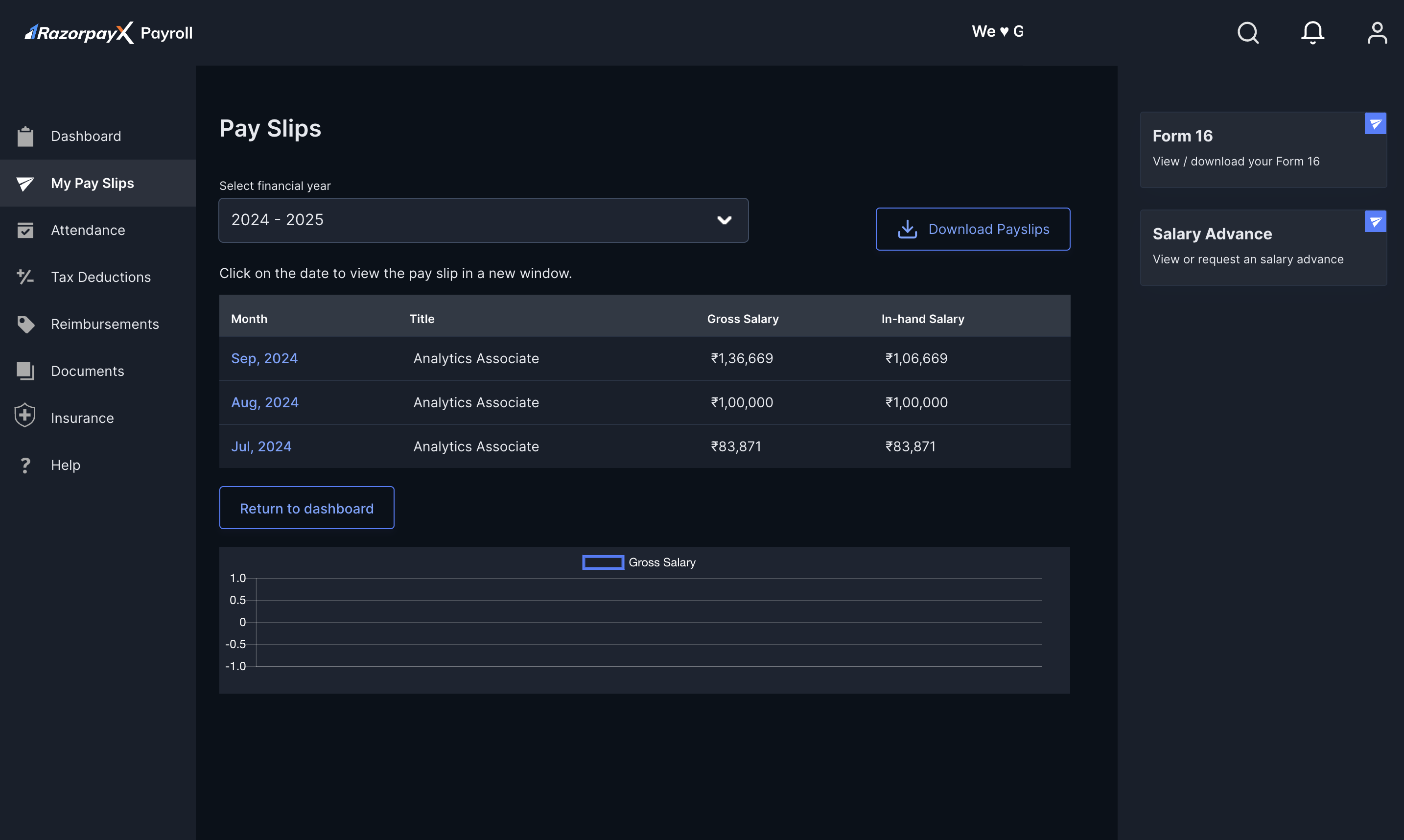
- Go to My Pay Slips in the left menu.
- In the right pane, click Form 16.
Request Salary Advance
You can request a salary advance from the Payroll Dashboard. To raise an advance salary request with your employer:- Log in to the Payroll Dashboard.
- Navigate to My Pay Slips in the left menu.
- Click Salary Advance in the right pane.
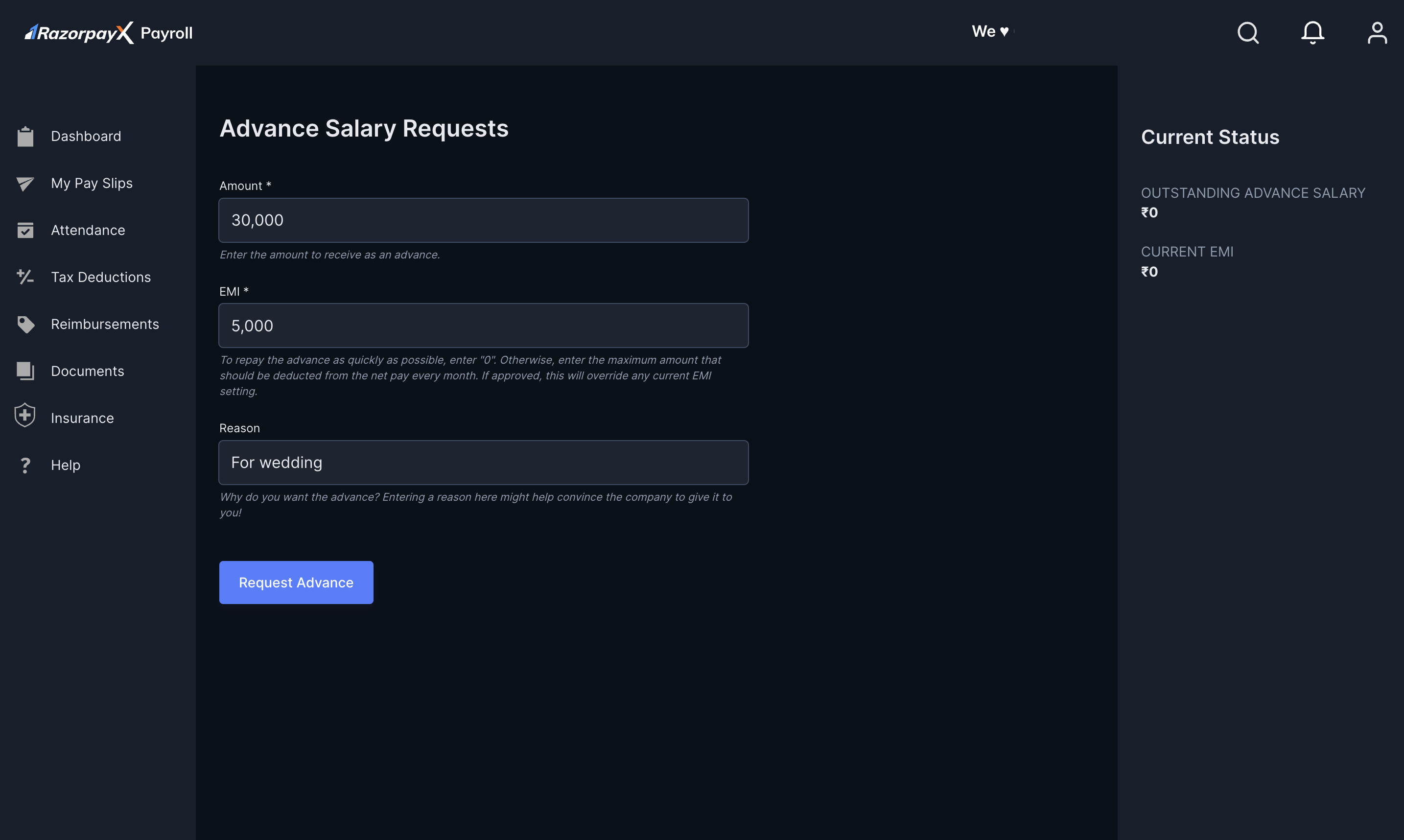
- On the Advance Salary Requests page:
- Enter the Amount in the text box. This is the total amount you require.
- Provide the EMI amount deductible every month. Your monthly salary is the net difference of your previous salary and the EMI.
- Provide a reason for availing the advance.
- Click REQUEST ADVANCE.
 This successfully creates an advance salary request. After approval, you can view your salary advance details in:
- My profile → Advance Salary.
- My Pay Slips → Salary Advance.