

Available in🇮🇳 India
You can request reimbursements or avail imprest for expenses on the Payroll Dashboard. You receive the reimbursement payments either:
- As a one-time payment.
- Together with your monthly salary.
Handy TipsYou can also claim reimbursements via WhatsApp.
Available Now!Watch the video on to how to claim reimbursements.
Apply for Reimbursements
To apply for reimbursements:- Log in to the Payroll Dashboard.
- Navigate to Reimbursements in the left menu.
- On the Claim a Reimbursement page:
- Select the Type of Reimbursement from the drop-down menu.
- Choose the Expense Date from the calendar.
- Provide a Description for your reimbursement claim. This is optional but recommended.
- Enter the Amount to claim as reimbursement.
- Attach any Supporting images or files. Select Choose file(s) and upload files, each up to 5MB.
- Click REQUEST REIMBURSEMENT.
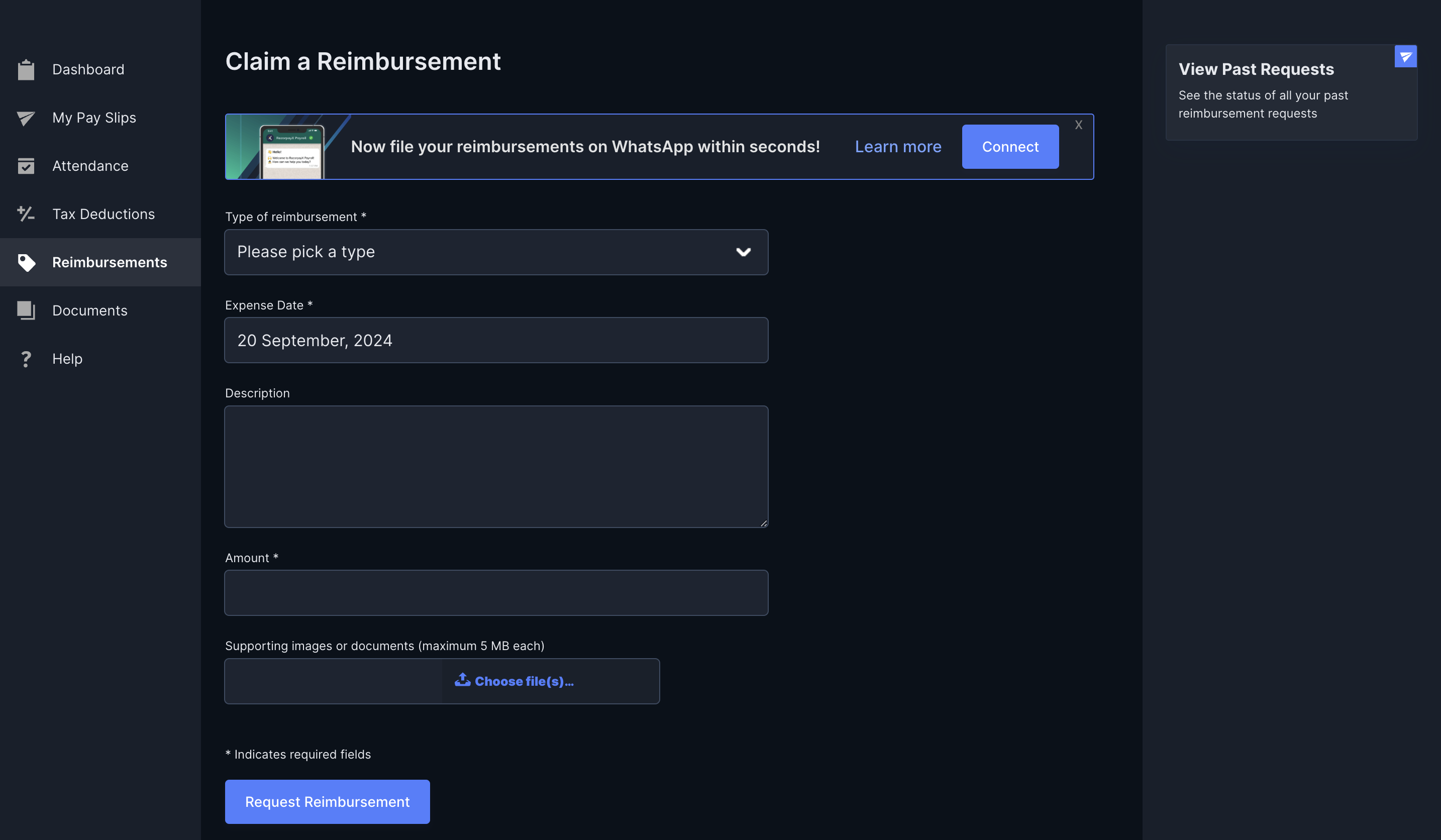 You have successfully requested reimbursements from your employer. Once your manager approves the request, Payroll processes the reimbursement as chosen by your employer. You can click View Past Requests to view your past requests and their status.