

Available in🇮🇳 India
You can integrate your RazorpayX Account Statement with Zoho Books to sync payment information from RazorpayX and reconcile. After integration, all the transaction data on the RazorpayX bank statement flows into your accounting software, saving you time and effort.
- Account Statement can be synced with both RazorpayX Lite and Current Account.
- It updates automatically at the given time, every day.
- It passes all the required context you need to categorise your transaction.
Navigate to Account Statement → Automate Accounting on the Dashboard and Select the software of your choice.
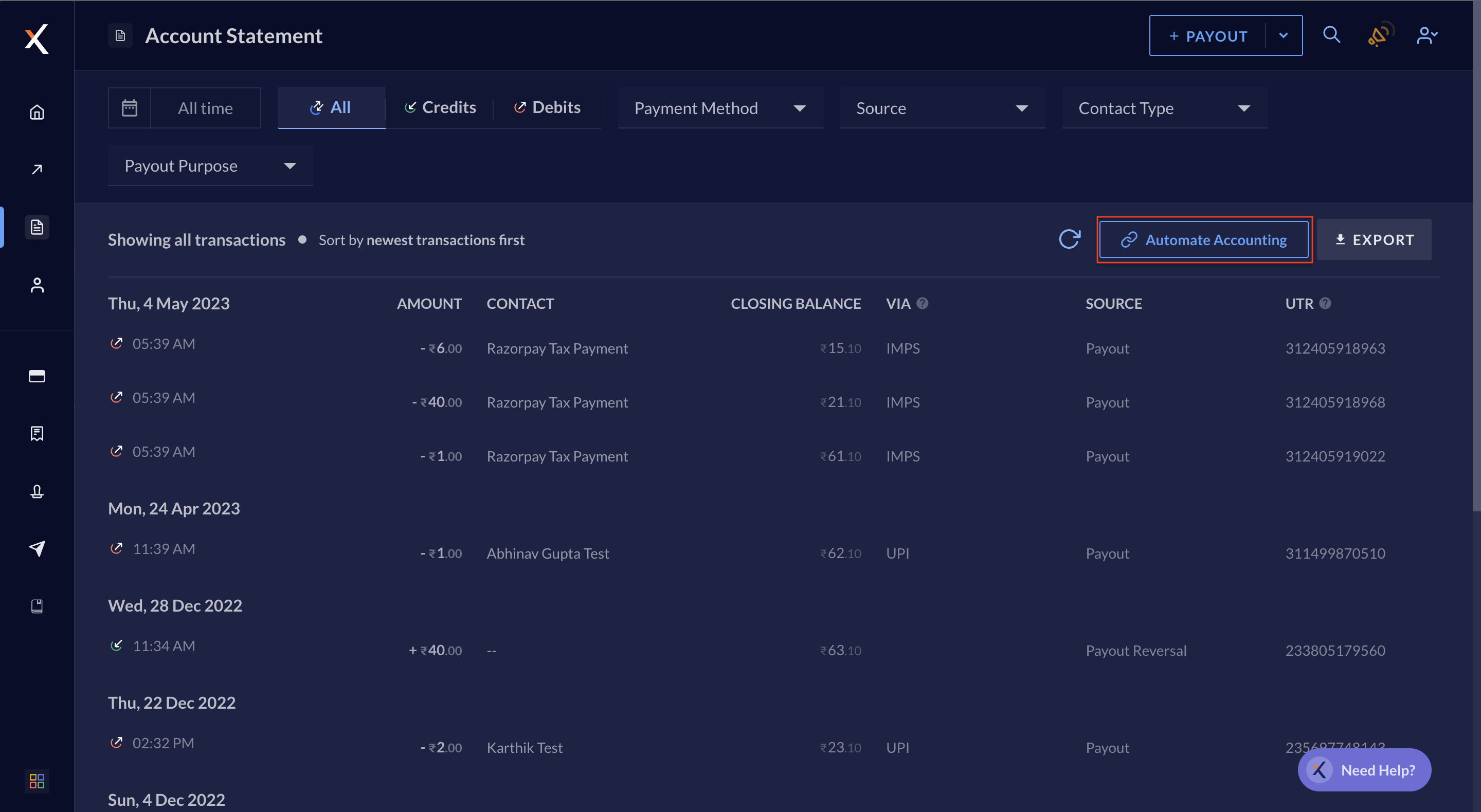
- It updates automatically at 6:00 am and 8:00 pm, every day.
- It passes all the required context you need to categorise your transaction on Zoho Books.
On Zoho Books, navigate to the Banking Overview section. Select the appropriate bank ledger, and find the necessary information under the statement details column.
Prerequisites
To keep your opening balance up-to-date:- Log in to your Zoho Books Account and navigate to Settings.
- Select Opening Balances and click Edit.
- Scroll to the Bank section and update your opening balance.
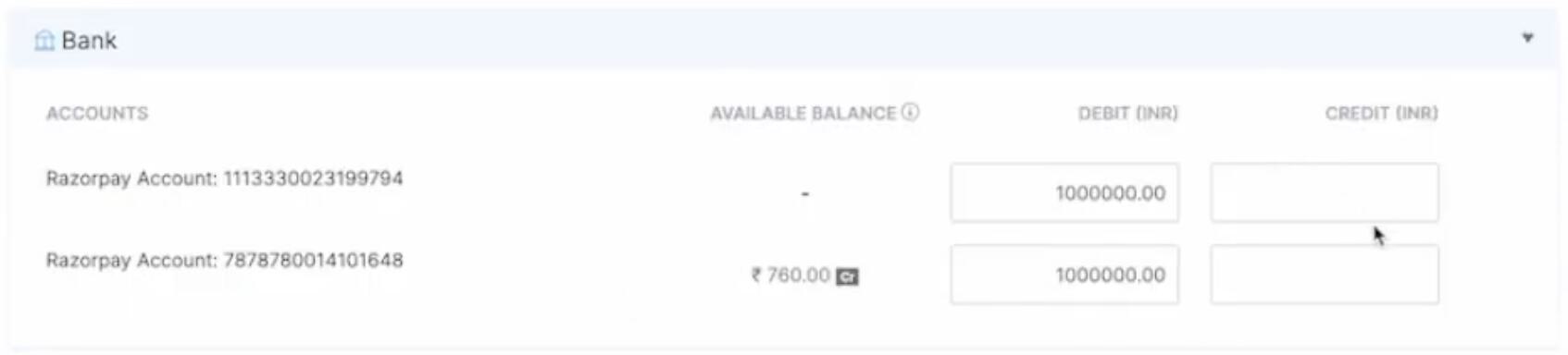
- Enter and click Continue to save the update.