

Available in🇮🇳 India
A Cost Center can be a specific group, or a Business Unit within an organisation. Organisations create Cost Centers for streamlining expenses. Cost centers are typically used to monitor and control the costs associated with various functions or activities within the organisation.
Cost centers can be used to tag expenses while creating a Purchase Order. An approval workflow can be triggered based on the Cost Center selected, using Purchase Order Approval Workflow.
You can also set up a separate Invoices Approval Workflow.
Create a Cost Center
To create a cost center:- Log in to the RazorpayX Dashboard.
- Navigate to Cost Centers and click + Cost Center.
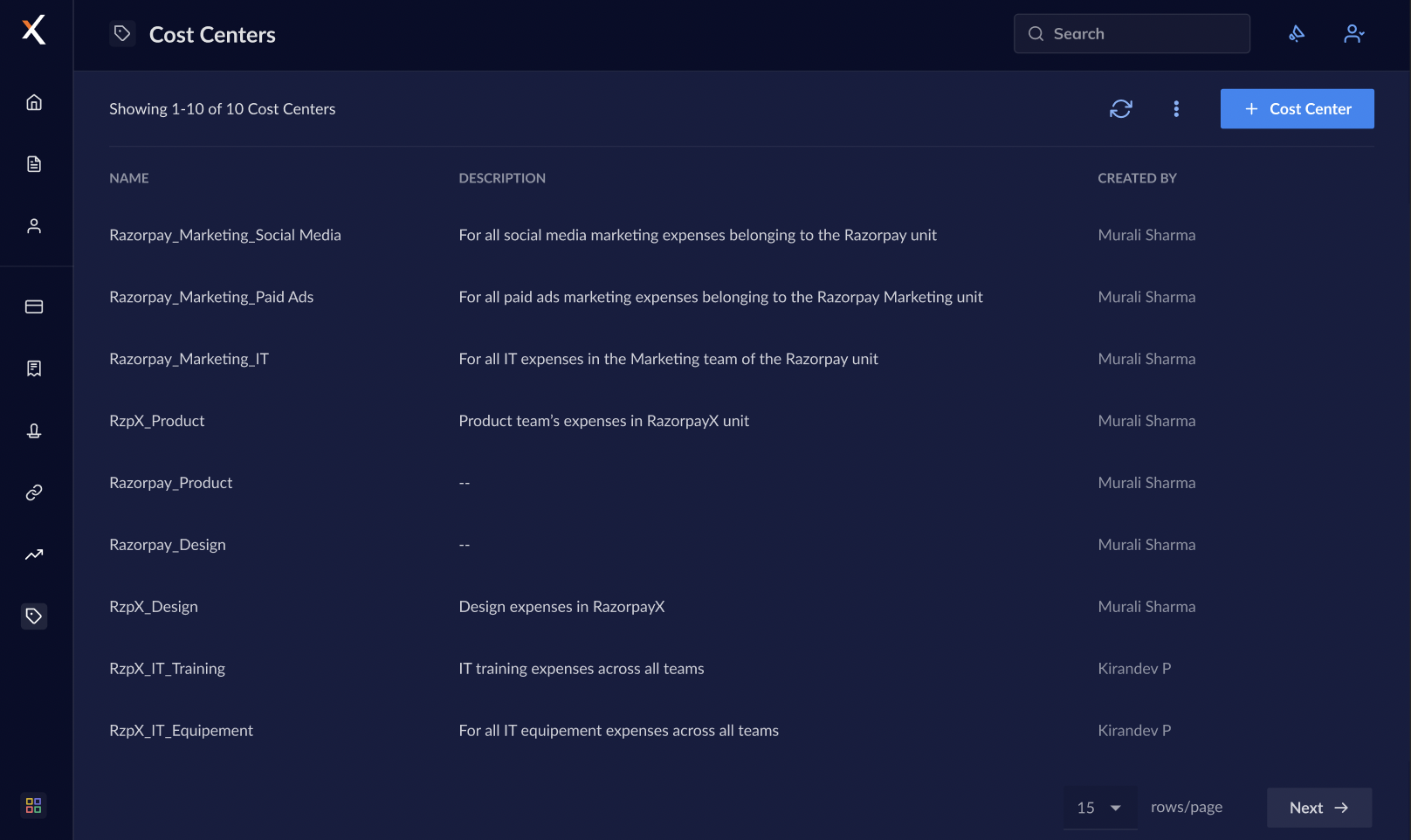
- Enter a unique Name and Description of the cost center and click Create.
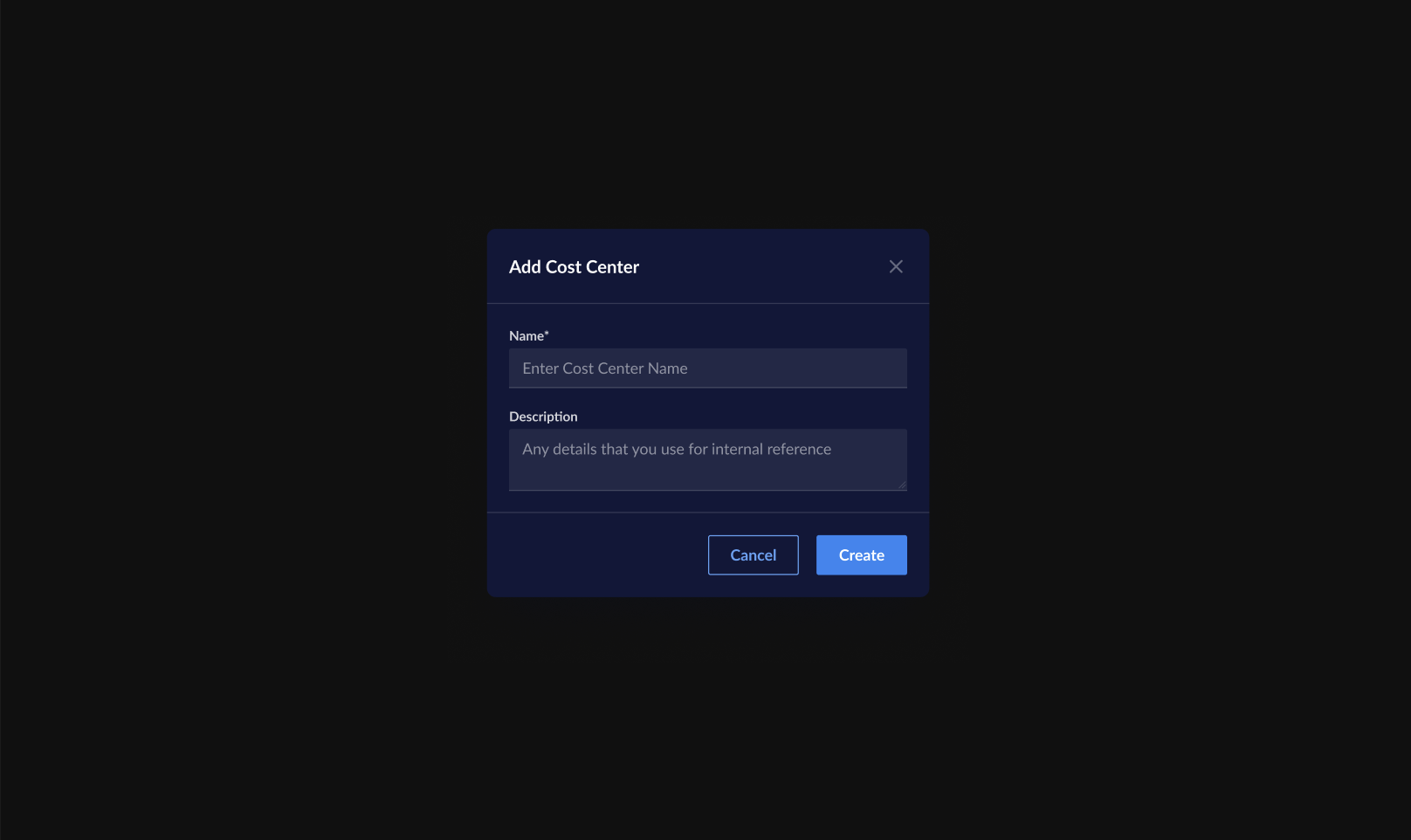
Edit a Cost Center
To edit a cost center:- Log in to the RazorpayX Dashboard.
- Navigate to Cost Centers and hover over the cost center you want to edit.
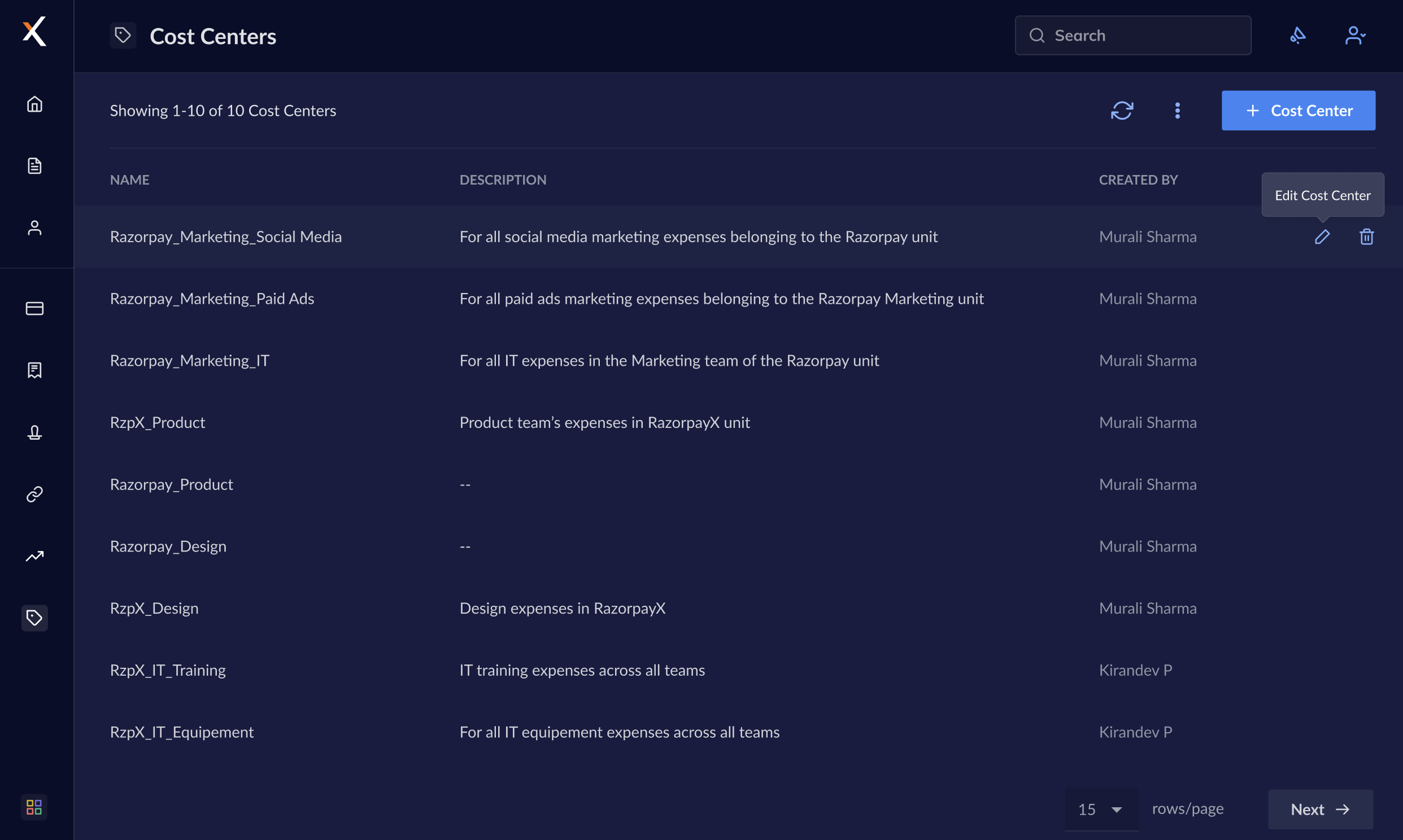
- Click on the pencil icon that appears.
- You can enter New name or New description and click Save Changes.
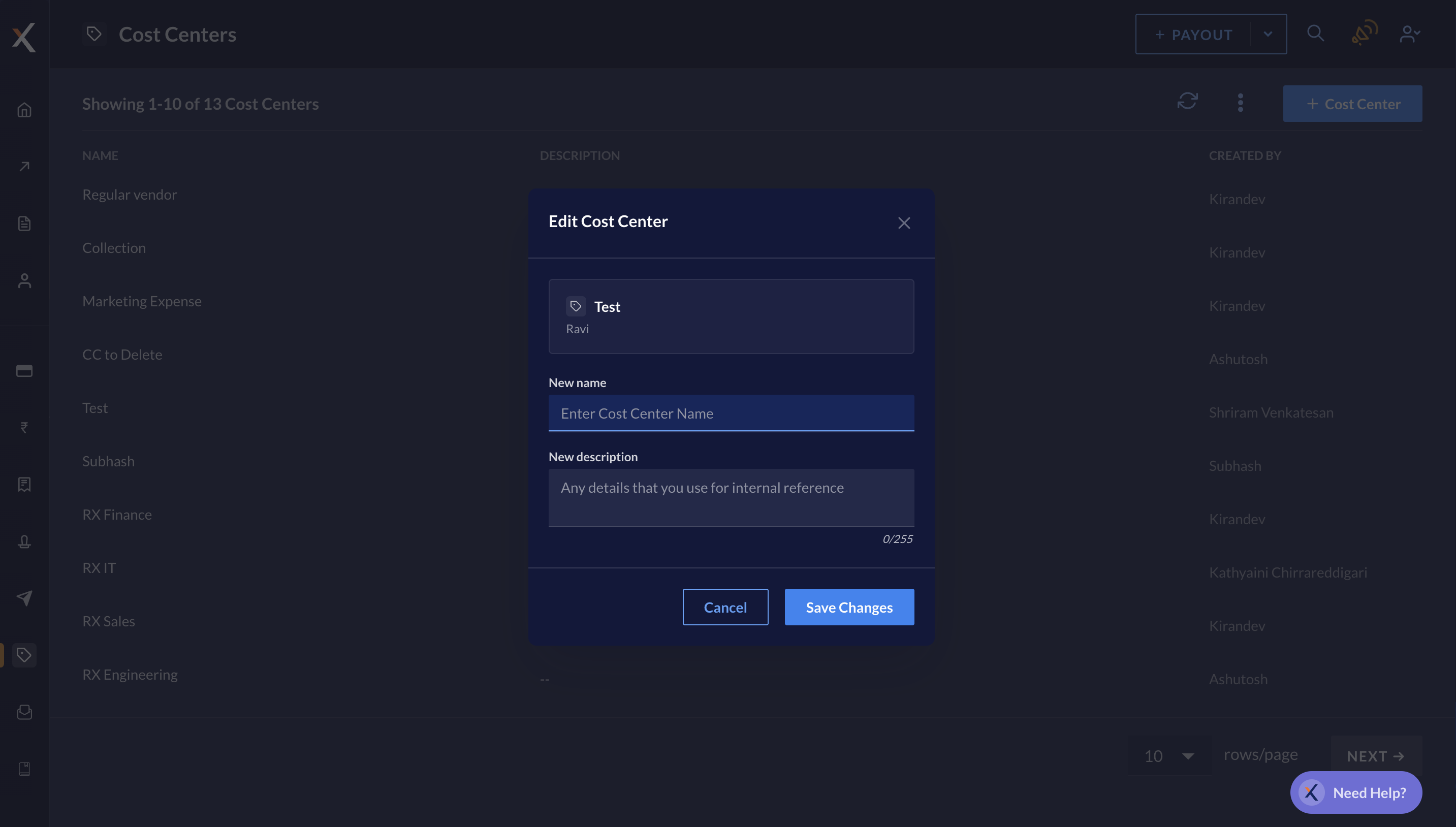
- Review and click Confirm and your changes are saved.
Deactivate a Cost Center
You can deactivate a cost center if you do not want to tag any purchase order or invoice to it anymore. To deactivate a cost center:- Log in to the RazorpayX Dashboard.
- Navigate to Cost Centers and hover over the cost center you want to deactivate.
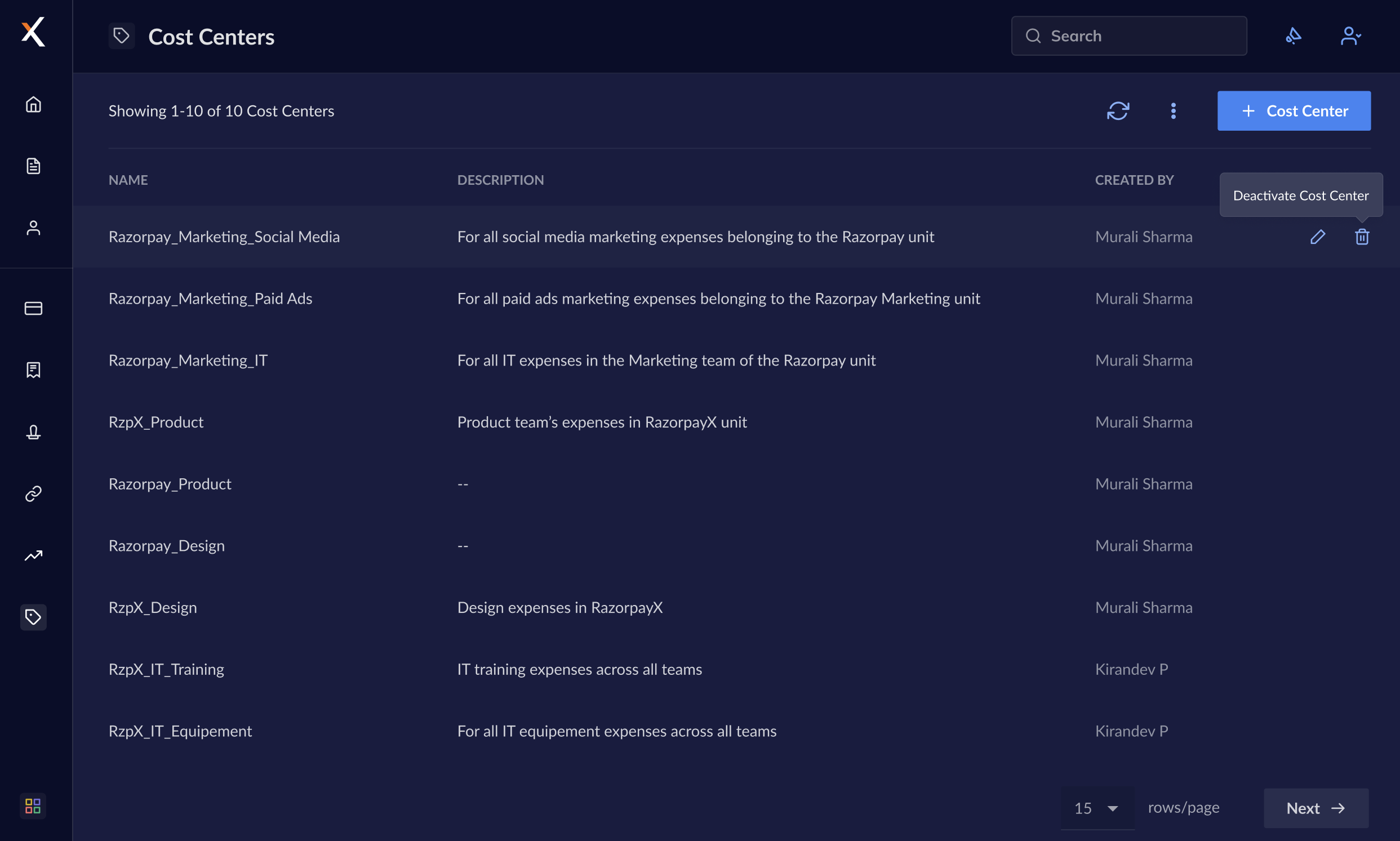
- Click on the trash bin icon that appears.
- Click Deactivate to confirm your action.
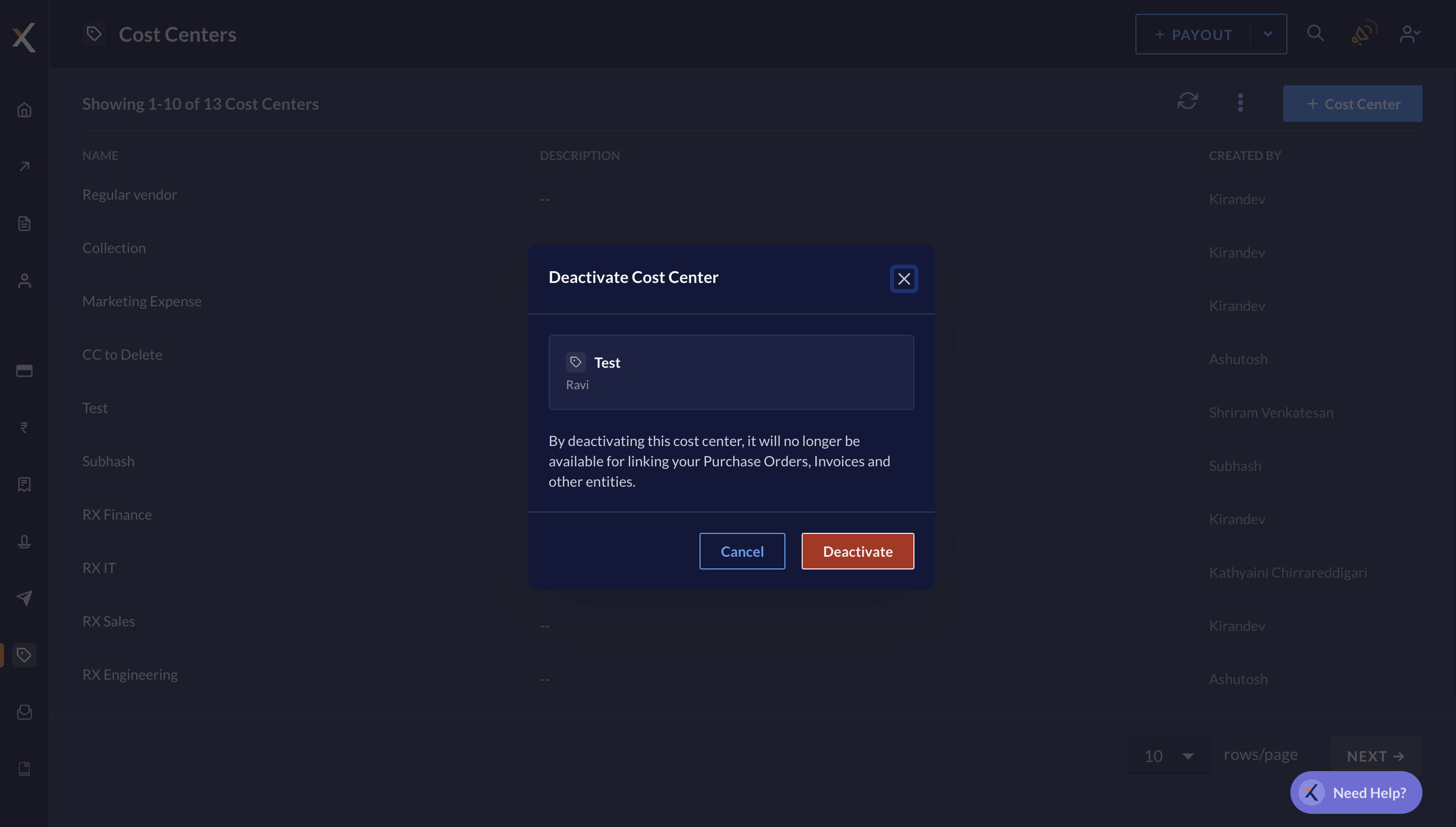
- Review and click Got it. Your cost center is deactivated.