Available in🇮🇳 India
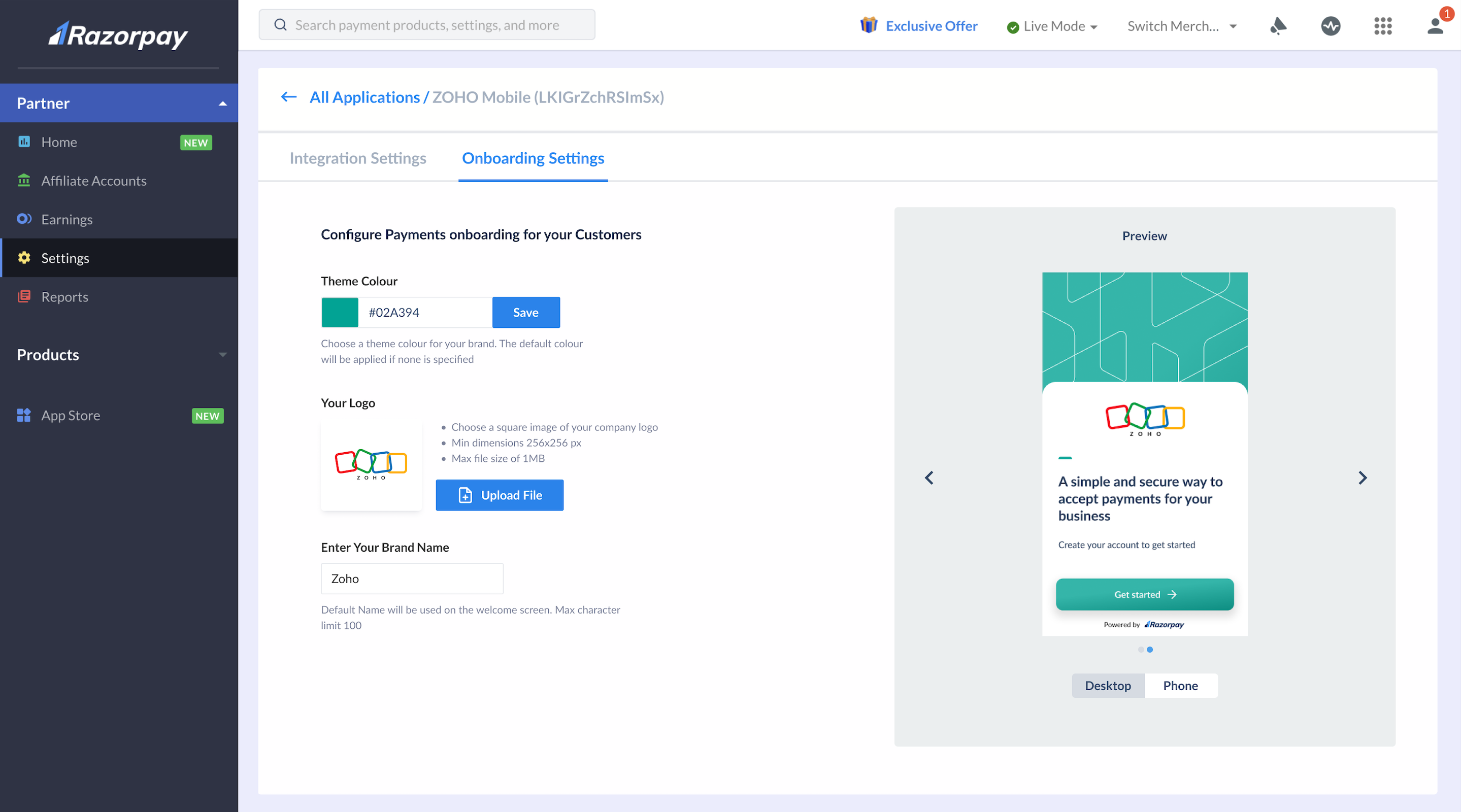
You can configure the theme colour and logo as per your platform theme to provide a seamless onboarding experience for your sub-merchants.
Configure Theme and Logo
To customise the theme and logo:- Log in to the Dashboard.
- Navigate to Partners → Settings → Configuration.
-
Provide the following details:
- Theme Color: Enter your brand theme colour’s HEX value. For example, “#3399cc”. This is the primary colour for the onboarding flow UI.
- Your Logo: Click Upload File to add your brand logo. Ensure the file meets these requirements:
- Height: Width ratio should be 1:1 (square shape).
- Maximum file size: 1 MB.
- Maximum dimension: 256x256px.
- Enter Your Brand Name: Enter the name that should be shown on the onboarding flow UI. The maximum character limit is 100.
- Check the preview of the onboarding UI on the right (desktop and phone) and click Save.