

Available in🇮🇳 India
Bajaj Pay Wallet is a secure digital wallet that simplifies everyday payments for your customers. Customers can pay bills on the go or easily initiate fund transfers from their phones.
Enable Bajaj Pay Using Dashboard
Enable Bajaj Pay payment method on the Dashboard if not already enabled:- Log in to the Dashboard.
- Navigate to Account & Settings → Payment Methods.
- Select Wallet.
- Click Request beside Bajaj Pay Wallet.

- A request form appears. Select the payment instrument to be enabled on your Checkout. Click Save & Next.
- Fill in the required details and click Save & Next.
Handy Tips
- If you are an existing business, some of the required details will be auto-filled.
- You can click the Edit button to fill in the incomplete details before submitting the form.
- Fill in the Management/Ownership details in the form. When complete form details are filled, click Submit Form.
- After the form is submitted, the request is sent to activate the selected payment instruments. The feature enablement request will take 2 business days to be approved.
Standard Integration
After Bajaj Pay is enabled, it is listed on the Razorpay Standard Checkout as an option under the wallet payment method. No additional integration is needed. You can view the wallets enabled for your account under the Account & Settings → Payment Methods tab.Payment Flow for Standard Checkout
On your website or app, customers select the products and proceed to Checkout. On the Checkout page, the customers:- Enter the Phone Number and click Continue.
- Select Wallet as the payment method.
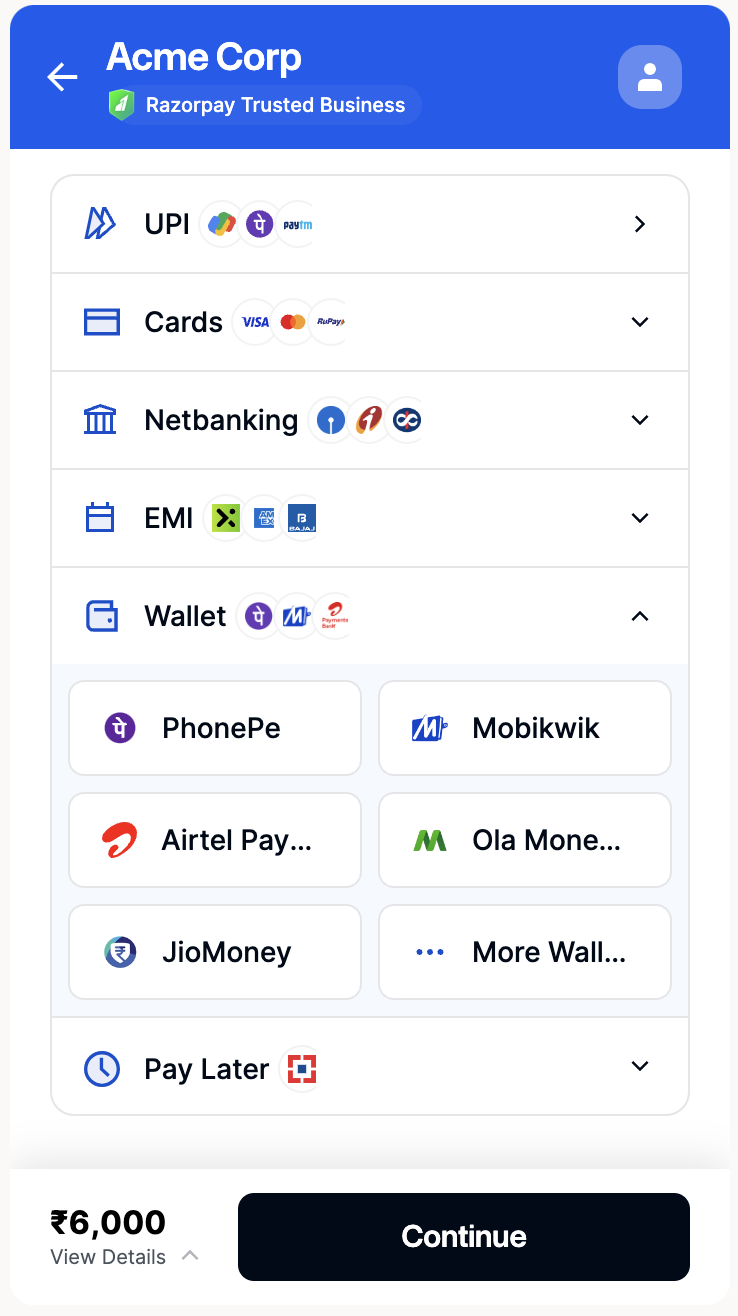
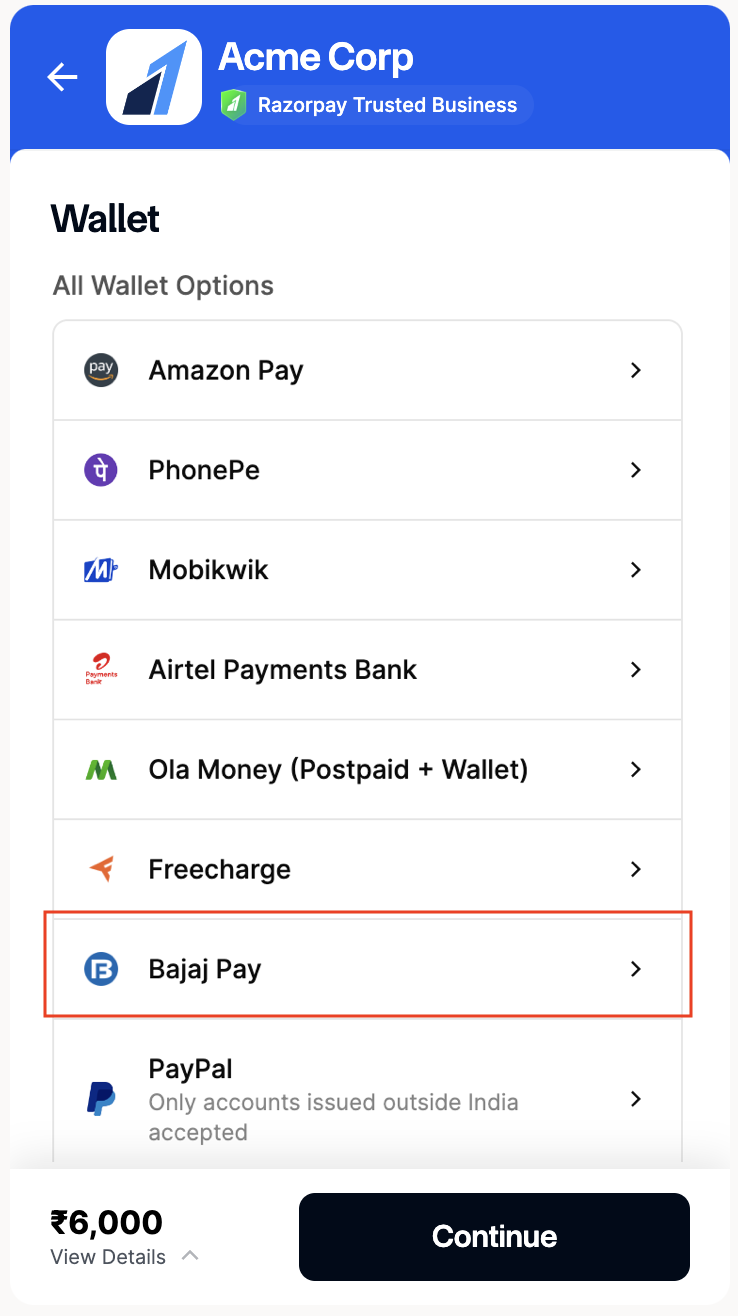
- Select Bajaj Pay and click Continue.
- Enter the OTP sent to their mobile number. In case of insufficient balance, click Add Funds.
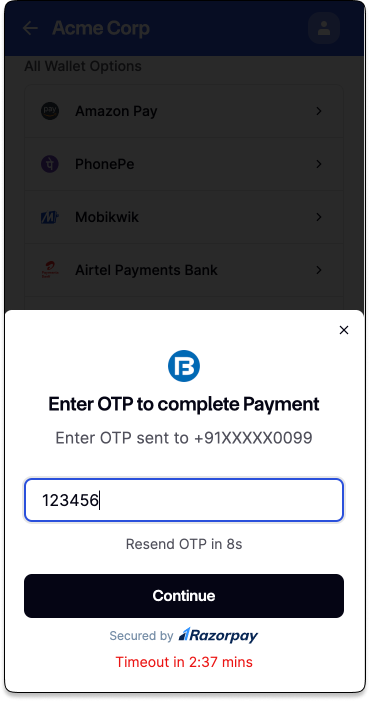
- The payment is completed if they have sufficient balance in the wallet.