

Available in🇮🇳 India
After processing your Payout Links bulk upload file, RazorpayX generates a Bulk Upload report. The report shows the:
- Summary of Payout Links created.
- List of Payout Links not created/failed to create.
- Errors and reasons for the failure.
Bulk Payout Links Report
After a bulk upload is processed, download the report from the RazorpayX Dashboard.Fields in the Report
The report contains:- A summary of the processed file.
- The Contacts, Fund Accounts and Payout Links created as per the contact details the recipient/owner has provided.
- Additional details as per the fields requested in the sample template for Payout Links.
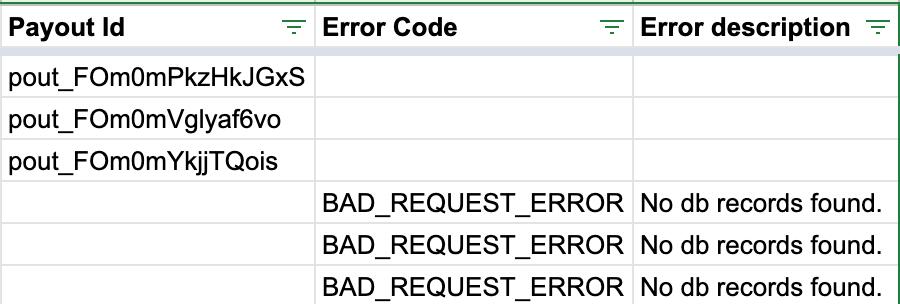
Payout Id
: string Unique identifier for the payout. Value is returned only if the payout is successfully created. For example, pout_FMfjLUuRS9Hlzc.
Error Code
: string The error code for the failure. For example, BAD_REQUEST_ERROR.
Error Description
: string The reason for the error. For example, No db records found.