

Available in🇮🇳 India
Advance tax is the amount of income tax that is paid much in advance rather than a lump-sum payment at the year-end. Also known as earn tax, advance tax is to be paid in installments as per the due dates decided by the income tax department.
Both individuals as well as businesses are liable to pay advance tax if their tax liability is greater than or equal to INR 10,000 post TDS payment in a fiscal year.
How it Works
Watch this short video on using RazorpayX Dashboard to make Advance Tax payments.
To get started with Advance Tax payments, you must:
- Naviagte to Menu → Tax Payments on the Dashboard.
- Go to Advance Tax → Get Started.
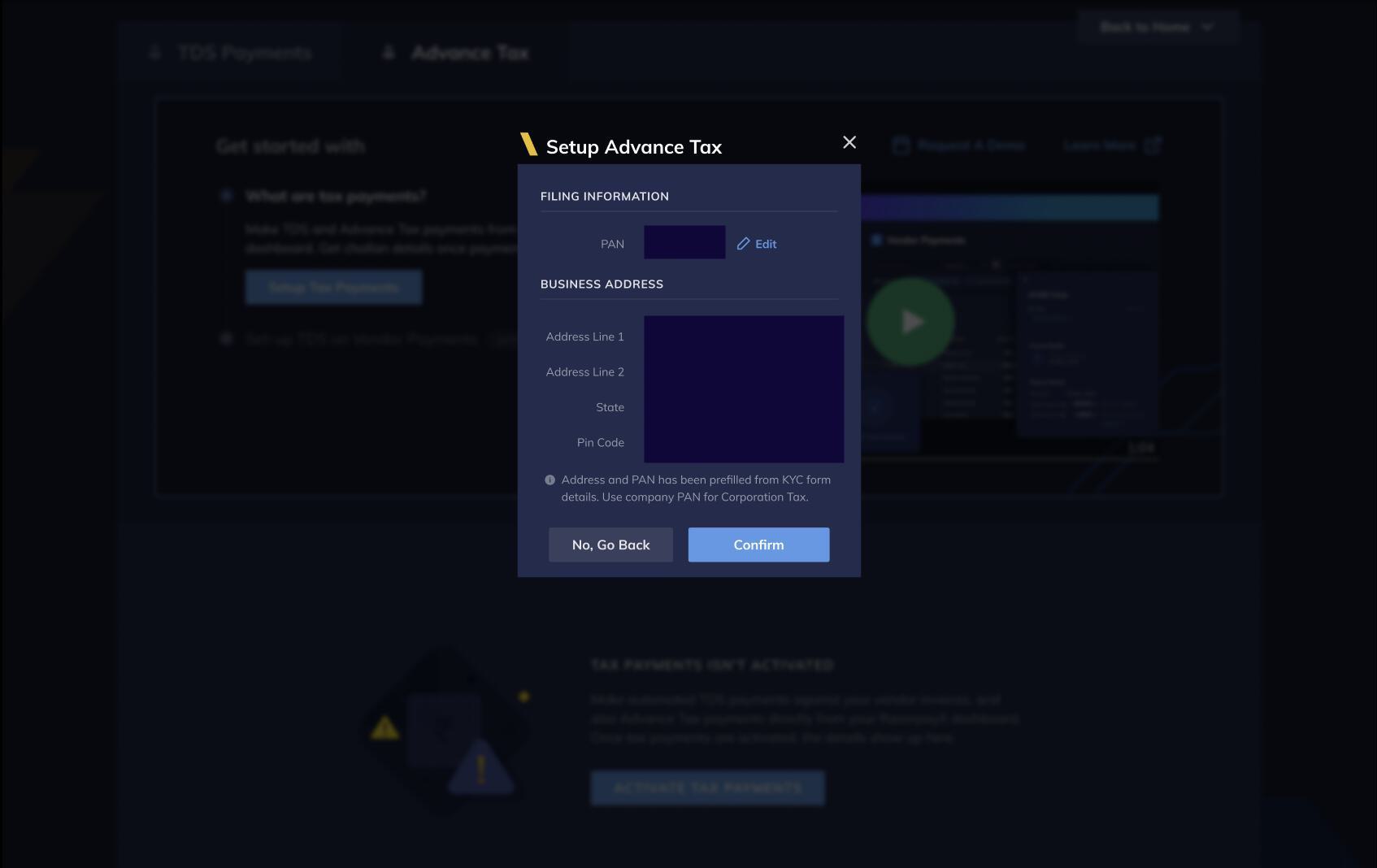
- Here, you must verify the pre-populated PAN and business location details.
Advance Tax Actions in RazorpayX
With RazorpayX Tax Payments, you can perform the following actions.Set Up Advance Tax
To set up Advance Tax:- Log in to your RazorpayX Dashboard.
- Navigate to Menu → Tax Payments.
- Tab across to Advance Tax.
Create Advance Tax Payout
To create a payout for Advance Tax:- In the Advance Tax Payment window, click + Advance Tax.
- Confirm details for tax filing in the Adding Filing Details window as shown below:
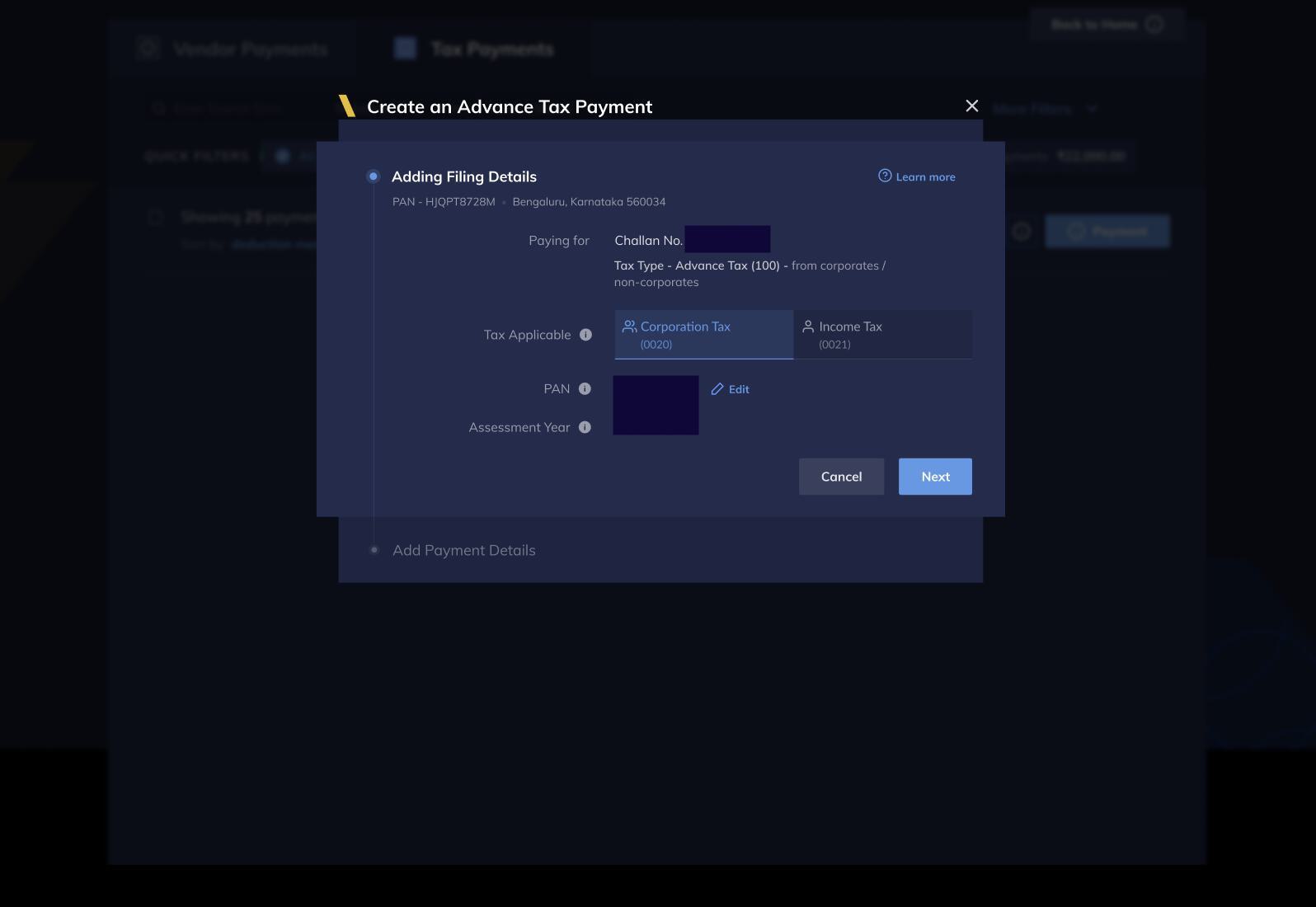
- Click Next.
- Add tax amount to be paid. You can enter break-up of the tax amount by using the Show all fields drop-down menu.
- Click Save Payment to save the payment, or click Pay Now to proceed to make the payment.
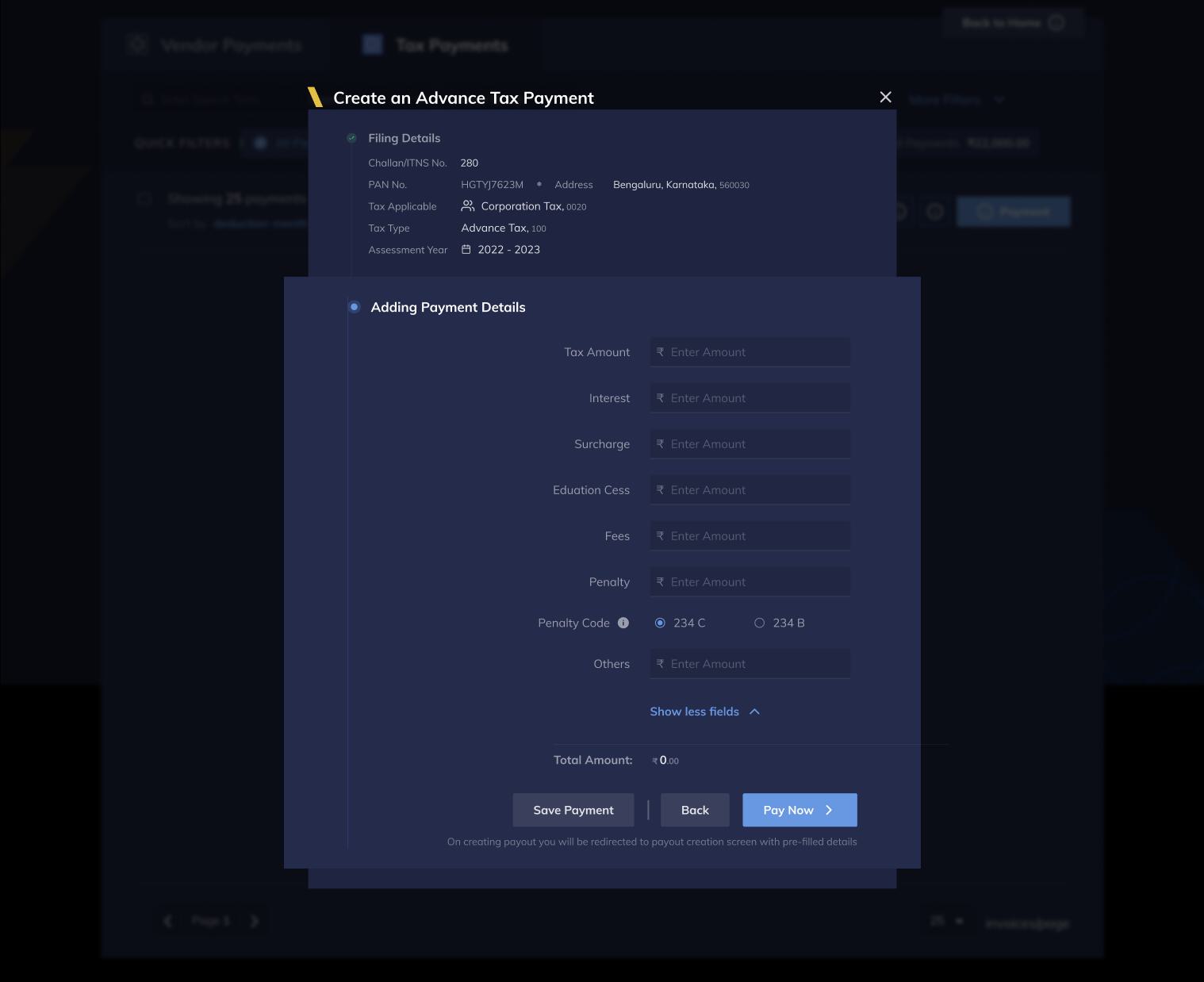
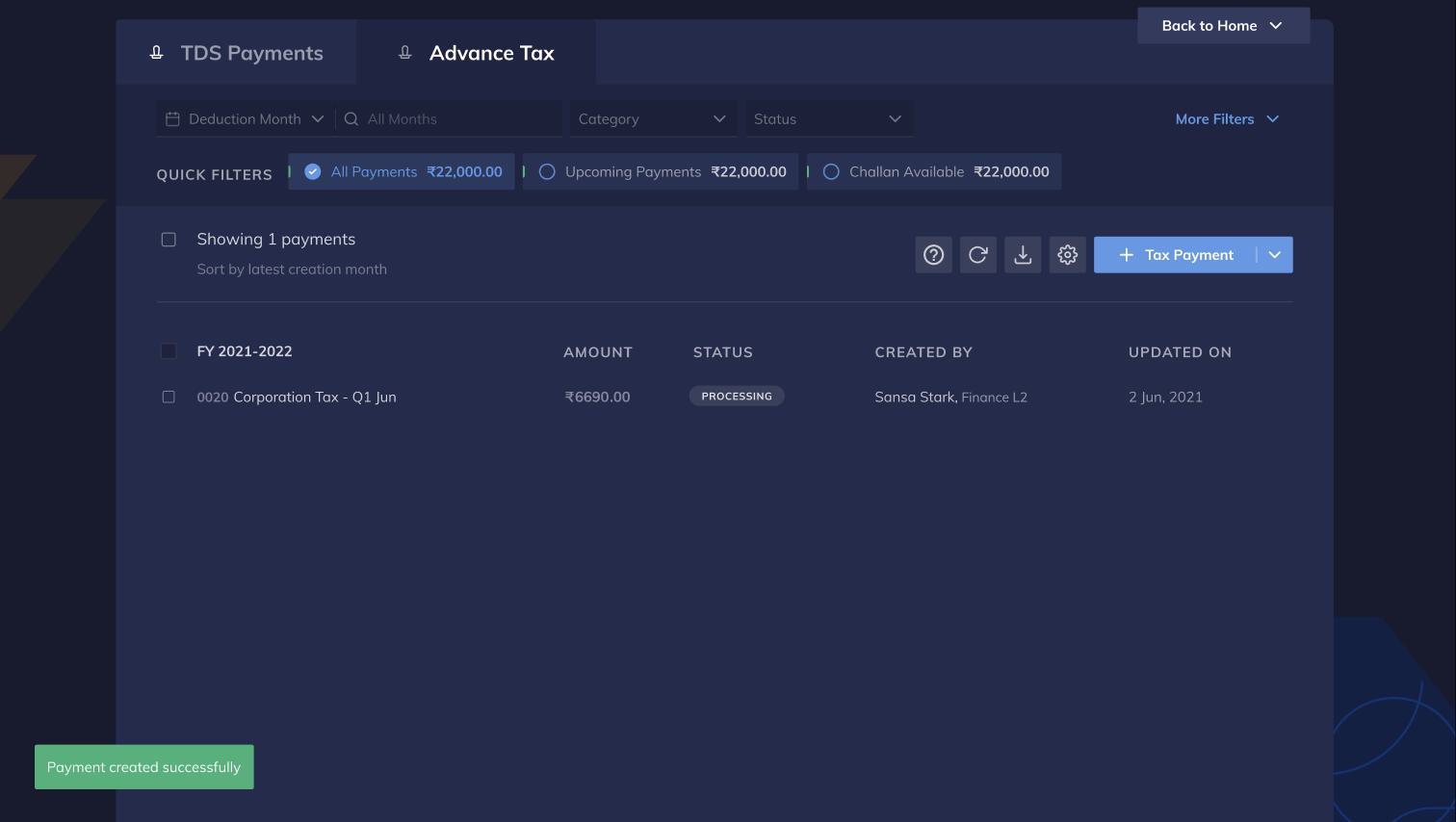
- If you select Save Payment then, enter OTP to verify and click CREATE PAYOUT to save the payout. The payout is created and is listed in the Advance Tax screen as shown below:
- If you select Pay Now, then enter OTP to verify and confirm the payment in case of making the payment.