

Available in🇮🇳 India
Some vendor payouts may require multiple levels of approval by business stakeholders before they can be sent for the final review. To facilitate this approval process, you can add the approvers while uploading the invoice on the RazorpayX Dashboard. The invoices move to UNPAID state after the invoice is approved. You can make the payment once you receive the approval/s.
Watch the video below to know how to enable the approval workflow and approve invoices.
Enable Invoice Approval Workflow
To enable the Business Approval Workflow:- Log in to the RazorpayX Dashboard.
- Select Vendor Payments on the left navigation menu.
- Click the ellipsis icon ⋮ and select Invoice Approval Setting as shown below.
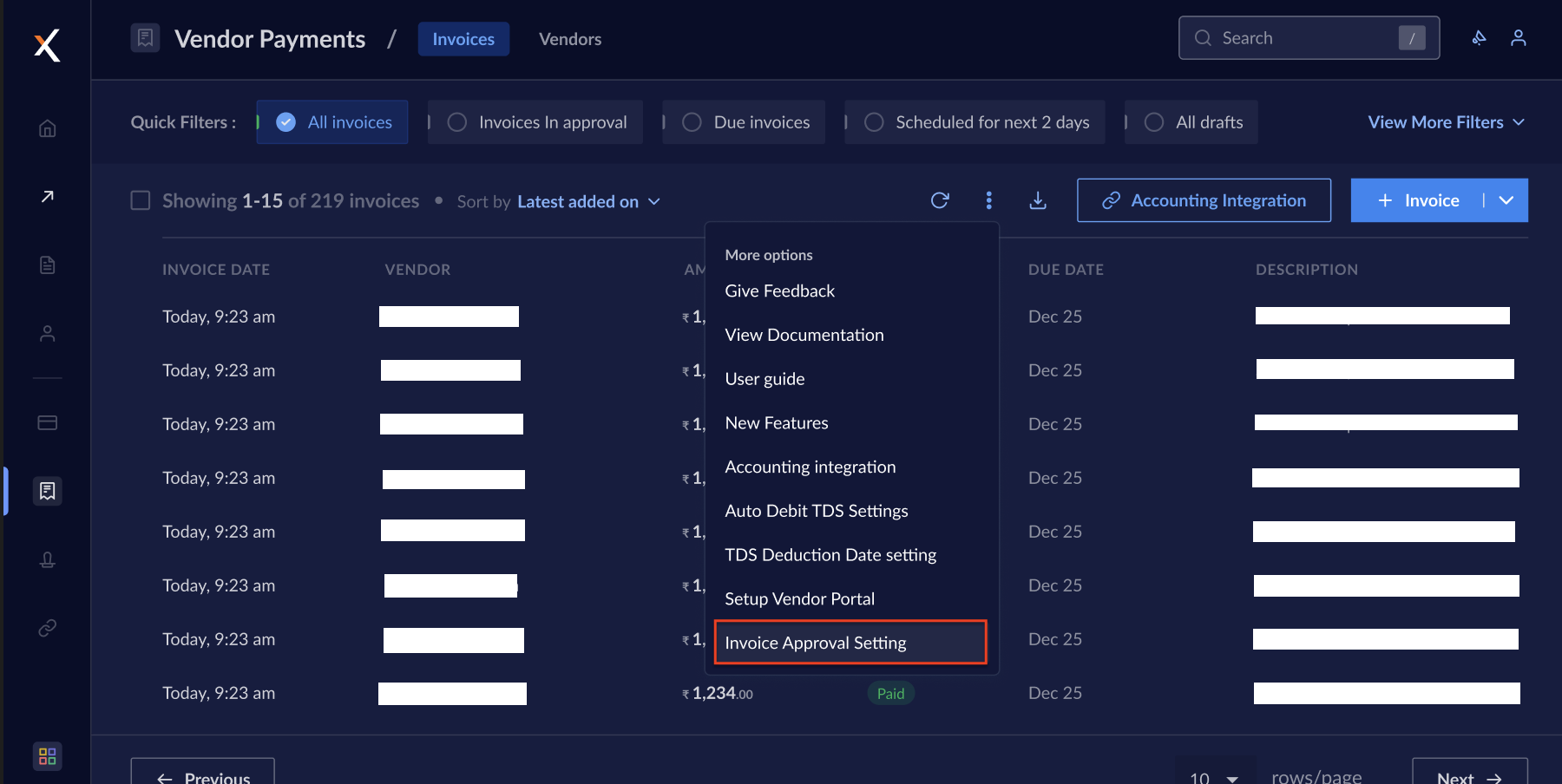
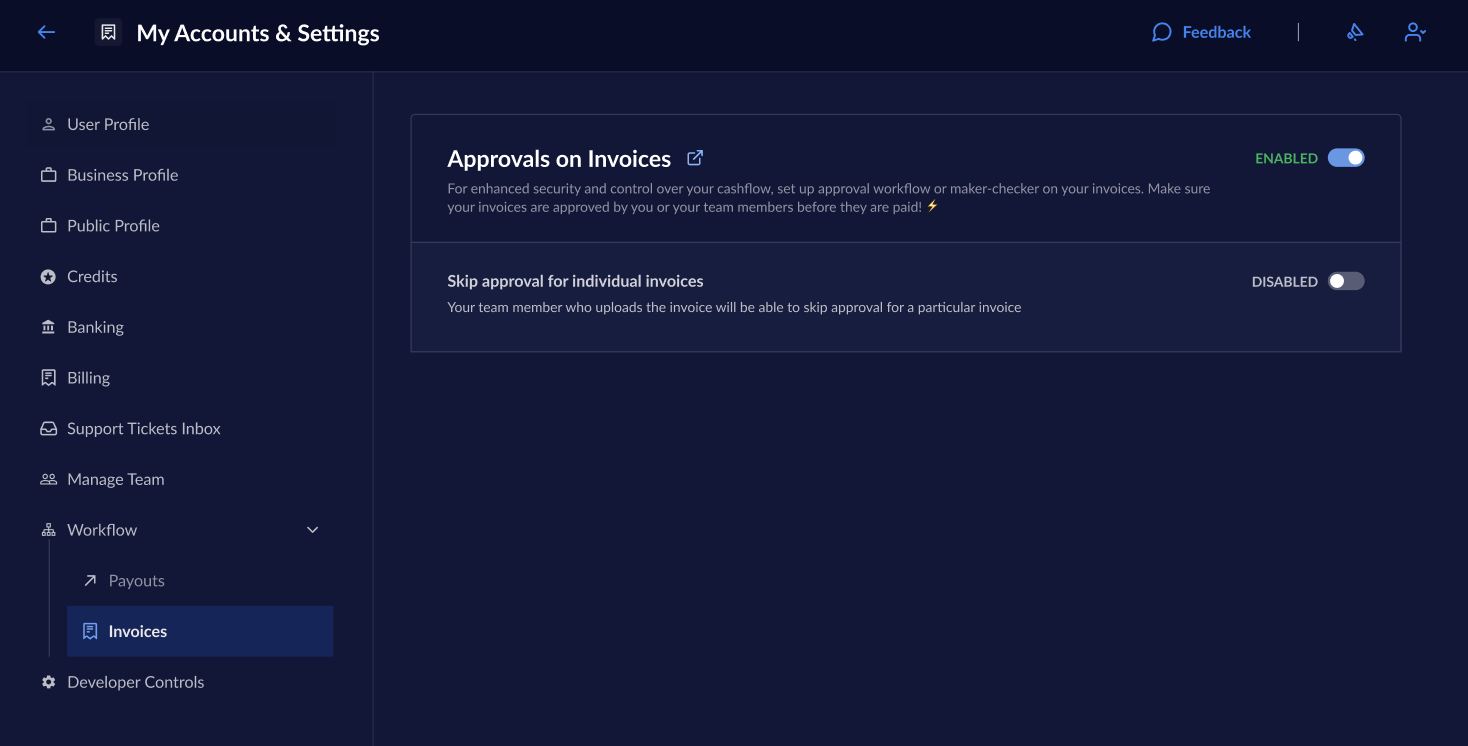
- Alternately, you can also navigate to My Account & Settings → Workflow → Invoices and select Invoice Approval Setting.
- Use the toggle button to enable Approvals on Invoices as shown below.
How it Works
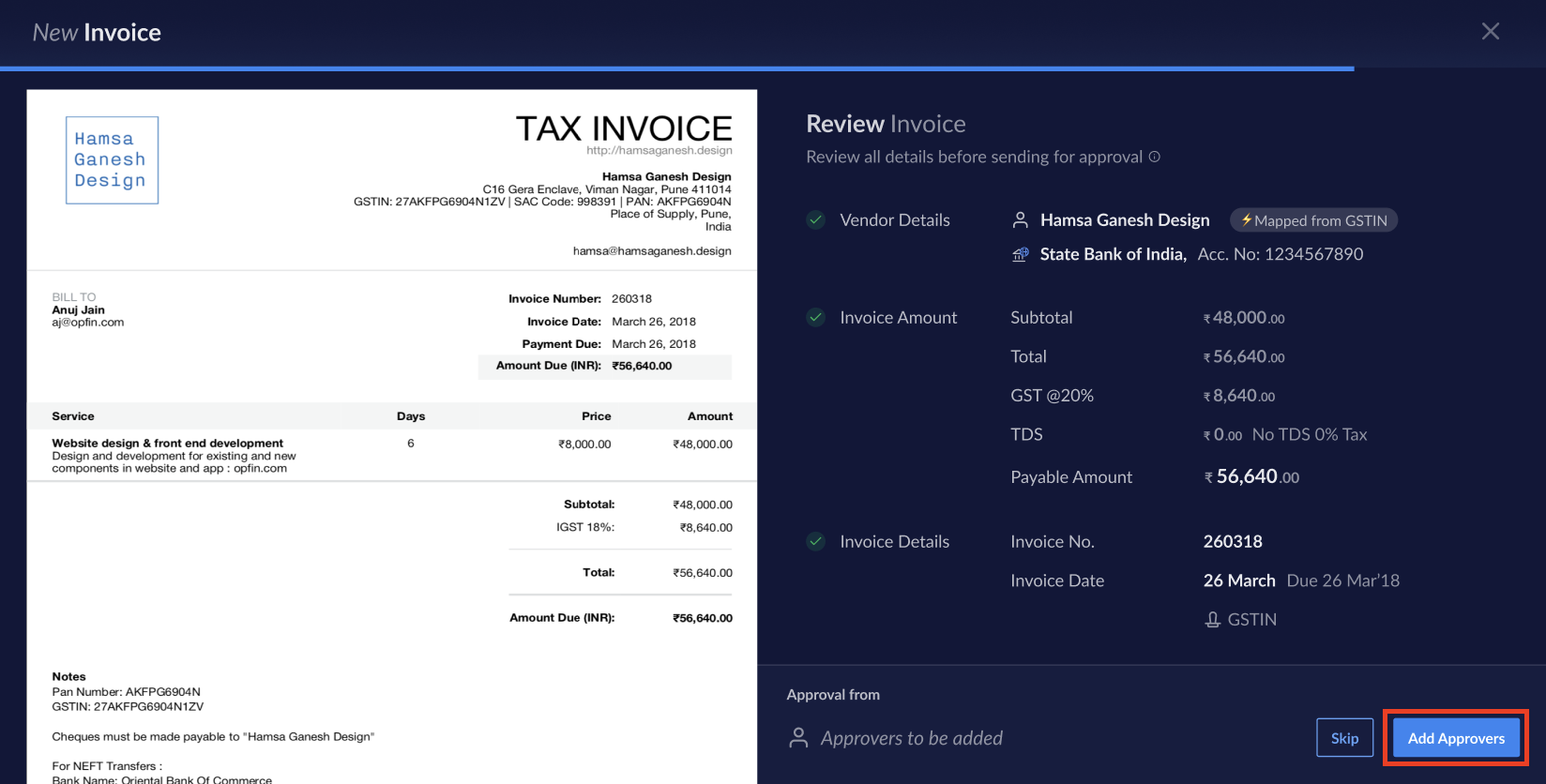
First, add invoice on the RazorpayX Dashboard.- Enter the details and click Add Approvers.
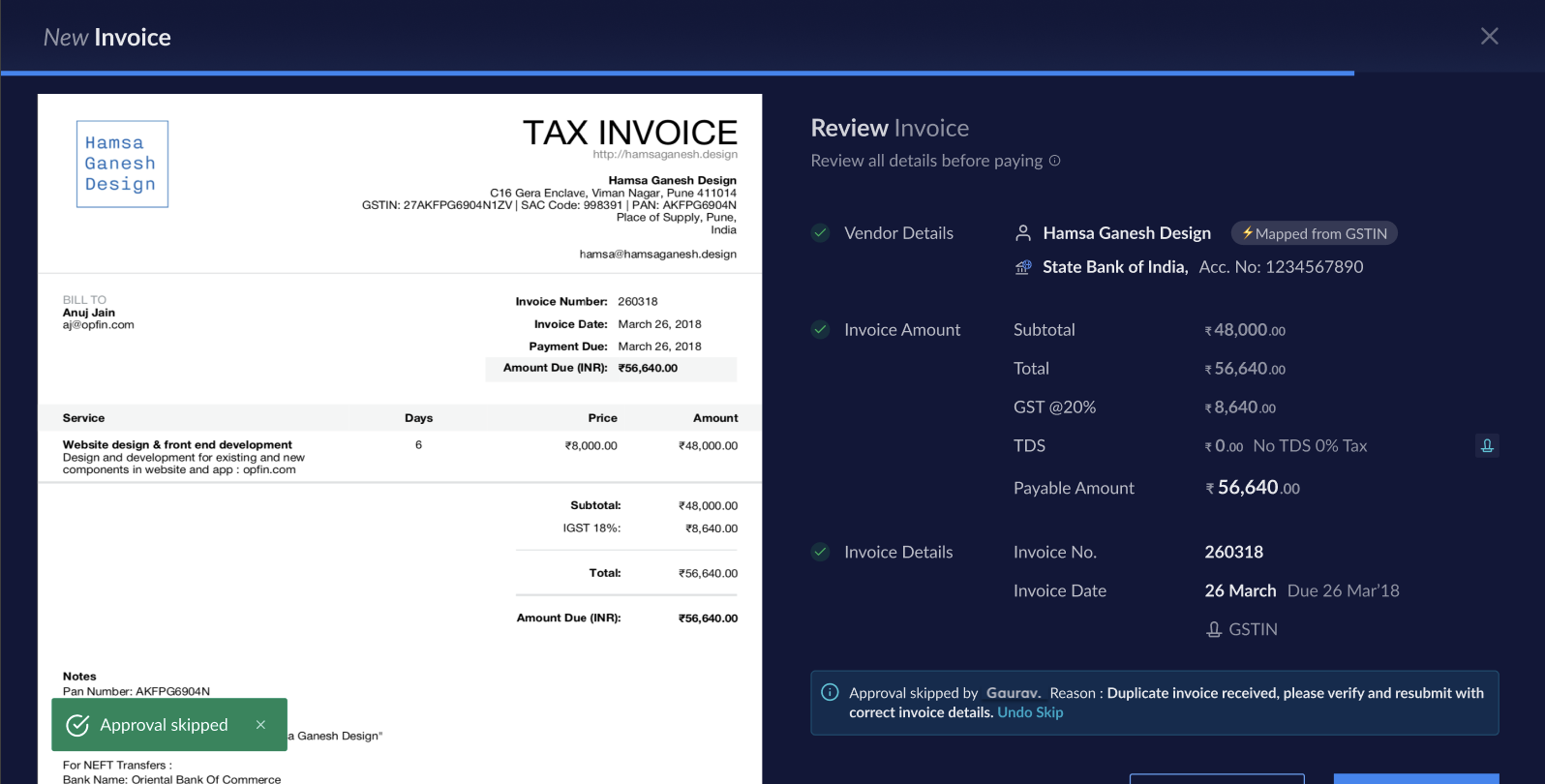
 If you decide to Skip sending the invoice for approval, enter the reason for doing it.
- Enter the email of the approver. You can either add more approvers or click Save.
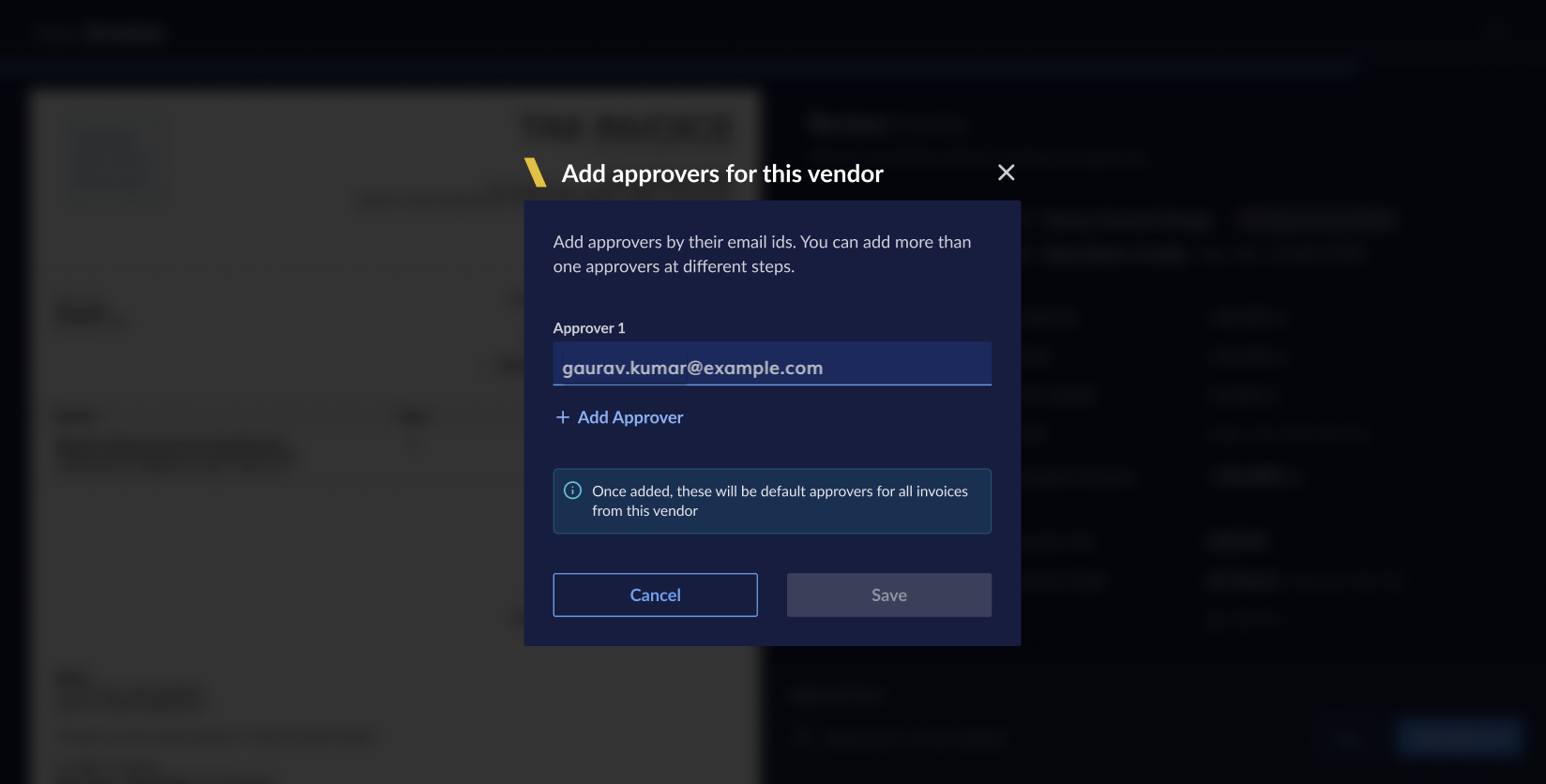
- Click Send to email the invoice for approval.
in approval state and move it to the UNPAID state.
- Log in to the RazorpayX Dashboard.
- Navigate to Vendor Payments on the left navigation.
- Select the
IN APPROVALinvoice for which you want to skip the approval workflow. - Click the skip icon in the right pane with invoice details.
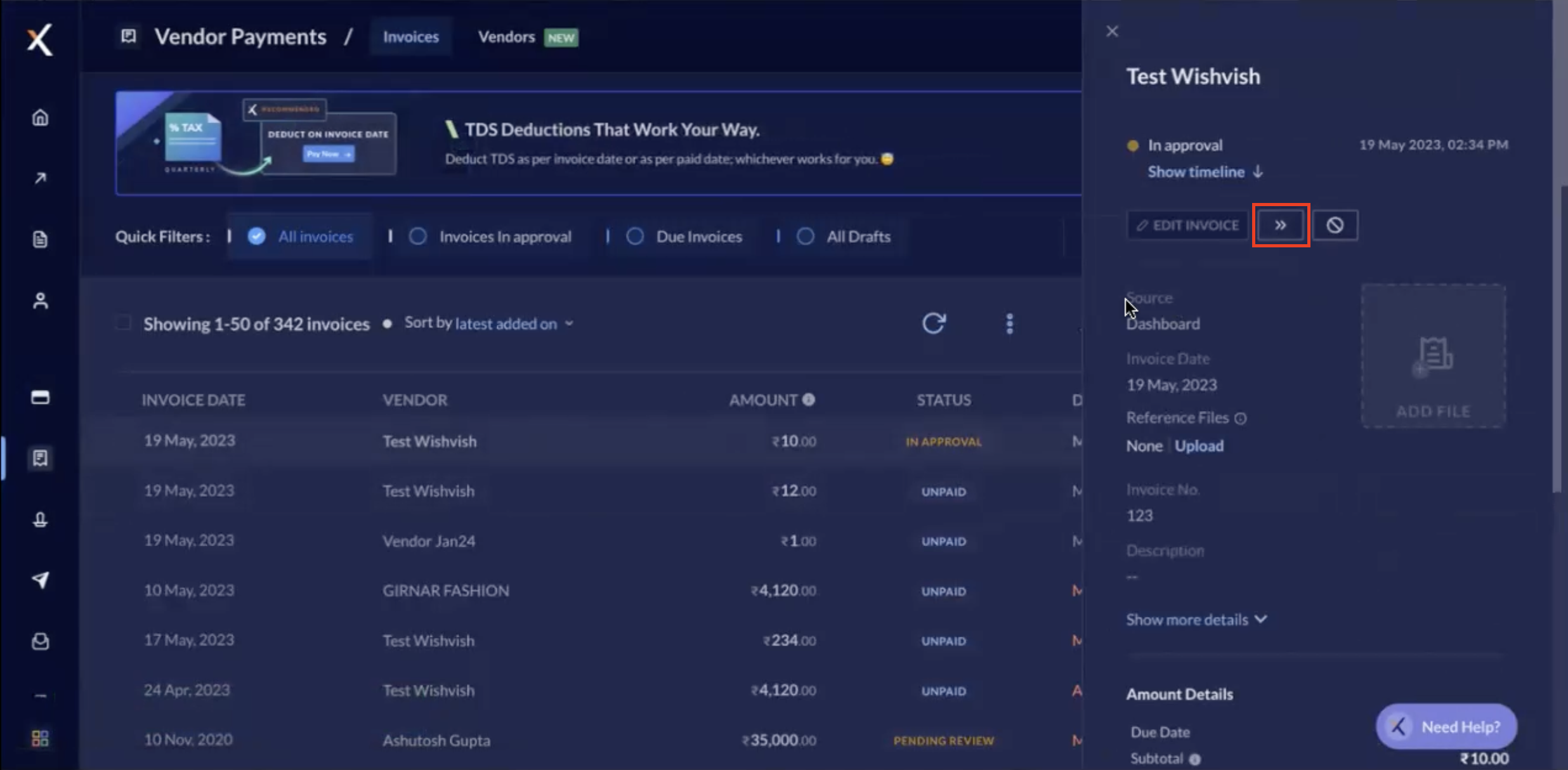
- Enter the reason for skipping th approval workflow and click Skip approval.
Edit Approvers
To change the approvers, click Change and edit the email/s.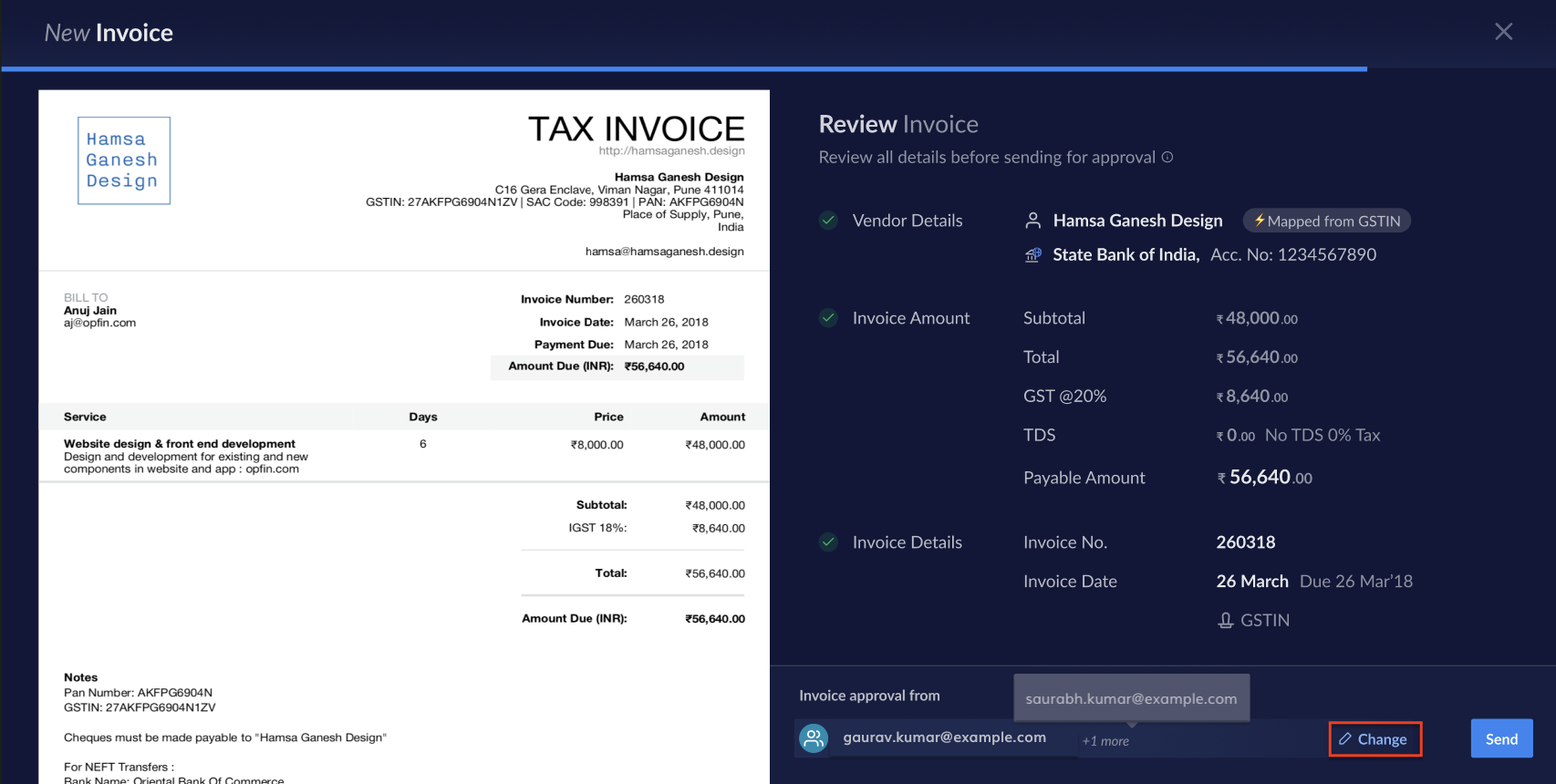
Invoice Status
Once the mail is sent for approval, the invoice status changes toIN APPROVAL, post which it is either REJECTED or UNPAID if the invoice is approved. To view the audit trail, navigate to Vendor Payments → Invoices and select the respective invoice to view the details.
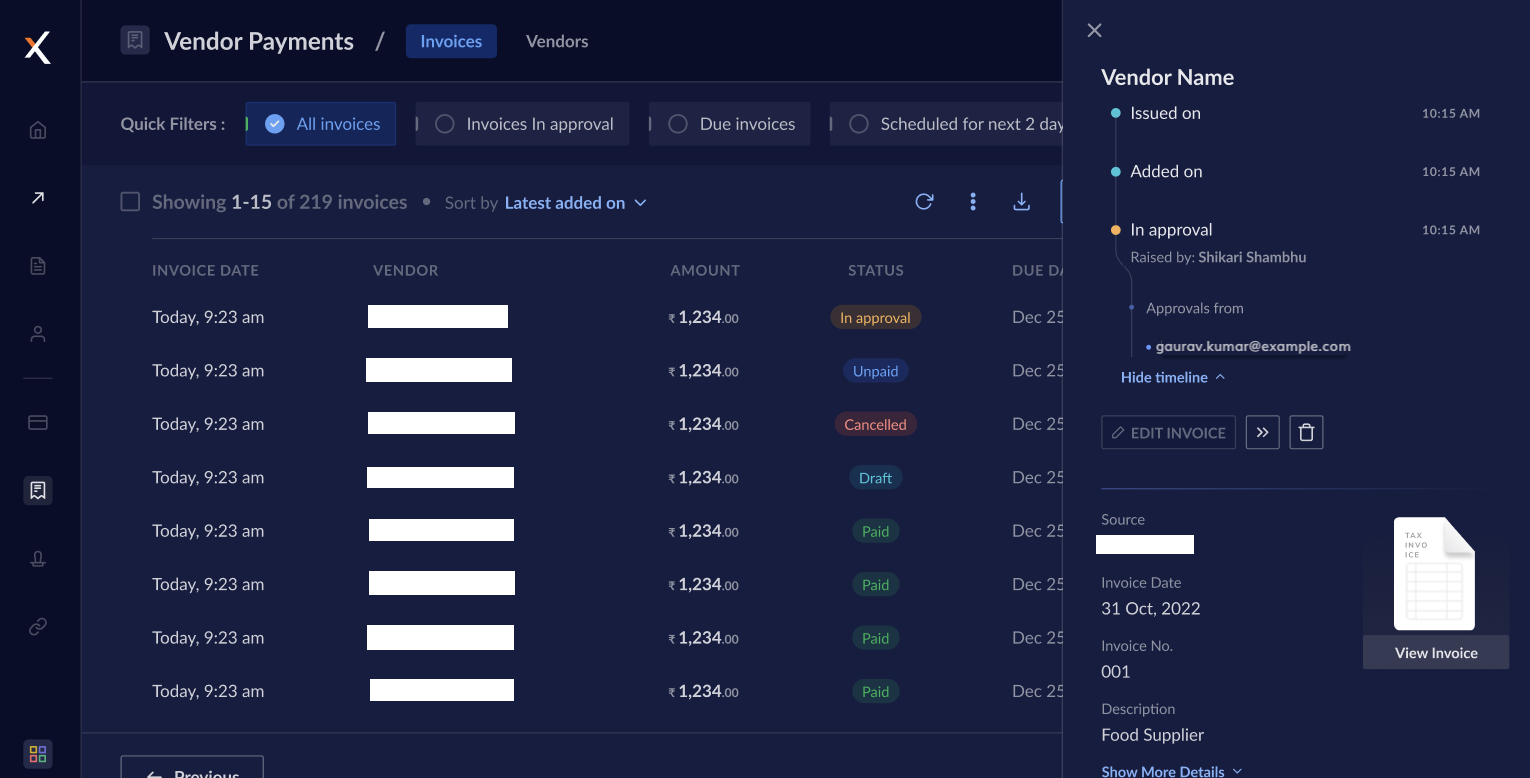 Know more about the Invoice Life Cycle.
Handy TipsIn case an accounting integration is enabled, the invoices sync only post-approval.