

Available in🇮🇳 India
To transfer funds to various third parties, sub-merchants, bank accounts or vendors, you need to add them as Linked Accounts.
You can create Linked Accounts using Dashboard and APIs.
When you add a Linked Account, you gain complete visibility and control of all the fund movements such as transfers, reversals and refunds for each of your Linked Accounts.
Every Linked Account has a unique account_id which should be stored in your database. This ID should be sent in the various APIs described in other sections to identify the Linked Account.
Penny Testing
To avoid settlement failure, we will penny test Linked Accounts when added. Razorpay will transfer a nominal amount to the bank account details submitted to verify them. Transfers are allowed only on successful validation. This will be performed on the newly created Linked Accounts and the existing accounts when the bank account details are updated via the Dashboard. Know more about penny testing.Required Details
We collect the following details while adding the account:Primary details
:
- Linked Account name
- Contact number
Bank details
:
- Account number
- Account type
- IFSC
- Beneficiary name
Add and Manage Linked Accounts
Watch this video to see how to add Linked Accounts.
To create a Linked Account:
- Log in to the Dashboard and click Route under PAYMENT PRODUCTS.
-
Click Accounts tab, and then click + Add Account.
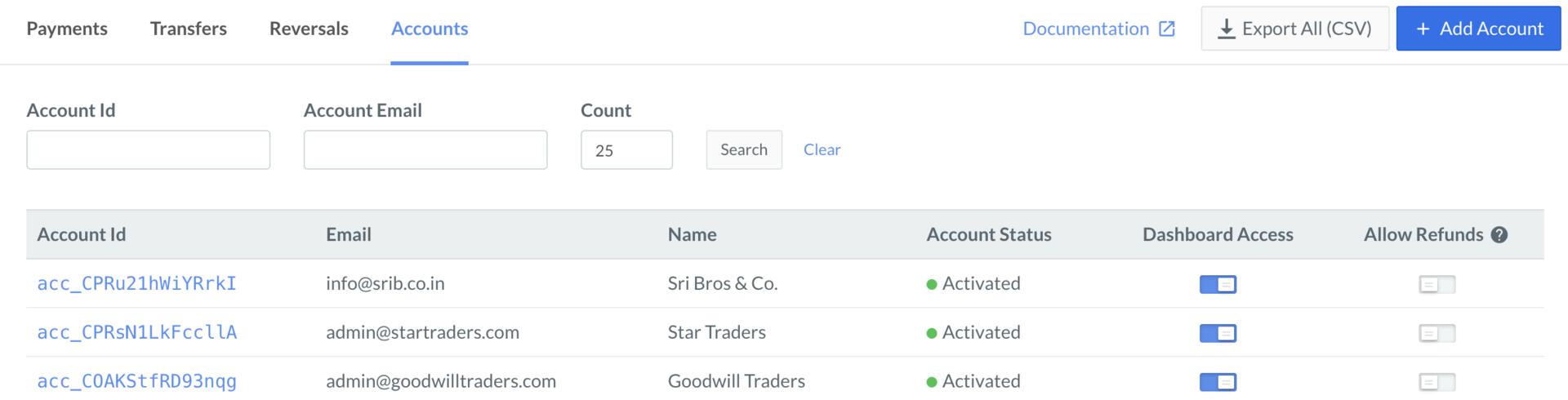
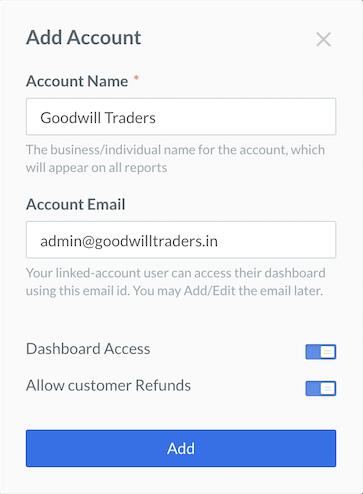
- Enter the Account Name and Account Email in the Add Account pop-up page.
- If you want to enable the Dashboard access for the Linked Account, turn on the toggle bar.
-
Click Add.
-
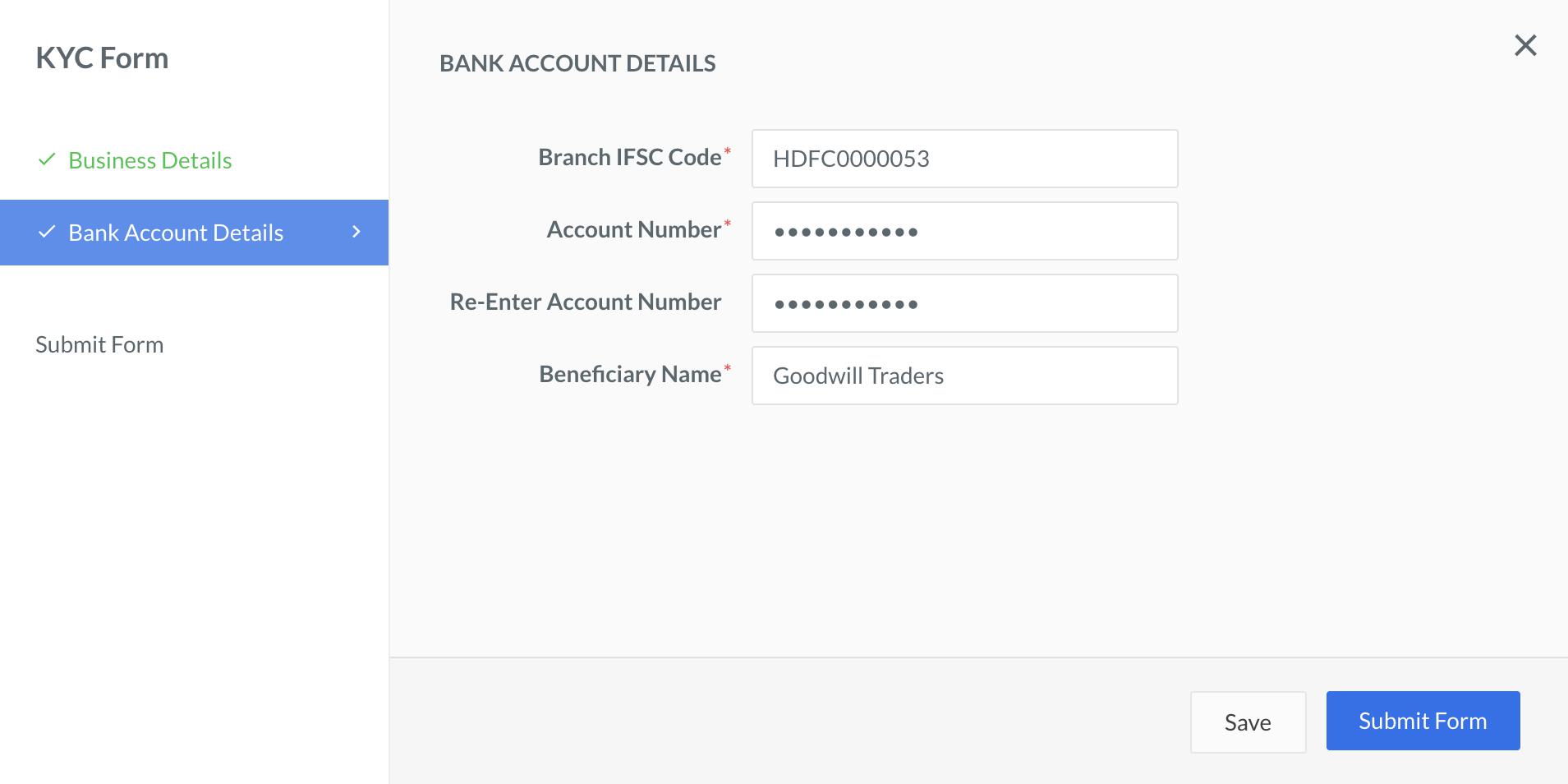
On the KYC Form pop-up page, enter Business Details and Bank Account Details, and then click Submit Form.
Grant Dashboard Access to Linked Accounts
You can grant Dashboard access to your Linked Accounts. The Linked Account can log in to the Dashboard with the email address provided at the onboarding time. The recipient Linked Account is notified via an email along with a password reset option.Watch Out!
- While you can create a Linked Account without adding their email, you cannot grant them Dashboard access. The access can be granted or provided only after you add the email address of the Linked Account.

- As a Linked Account user, you cannot access the Linked Account Dashboard unless the primary account owner adds you as a team member from their Linked Account Dashboard.
Enable Refunds Capability
Due to government regulations, in certain cases, the Linked Accounts need to directly process refunds to customers. You can enable refunds capability while adding a new account. To enable refunds capability for an existing account:- Navigate to the Accounts tab.
- Turn on the Allow Refunds toggle against the relevant account.
Enable Refund Credits
Refund Credits help the Linked Account to process customer refunds from a dedicated funds than using the unsettled balance. You can enable Refund Credits for a Linked Account by sending an email to your Razorpay account manager with these details:- Linked account name
- Email ID
- Balance type (Refund Credit)