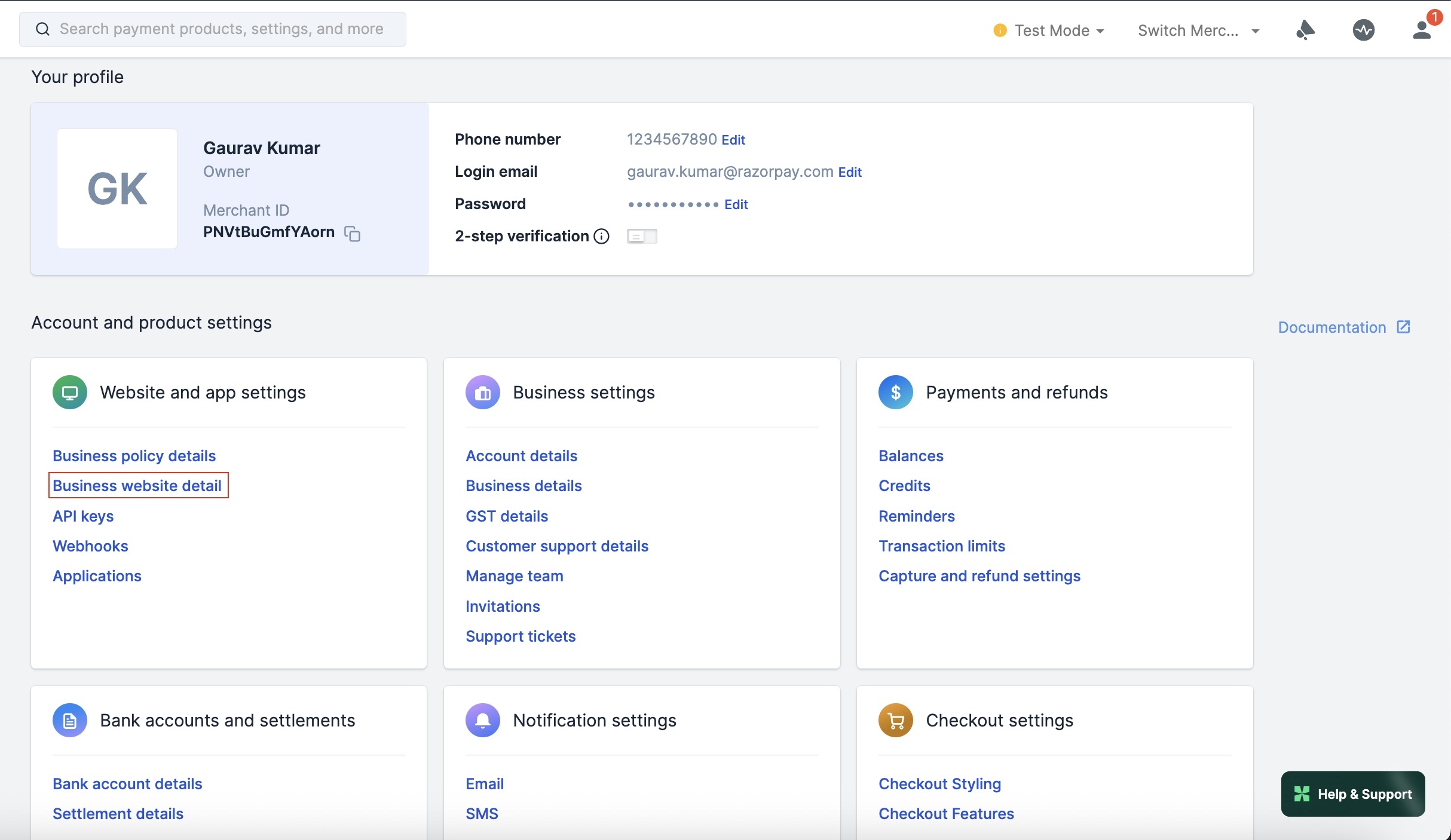
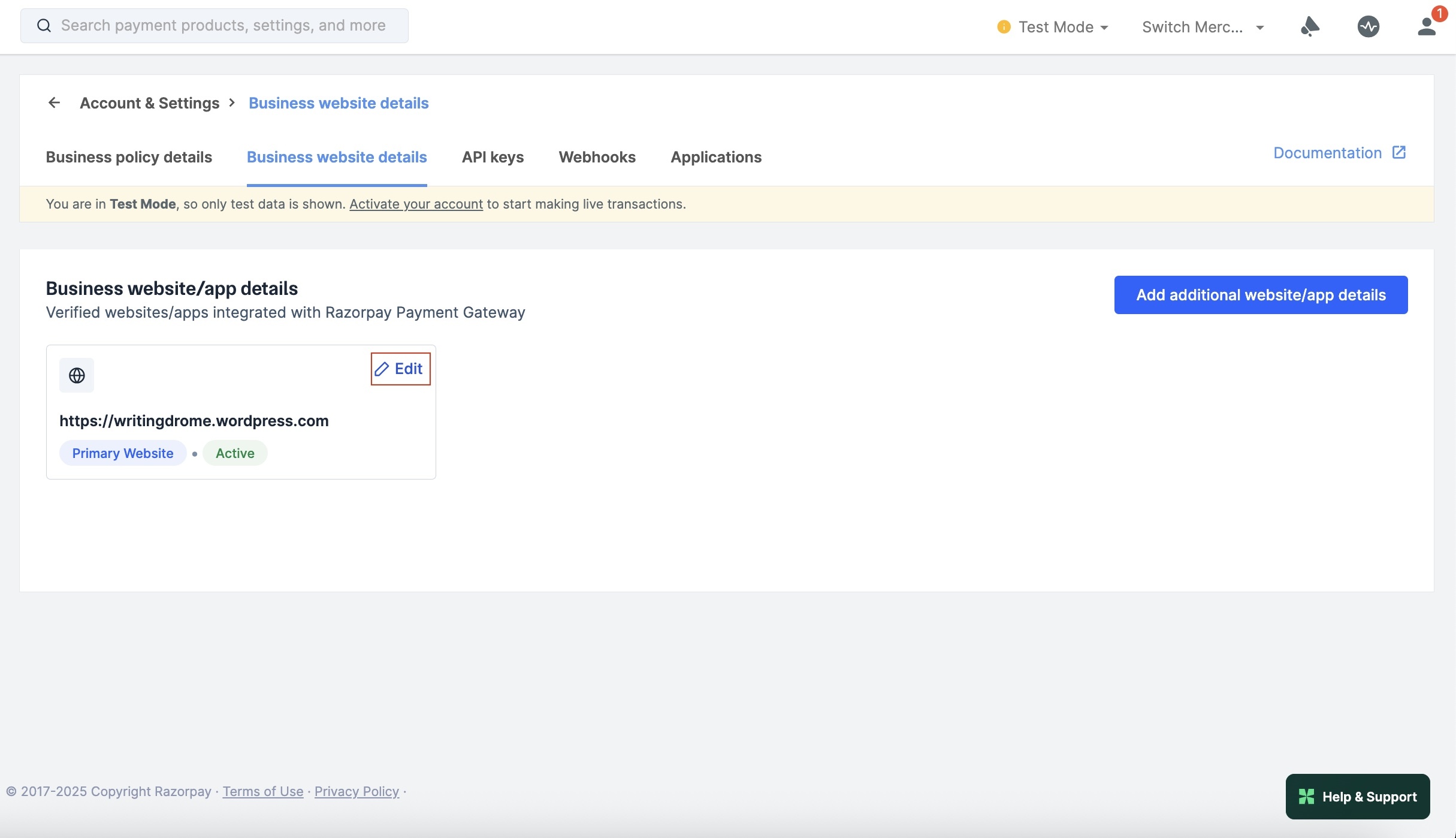
Click Business website detail under Website and app settings section.
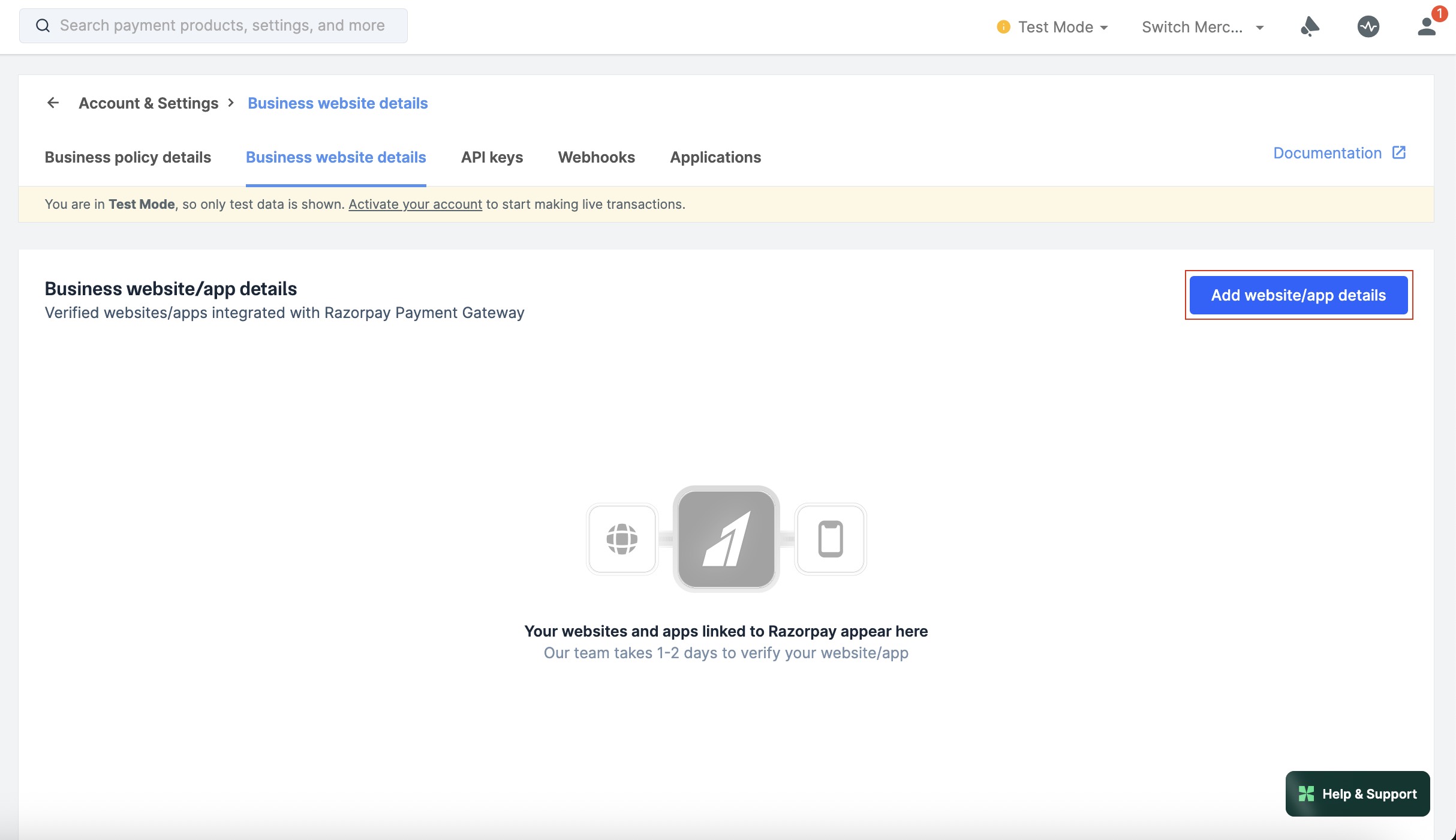
Click Add website/app details.
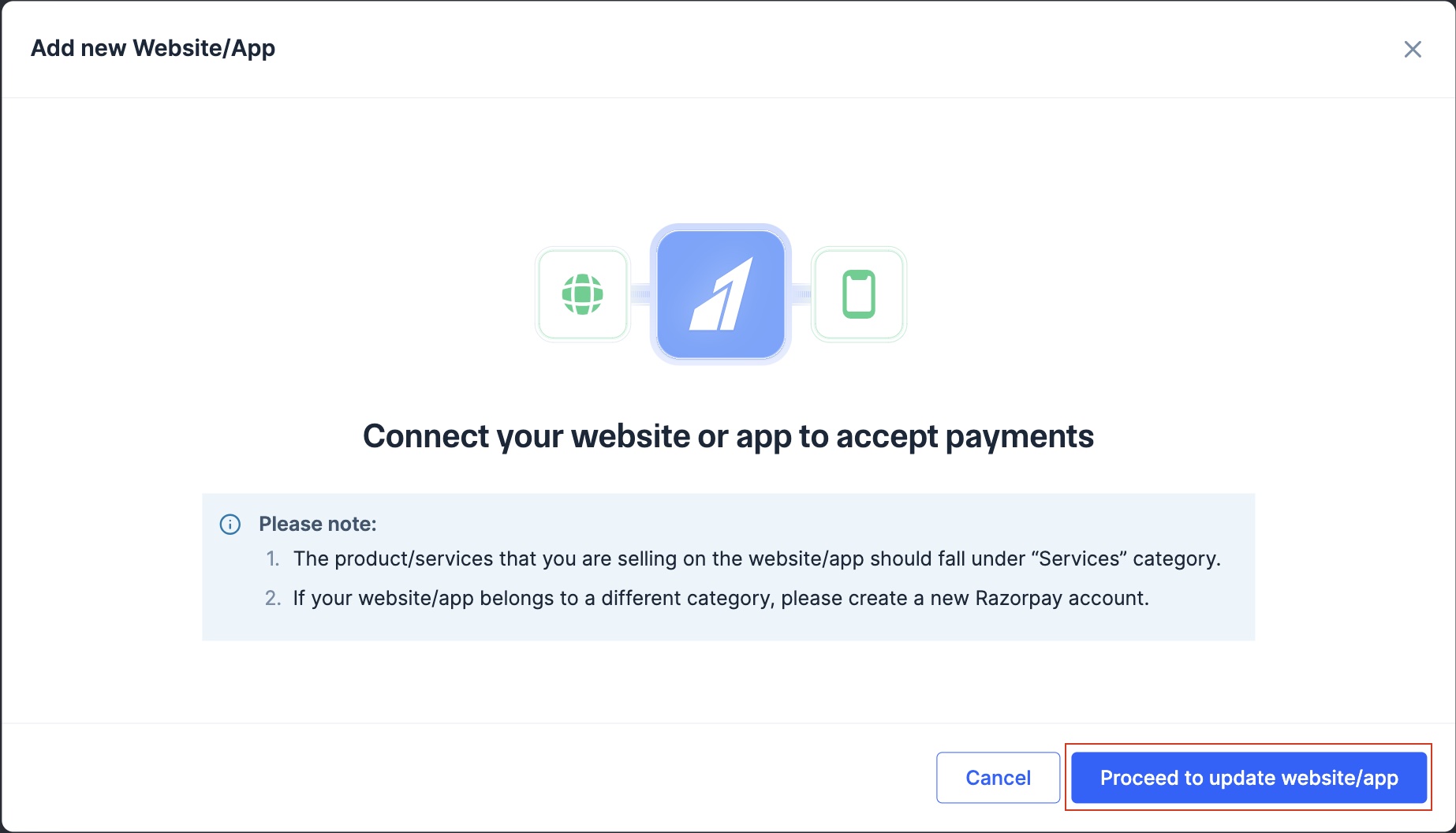
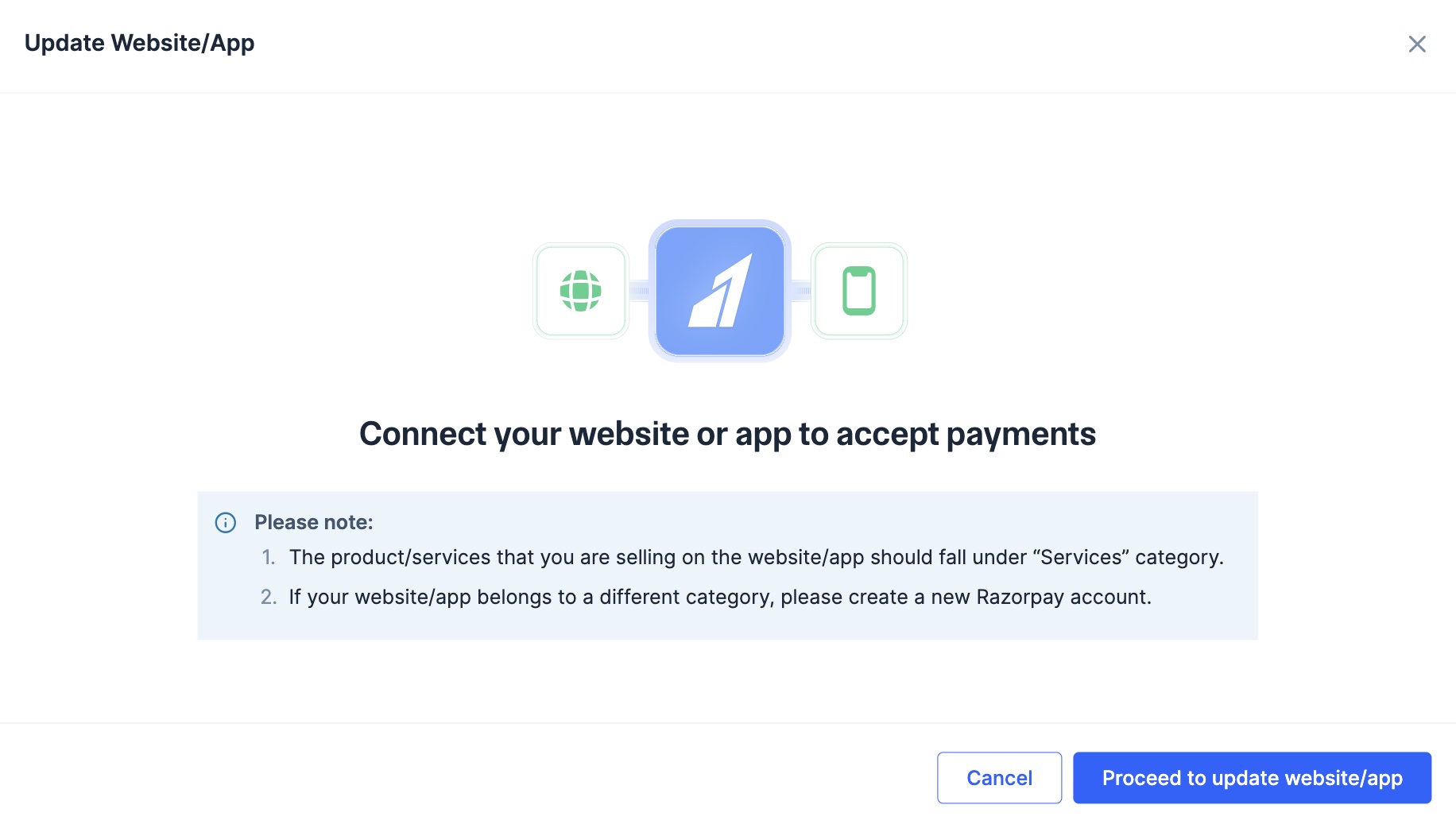
Click Proceed to update website/app.
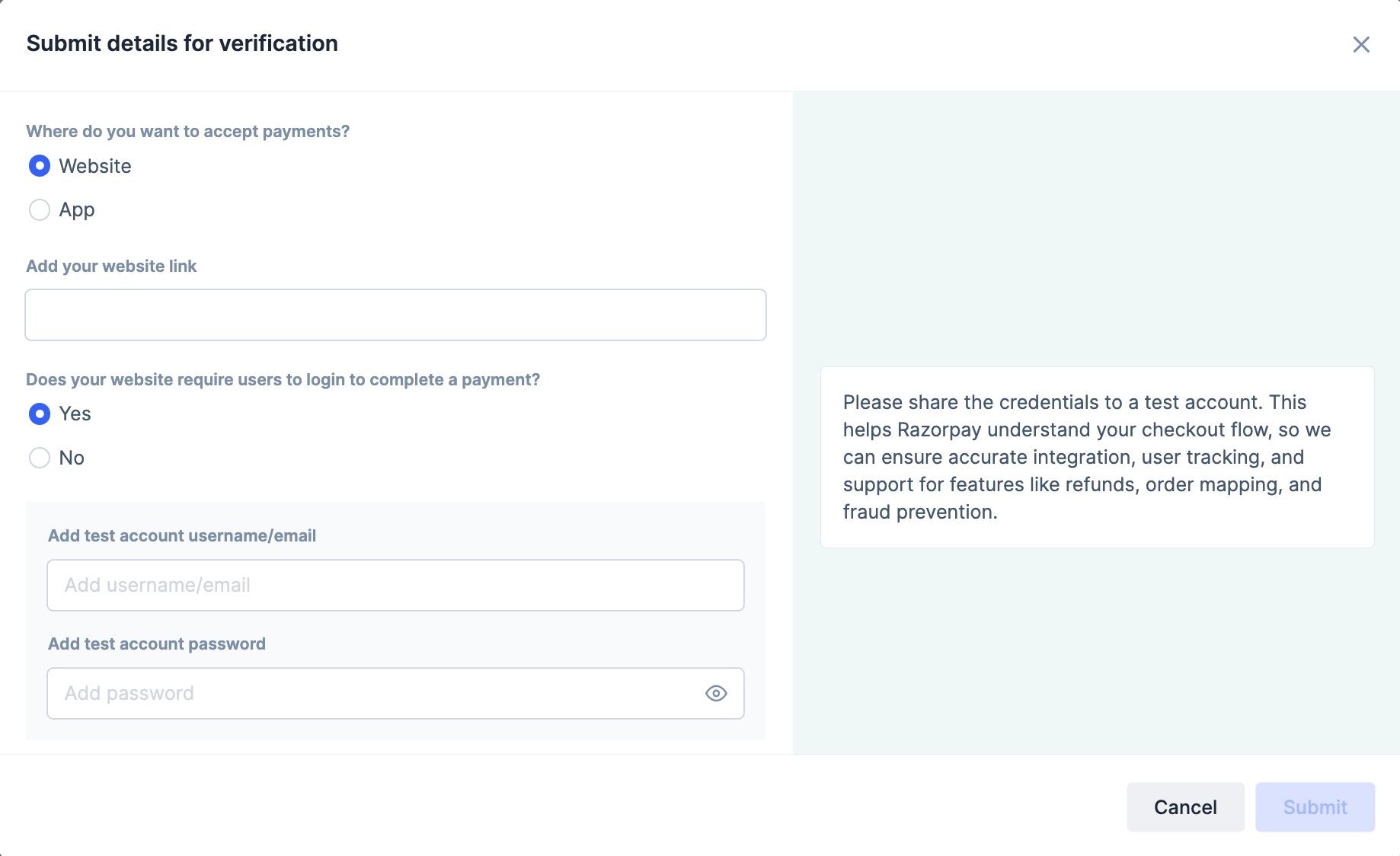
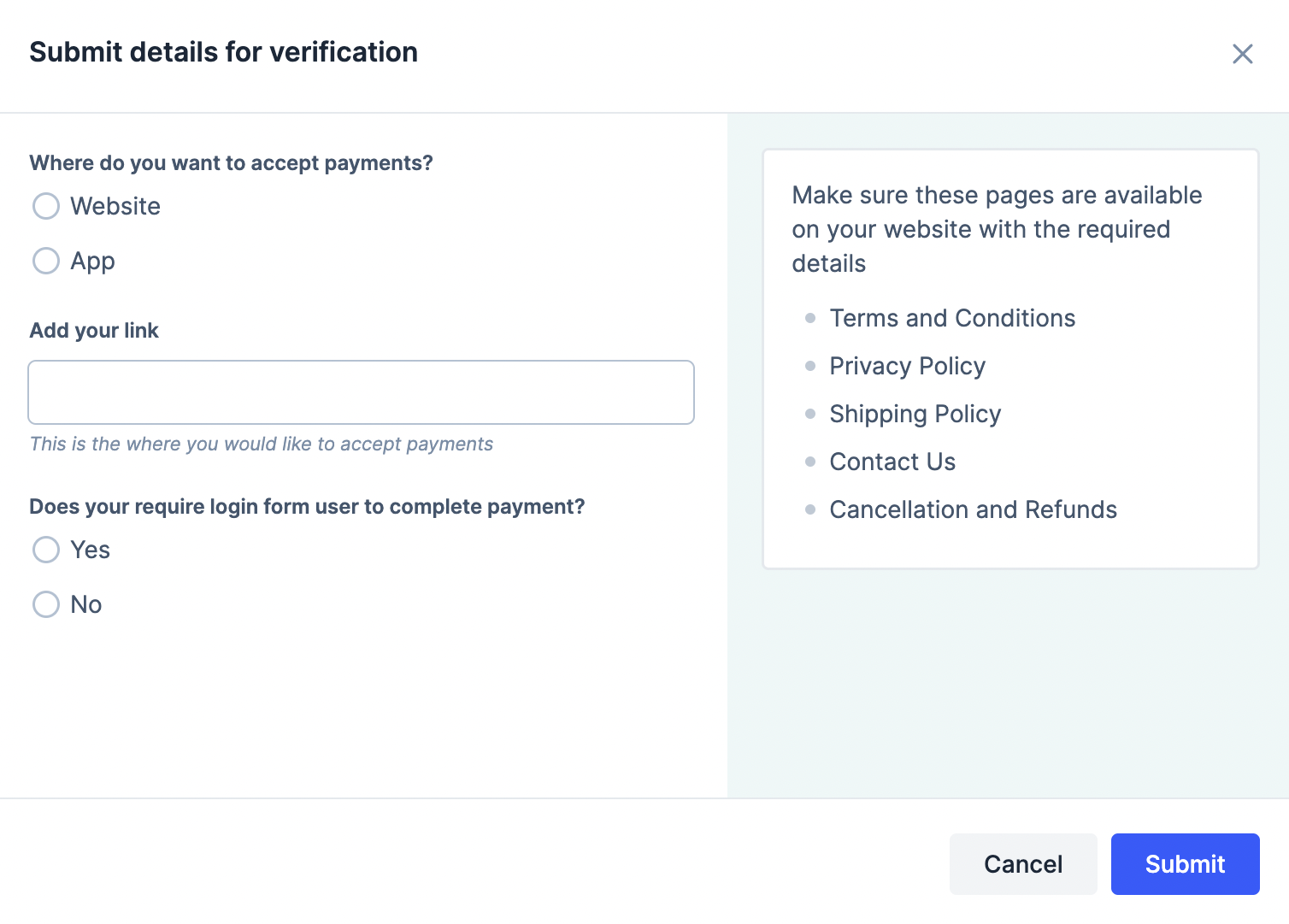
Select where you want to collect payments: Website or App
Add test account username and password.
Handy TipsEnsure you have the necessary pages available on your website or app:
Terms and Conditions
Privacy Policy
Shipping Policy
Contact Us
Cancellation and Refunds
Click Submit website for review.
To update website or mobile app details:
Log in to the Dashboard.
Click Account & Settings in the left navigation.
Click Business website detail under Website and app settings section.
Click Edit next to the website/app that you want to edit.
Click Proceed to update website/app.
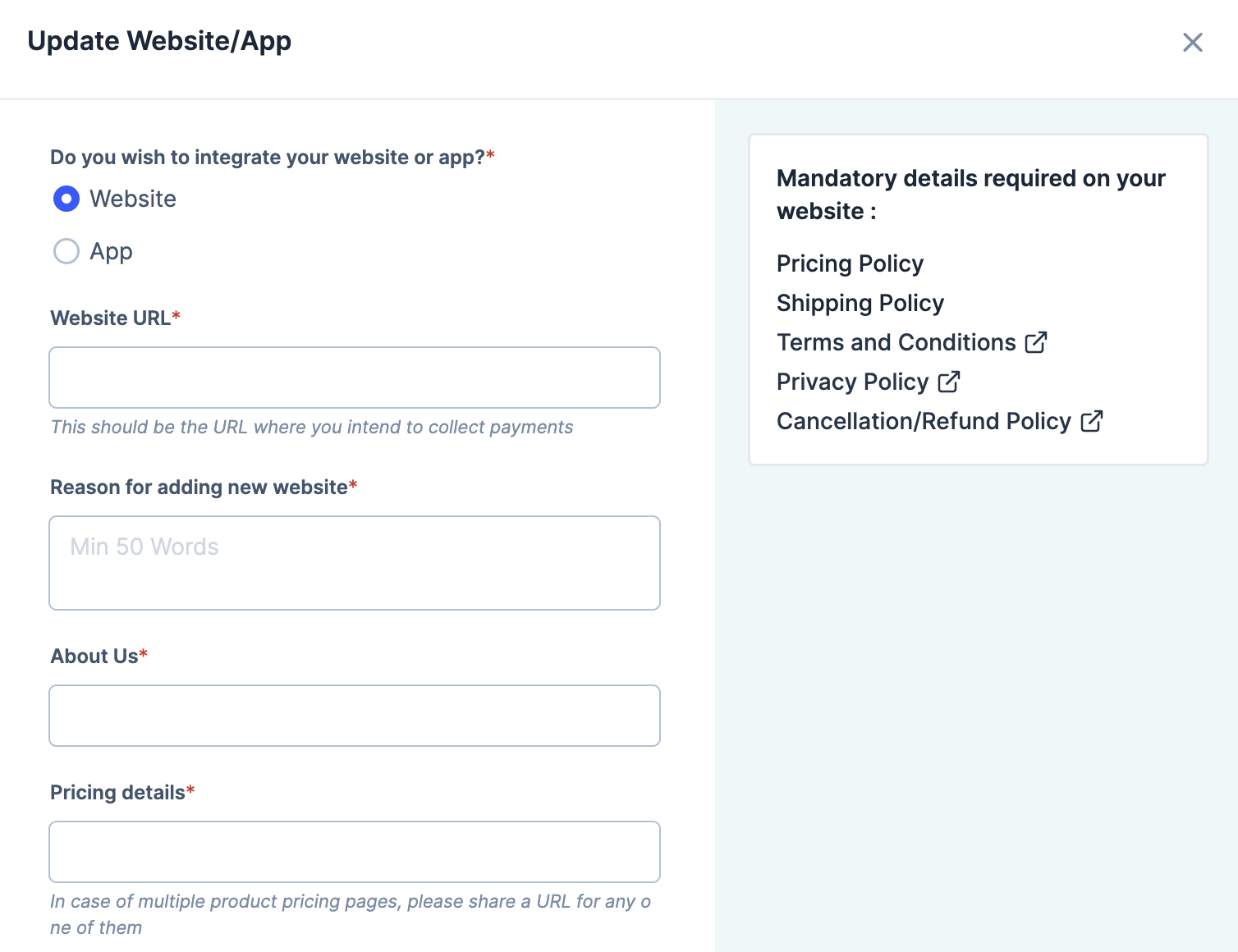
Select Website or App, based on what you want to update.
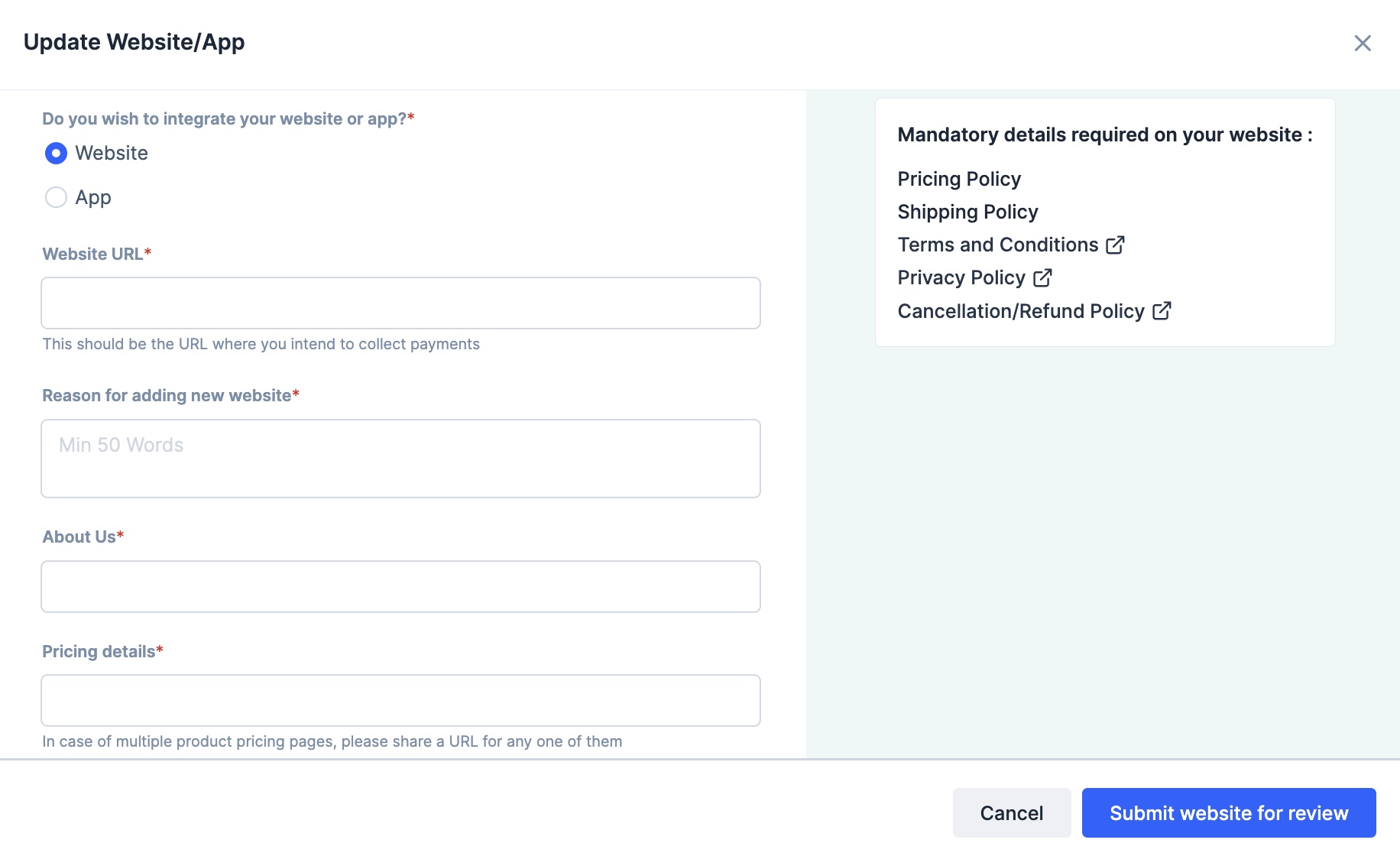
Follow these steps if you own a website:
Select Website.
Enter the Website URL.
Provide the links for these pages: About us, Contact us, Pricing details, Terms and conditions, Privacy policy and Refunds policy.
Upload a sample invoice. The accepted file formats are PNG, JPG and PDF.
Provide your website’s Test Account credentials if required or select No for Does your website require login from user to complete payment? if logging in is not required.
Click Submit website for review.
After the details are provided, our team will review the request. We will update the details on the Dashboard.
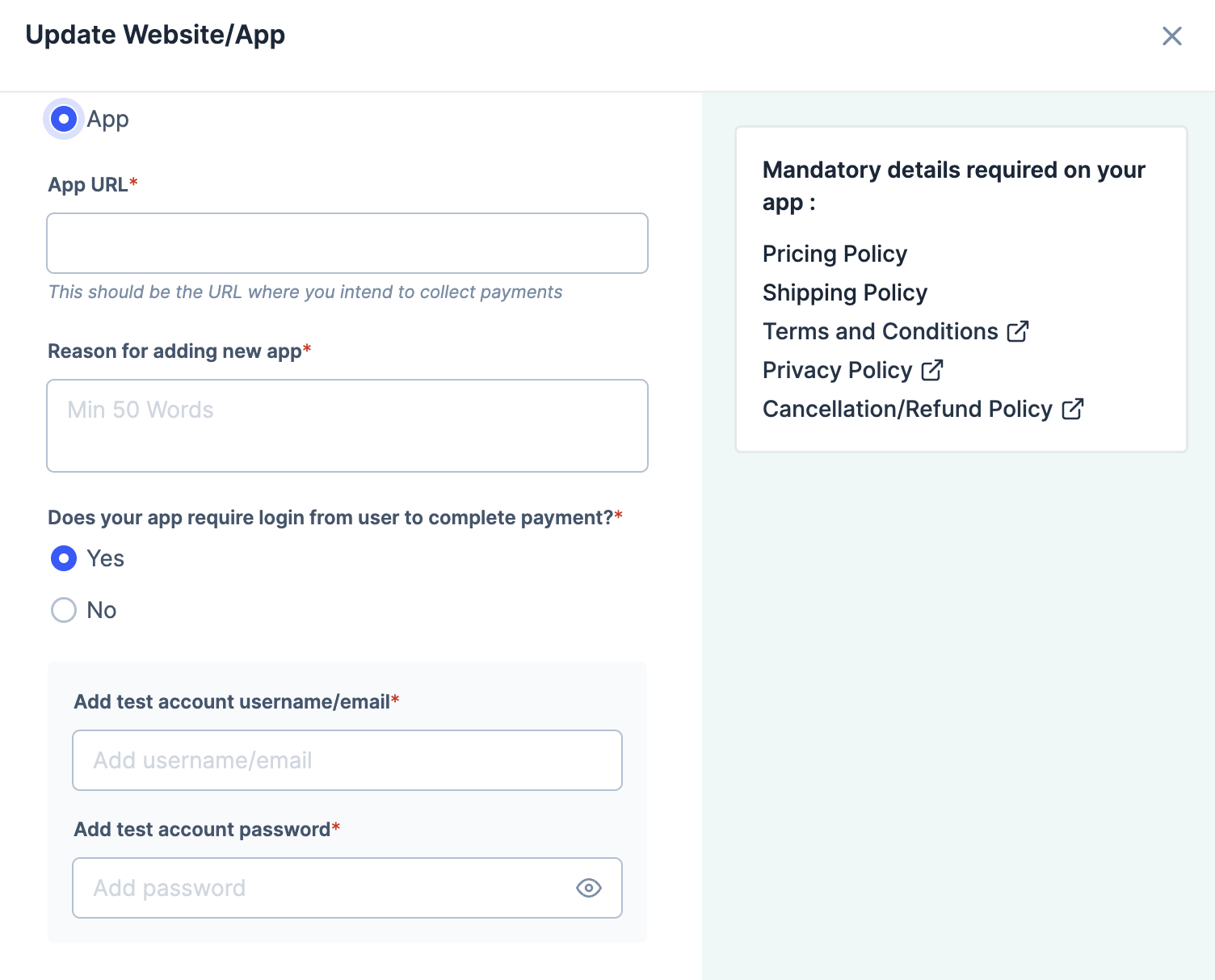
Follow these steps if you own an app:
Select App.
Enter the App URL.
Provide your website’s Test Account credentials if required or select No for Does your app require login from user to complete payment? if logging in is not required.
Click Submit app for review.
After the details are provided, our team will review the request. We will update the details on the Dashboard.
Handy TipsWe may reach out to you for clarifications via email, WhatsApp, SMS and Dashboard during the verification process.
Navigate to Account & Settings and submit the necessary information in the appropriate section. Our team will go through the information you provide and help you resolve the issue.
You can accept payments using your account on multiple websites. To do this, you need to share the details of the additional web pages with us. You can add one main website and five additional websites.
Handy TipsThis feature is available only if your services/products fall under the e-commerce business category.
To add an additional website:
Log in to the Dashboard.
Click Account & Settings in the left navigation.
Click Business website detail under Website and app settings section.
Click Add additional website/app details.
Click Proceed to update website/app.
Provide the website or app details:
Follow these steps if you own a website:
Select Website.
Enter the Website URL.
Provide the links for these pages: About us, Contact us, Pricing details, Terms and conditions, Privacy policy and Cancellation/Refund policy.
Upload invoice: Upload a sample invoice. The accepted file formats are PNG, JPG and PDF.
Reason for adding new website: Enter the reason for adding a new website. Enter a minimum of 50 words.
Provide your website’s Test Account credentials if required or select No for Does your website require login from user to complete payment? if logging in is not required.
Click Submit website for review.
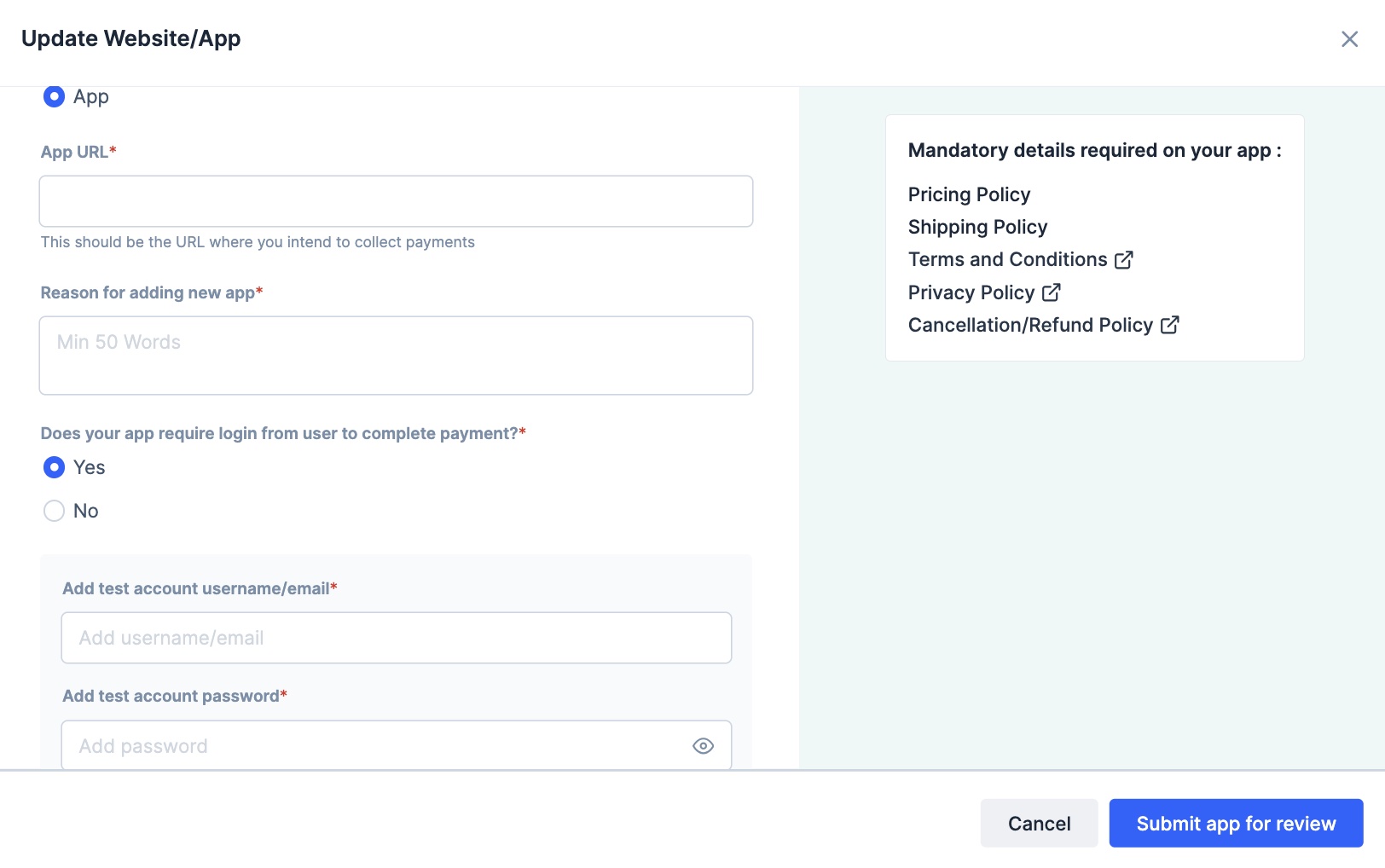
Follow these steps if you own an app:
Select App.
Enter the App URL.
Reason for adding new website: Enter the reason for adding a new website. Enter a minimum of 50 words.
Provide your website’s Test Account credentials if required or select No for Does your app require login from user to complete payment? if logging in is not required.
Click Submit app for review.
After you provide the details, our team will review the request. We will update the details on the Dashboard.
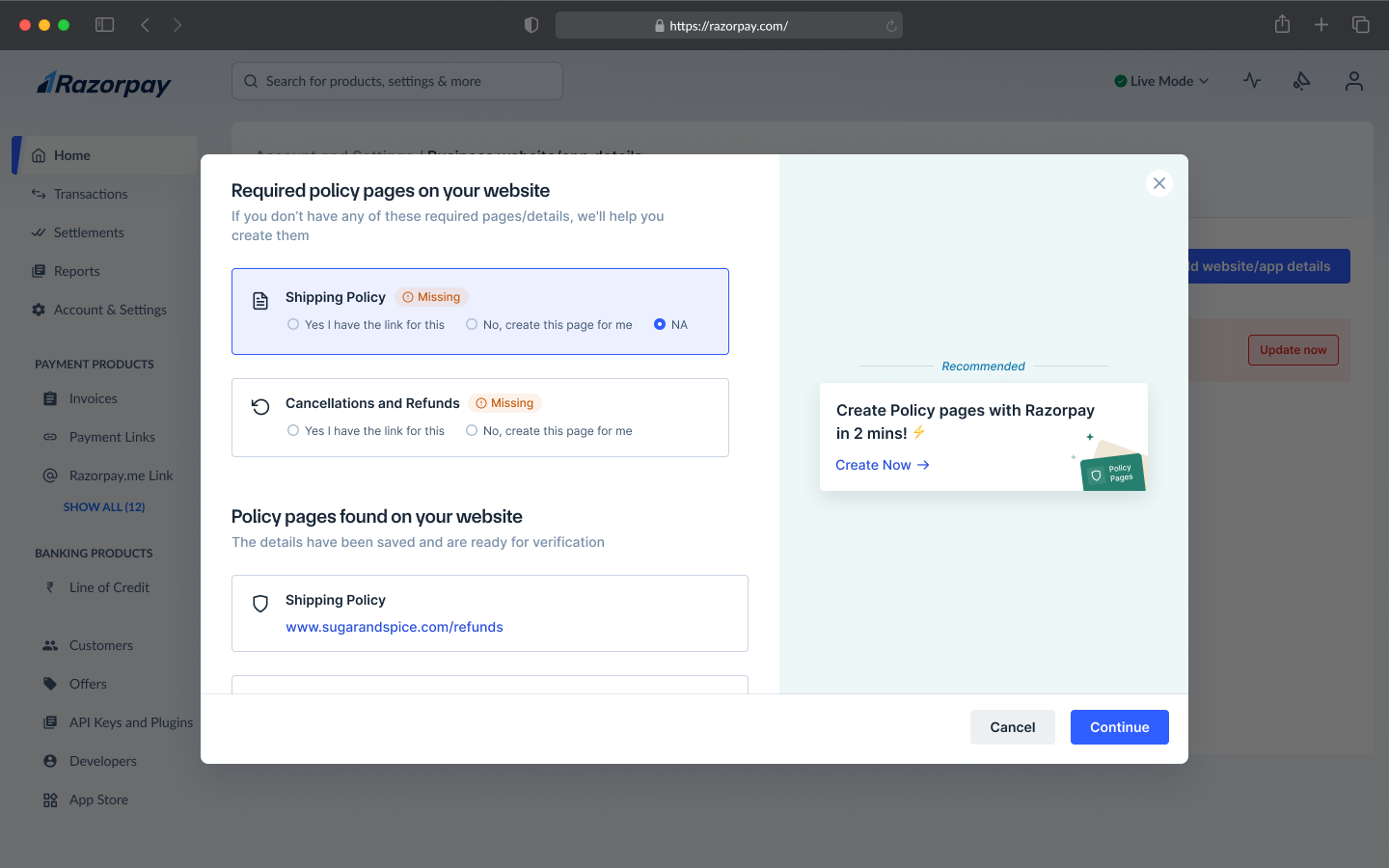
If you add or update your primary website, instant checks are run to validate your website, policy pages and business industry. In case the website requirements are not met, you can re-check and enter the valid URLs as prompted or create policy pages with Razorpay.
If you add or update additional websites, our team will review manually and notify you.
Was this page helpful?
Assistant
Responses are generated using AI and may contain mistakes.