Available in🇮🇳 India
You can initiate refunds to customers from the Shopify Dashboard.
Follow these steps:
- Log in to the Shopify Dashboard.
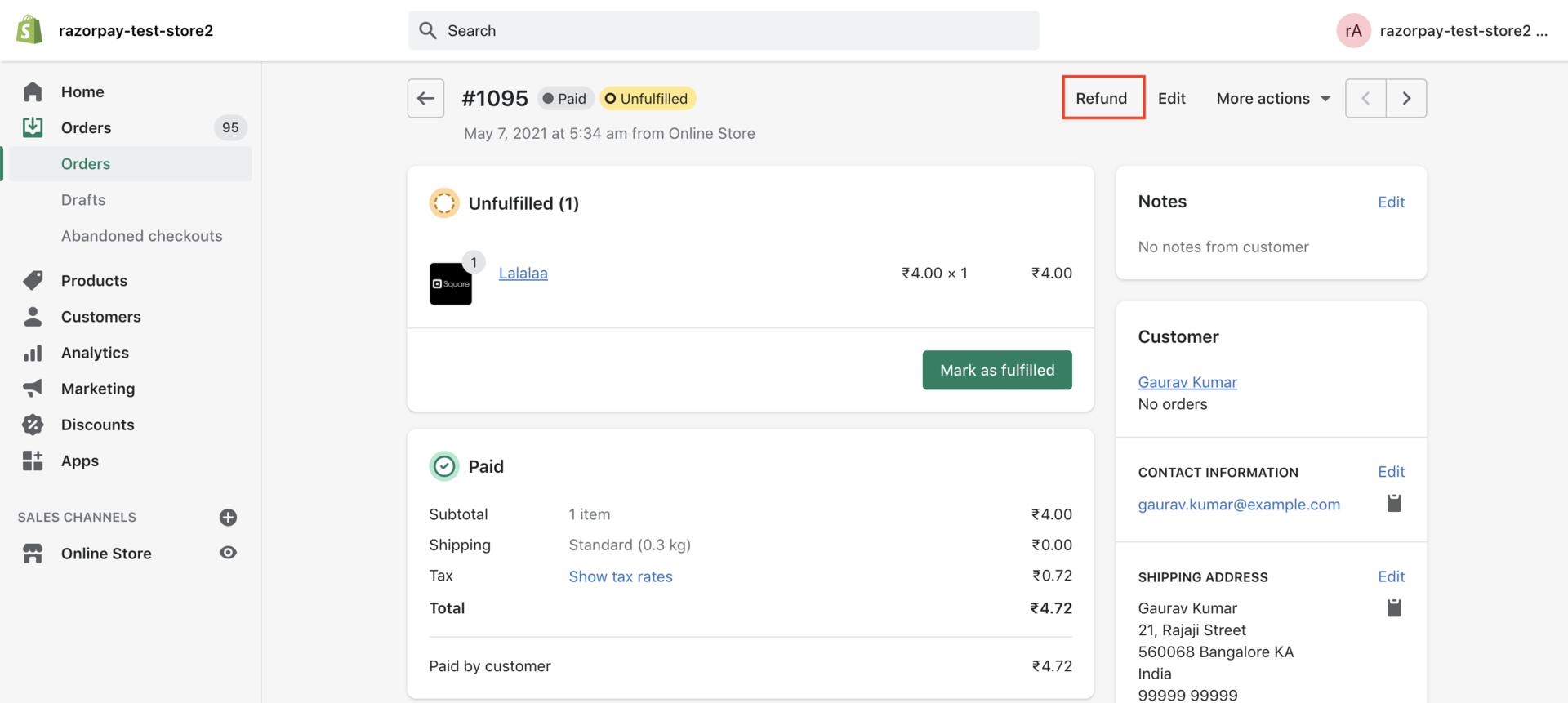
- Navigate to Orders and select the order for which you want to refund.
- Click Refund.
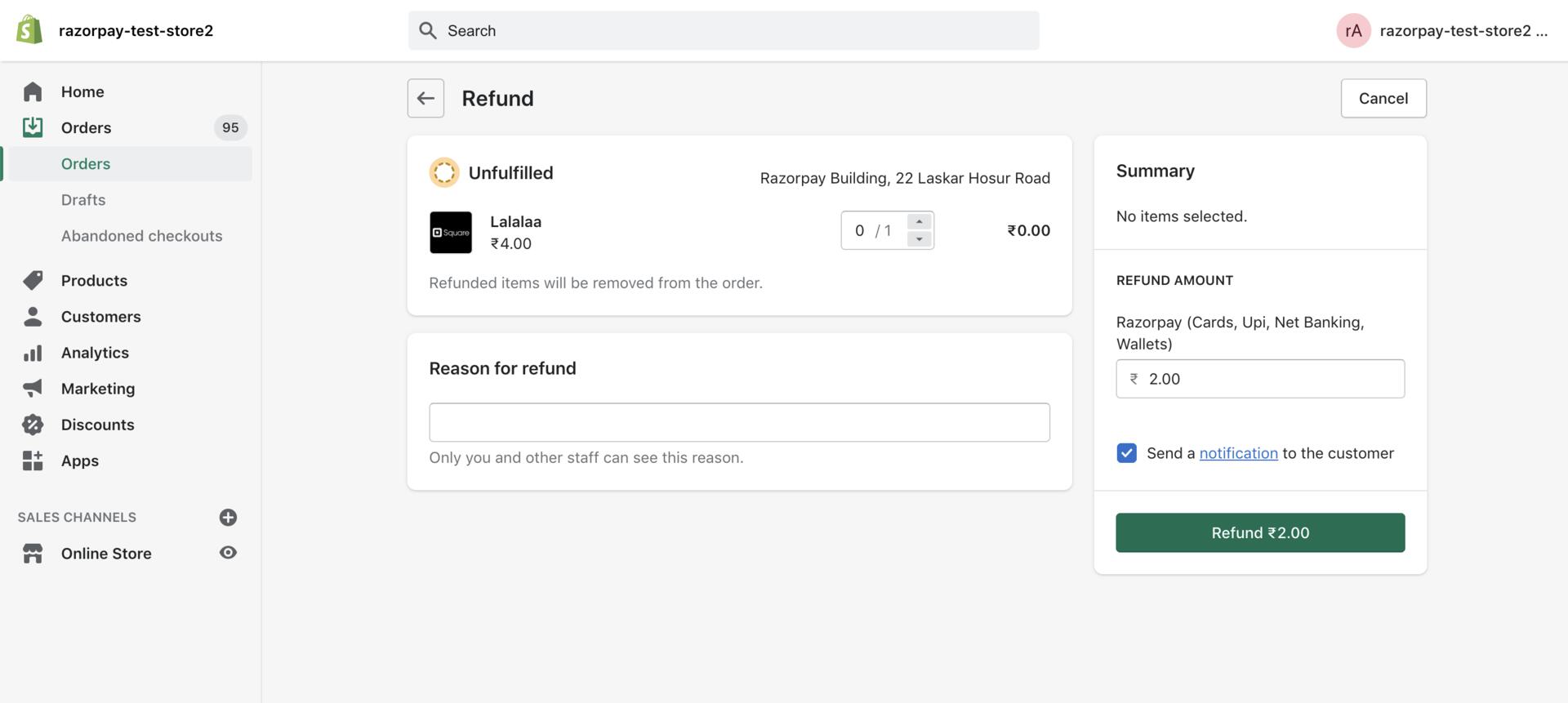
- Enter the amount to be refunded. You can initiate:
- Full Refund: Enter the full order amount.
- Partial Refund: Enter an amount less than the full amount.
- Enter a reason for the refund.
- Click Refund.
Refund a Discounted Payment
If the customer has selected an offer during checkout, ensure you refund only the discounted cost (Actual Cost minus Discount Amount) of the product/service.
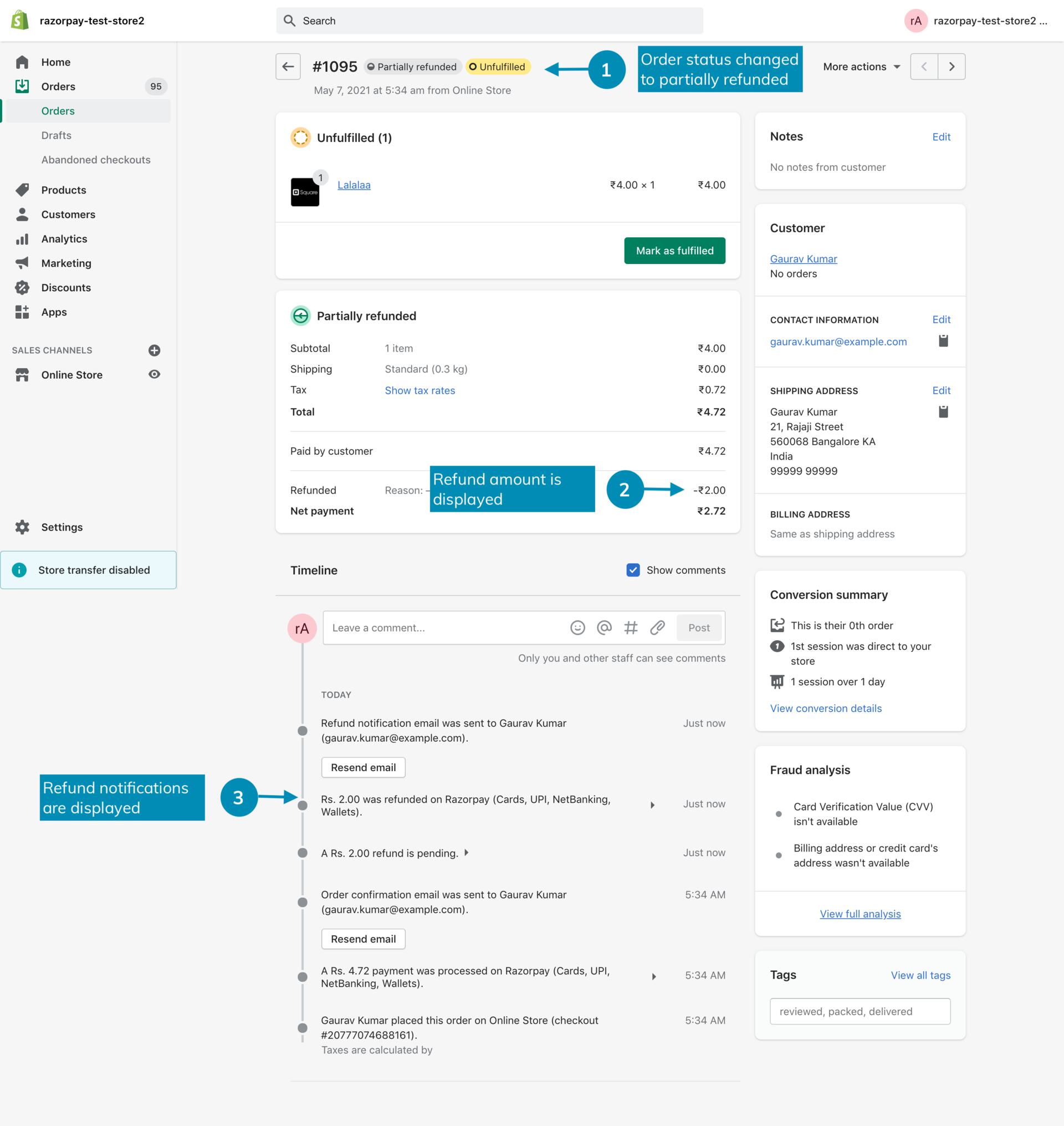
The Order displays the refund details: