

Available in🇮🇳 India
If you are using Razorpay to accept payments, you can now upgrade to the All-in-one Razorpay Payment Gateway on your Shopify Store. Watch the video tutorial or follow the migration steps to migrate to All-in-one Razorpay Payment Gateway. Know more about why you need to upgrade to All-in-one Razorpay Payment Gateway.
Video Tutorial
Watch this video to know how to migrate from the existing Razorpay App to All-in-one Razorpay Payment Gateway on your Shopify store.Migration Steps
Follow the steps given below to migrate from the existing Razorpay App to All-in-one Razorpay Payment Gateway.Migration
Migration
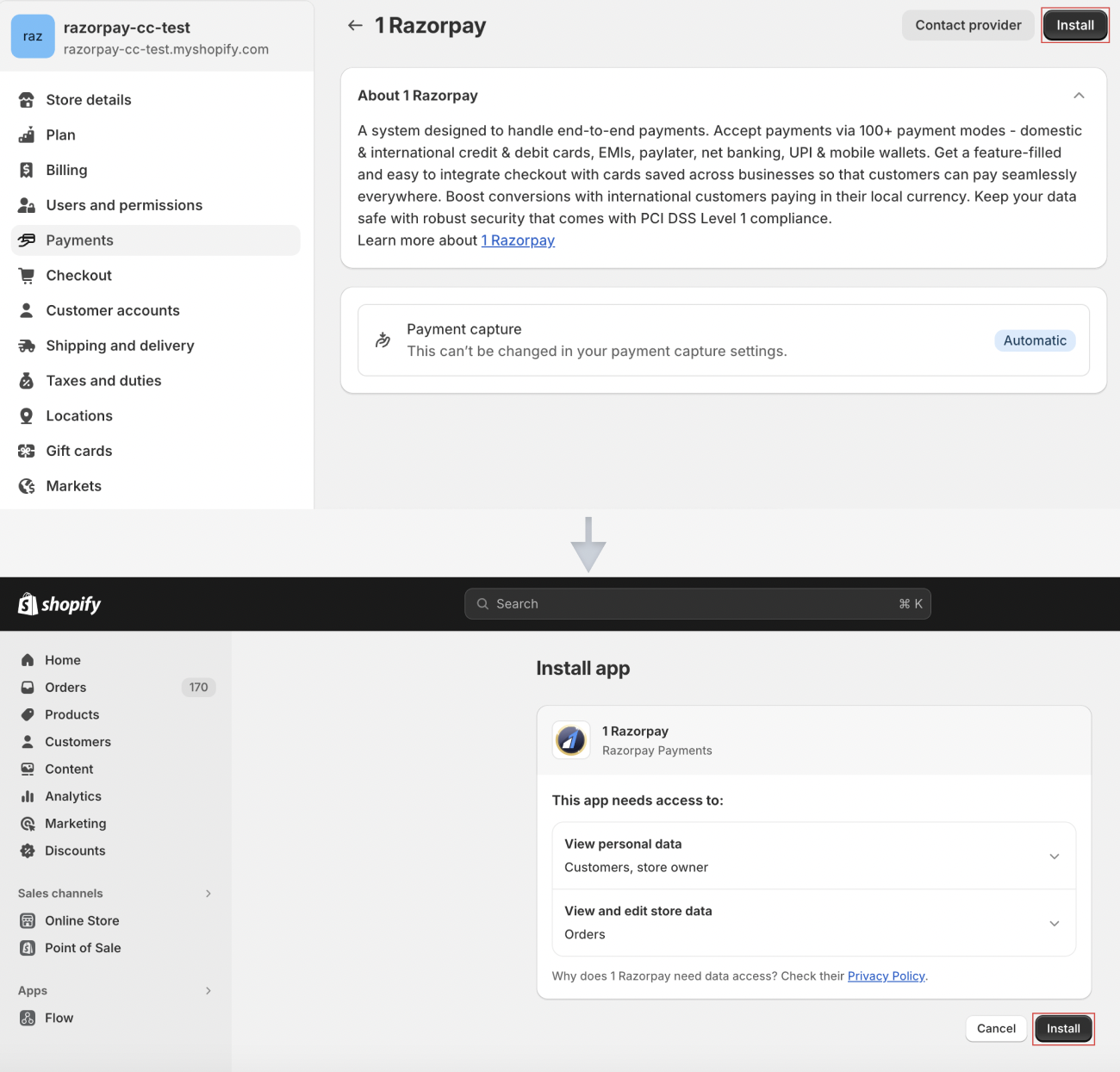
- Click on this link to access the All-in-one Razorpay Payment Gateway on your Shopify store.
- Click Install.
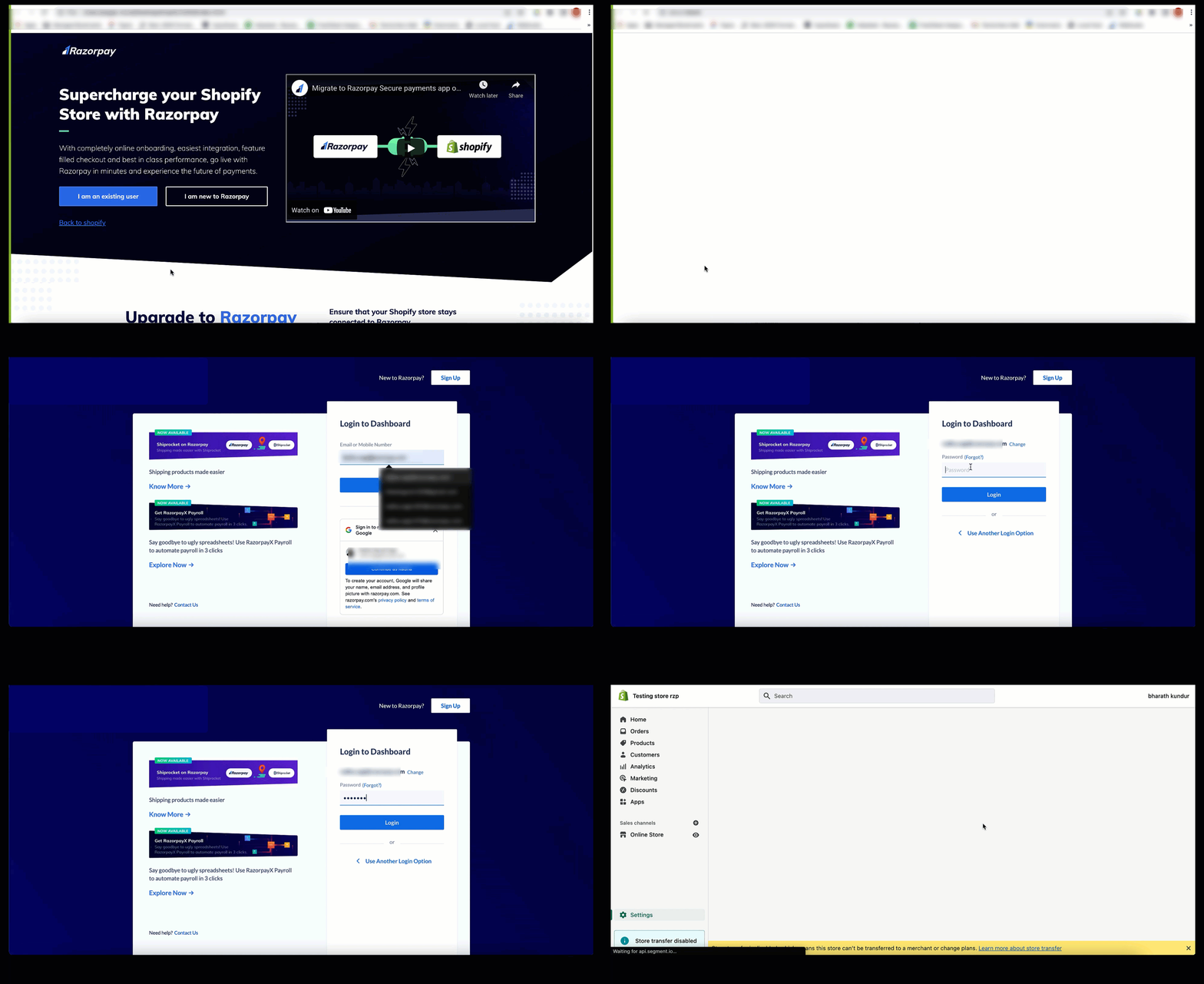
- You will be redirected to a landing page. Click I am an existing user.

- Scroll down and click Login.
Handy TipsMake sure you log in with owner credentials to connect Razorpay with Shopify successfully.
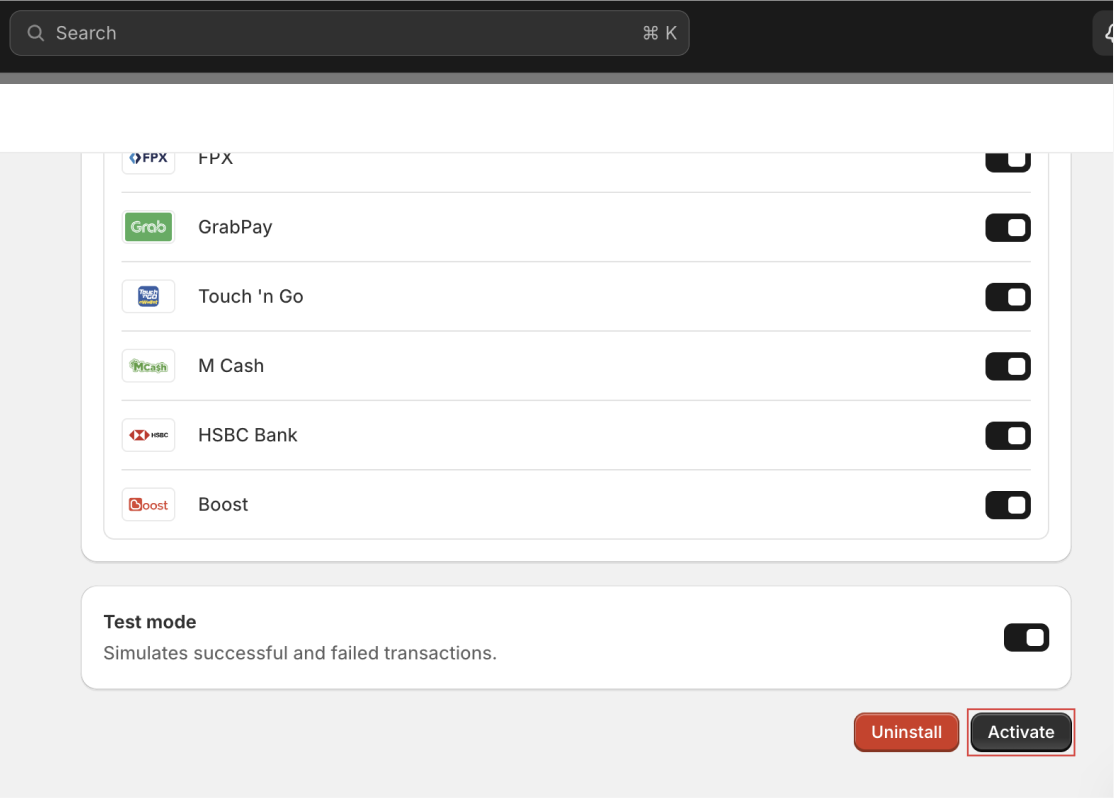
- Click Activate on the activation screen on your Shopify Dashboard.
Deactivation
Deactivation
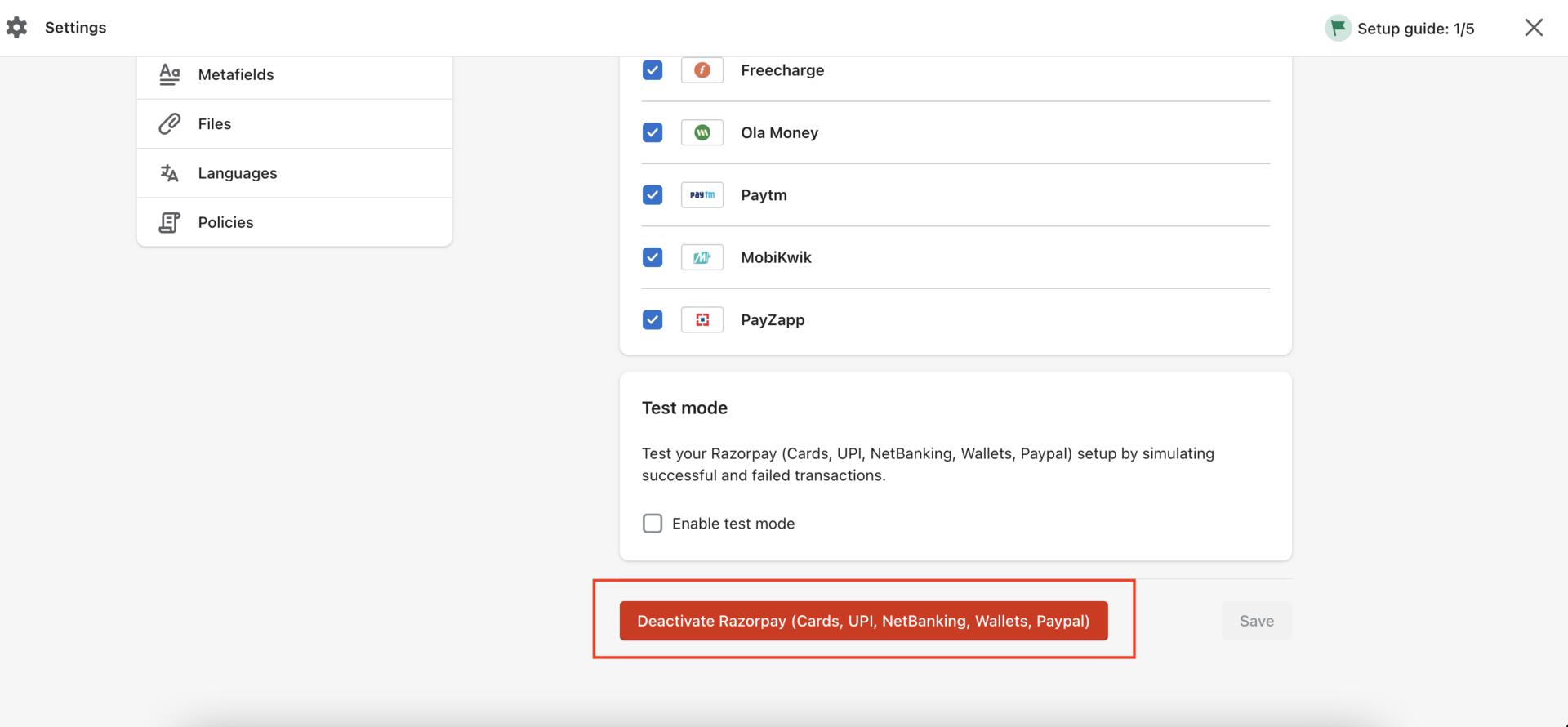
To deactivate the existing Razorpay App:
- Click on this link to access the existing Razorpay App on your Shopify store.
- Click Deactivate Razorpay to deactivate the existing Razorpay App on your Shopify store.
Reconcile Payments on All-in-one Razorpay Payment Gateway
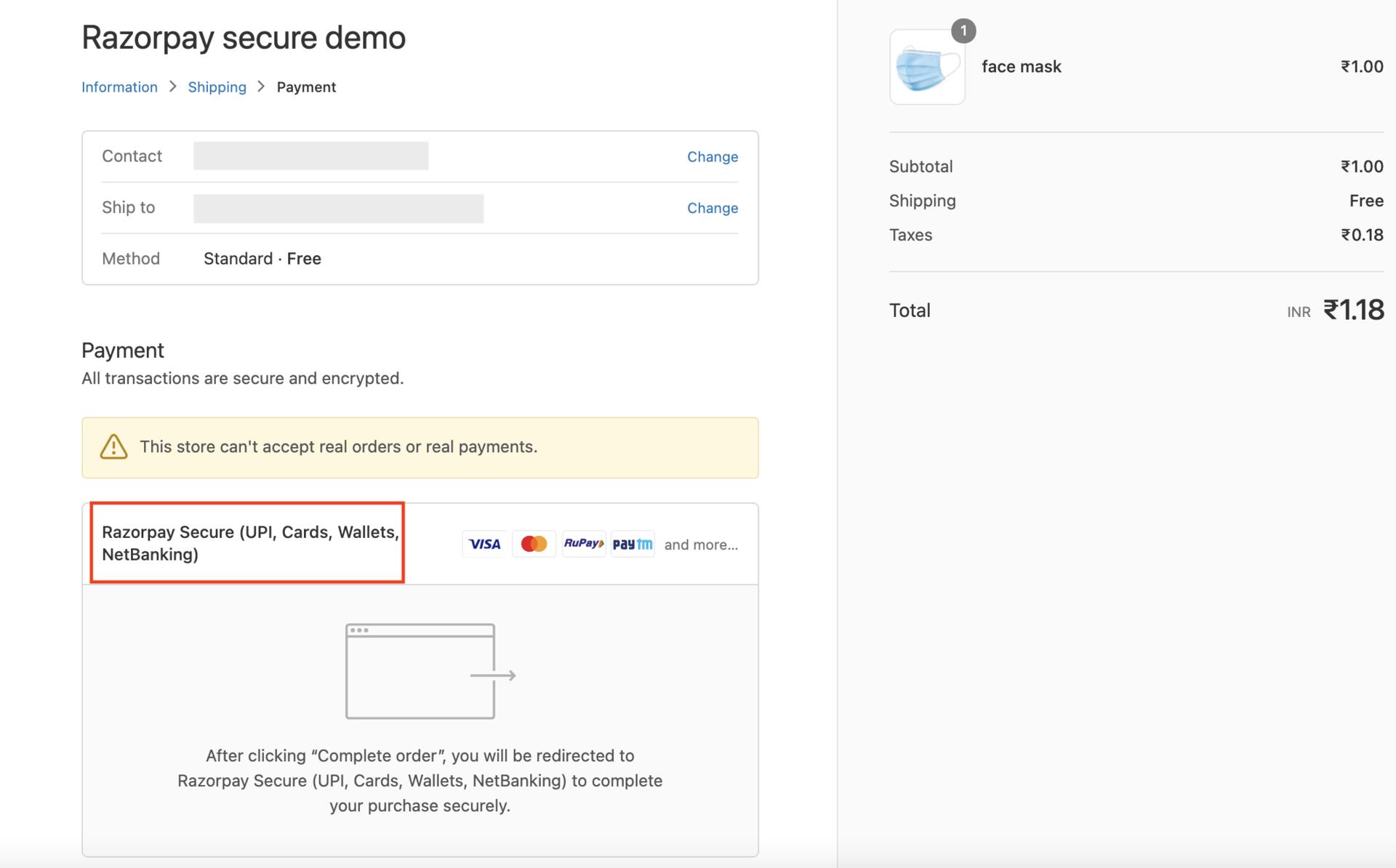
You can reconcile payments for All-in-one Razorpay Payment Gateway using the Payment Id provided at the Shopify checkout. Know more about how to reconcile Shopify orders on the Dashboard.Difference in Order Information Between Old Razorpay App and All-in-one Razorpay Payment Gateway
Check the table below to understand the difference in data about the gateway provided by the Old Razorpay App and All-in-one Razorpay Payment Gateway.
The image below shows the difference in data provided by the old Razorpay App and All-in-one Razorpay Payment Gateway.
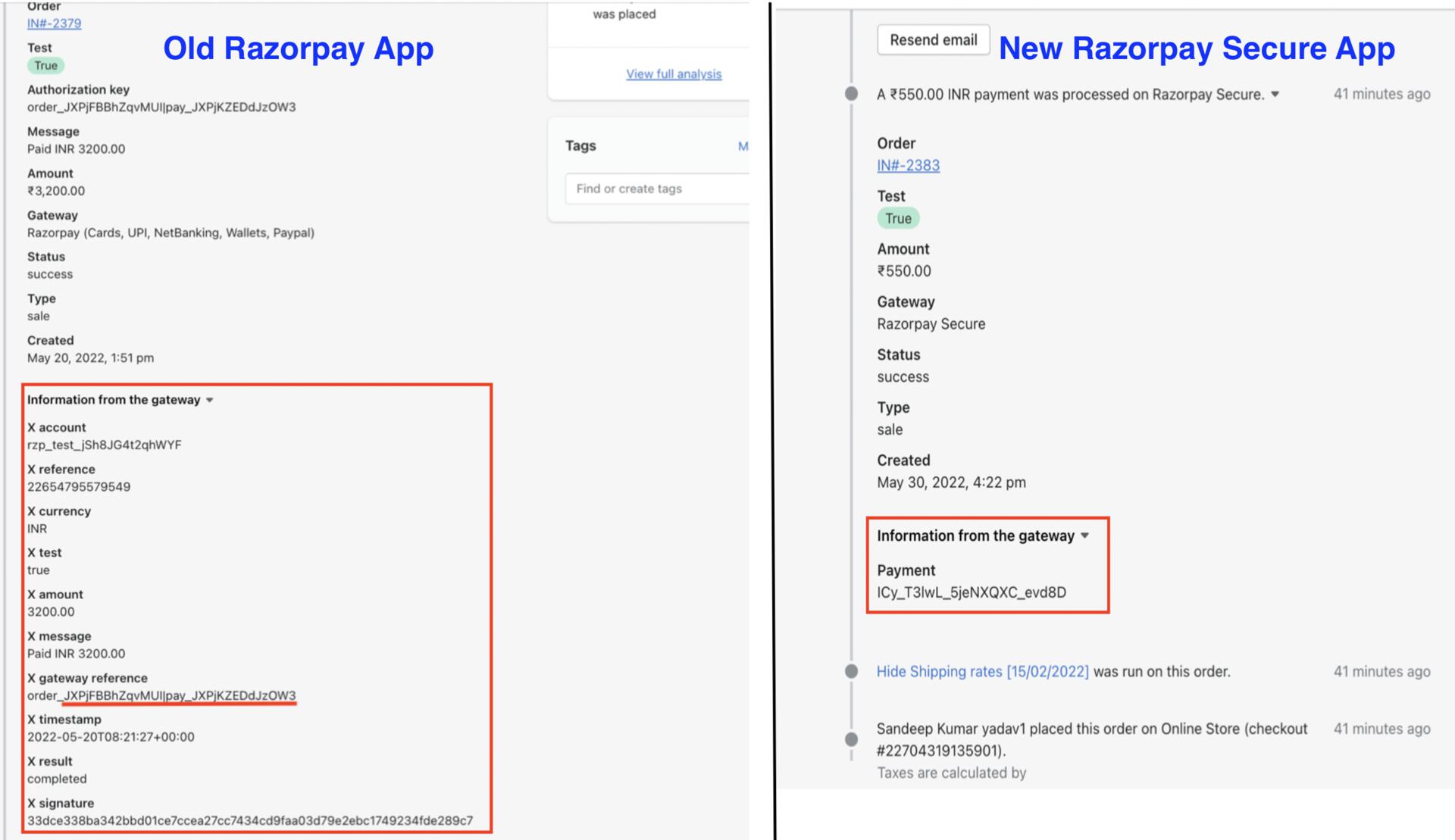
Handy TipsIn the case of the old Razorpay app, multiple data were available to track payments, whereas, in the case of the All-in-one Razorpay Payment Gateway app, only a single piece of data, the
Payment Id, is provided by Shopify. Know more about how to process a payment on Shopify.