

Available in🇮🇳 India
Accept payments from customers in the form of bank transfers using the Razorpay Payment Links. Customers can select Bank Transfer as the payment method at the Checkout and copy your account details. They can then initiate online bank transfers from their netbanking account.
Usually, businesses accept online payments from their customers via NEFT. However, the payment reconciliation process requires a lot of time and manual effort. Using Razorpay Customer Identifiers you can accept payments through online methods, such as NEFT, RTGS and IMPS via transactions made to a Customer Identifier. Since each Payment Link is associated with a Customer Identifier, payment reconciliation is effortless. Know more about Customer Identifiers.
Feature RequestThis is an on-demand feature. Please raise a request with our Support team to get this feature activated on your Razorpay account.
Use Cases
Payment via bank transfers is useful for:- Personal loan payment recollection: If you are a credit provider who offers personal loans, your customers can now repay the loan amount through an online bank transfer.
- Advance or token amount collection in case of large transactions: If you operate a business that requires you to collect an advance or token booking amount, your customers can now pay the amount through bank transfer.
Workflow
To create Payment Links with Bank Transfer as a payment method:- Create a Payment Link and send them to your customers using API,Dashboard or Bulk Upload feature.
- Each Payment Link will have a designated Customer Identifier. This Customer Identifier has an account number and IFSC associated with it. Know more about Customer Identifiers.
-
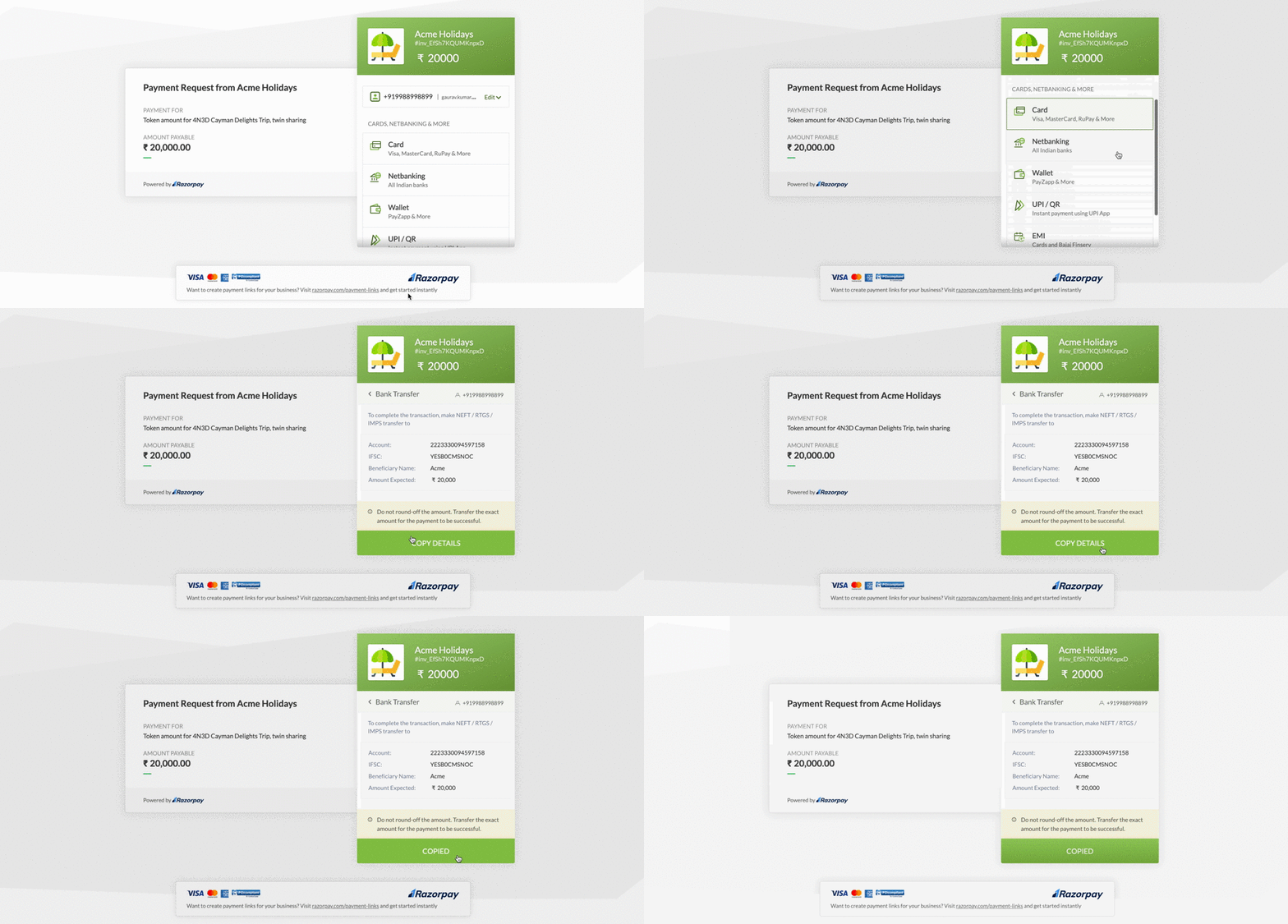
Customers open the Payment Link and select Bank Transfer as the payment method.
-
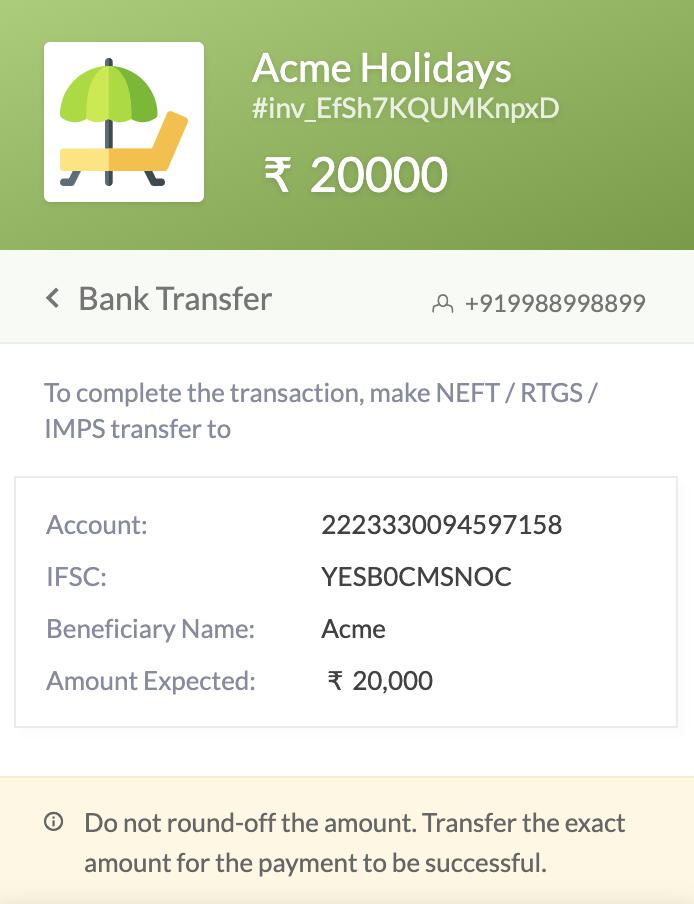
Customers copy the account number and IFSC number provided at Checkout and make an NEFT or RTGS transfer to the mentioned Customer Identifier.
- The amount is transferred to the designated Customer Identifier. Later, based on your settlement schedule, we will settle the net amount (payment minus fees and tax) to your bank account.
- You can view the payment under the Transactions → Payments tab on the Dashboard.