

Available in🇮🇳 India🇸🇬 Singapore🇺🇸 United States
You can send your customers automated SMS and email reminders for Payment Links. Setting reminders helps you to:
- Increase the number of paid Payment Links.
- Reduce cost and manual effort required to collect payments.
- Reduce the number of days taken by your customer to make the payment.
Types of Reminders
Following are the various types of reminders you can set for Payment Links:- For all Payment Links: This is an account-level setting for all Payment Links where the Payment Link reminder is sent at similar time intervals. For example, 2 days after creation or 3 days before expiry.
- For an individual Payment Link: Enable reminders for specific Payment Links.
- For Payment Links created using bulk upload: Enable reminders for Payment Links created using bulk upload.
Set Reminders for All Payment Links
This is an account-level setting. If enabled, all Payment Links have the same reminder configurations.To set reminders for all Payment Links:
To set reminders for all Payment Links:
- Log in to the Dashboard.
- Navigate to Account & Settings → Payments and refunds → Reminders.
- Enable the Payment Links Reminders toggle.
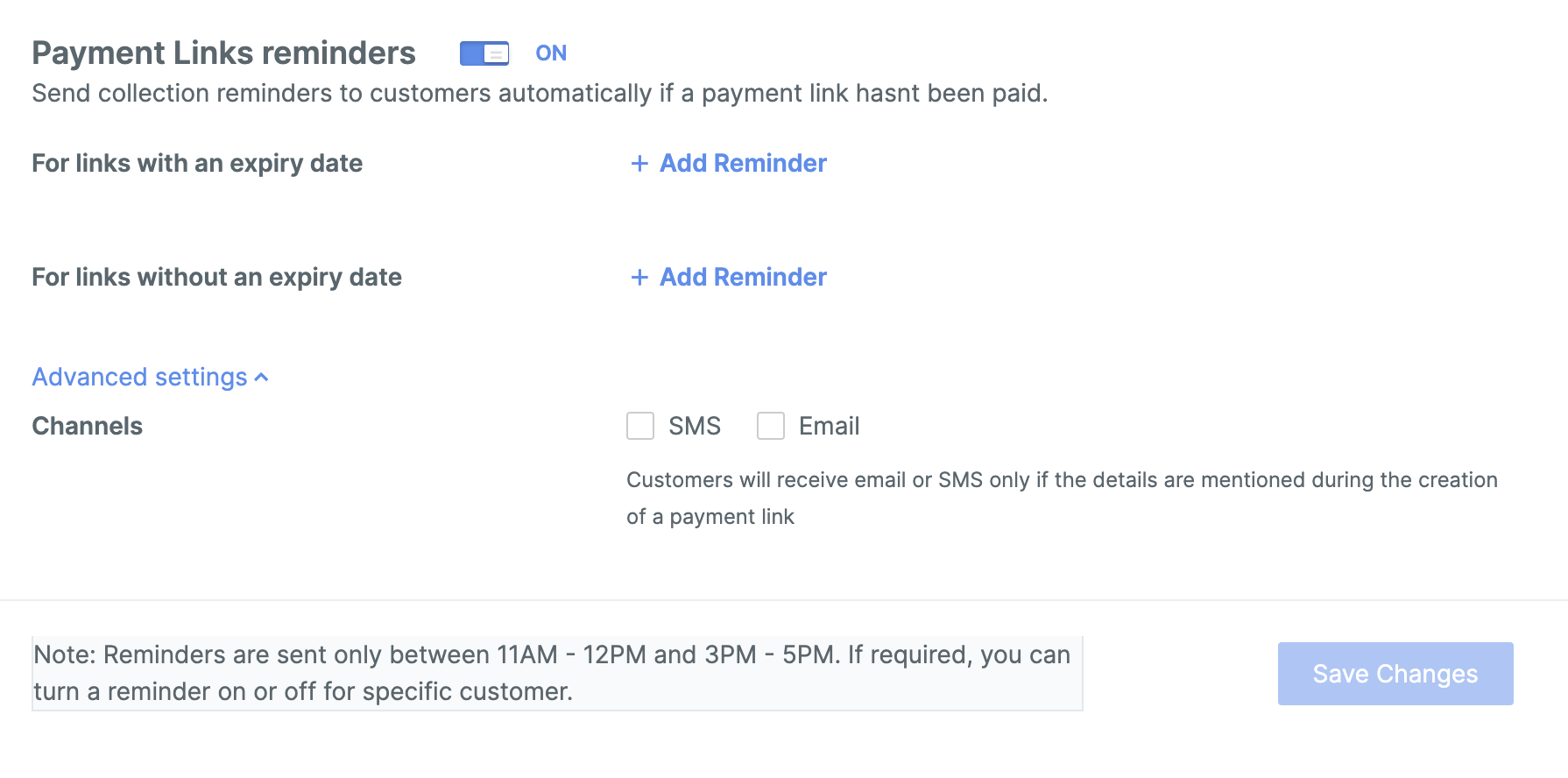
- Configure reminders for links with and without an expiry date. You can set a maximum of 3 reminders.
- Select the channel to send the reminders — SMS, email, or both.
Payment Links With Expiry Date
Payment Links With Expiry Date
If you have set an expiry date for the Payment Link, you can configure a maximum of three reminders based on the expiry date. For example, if you have issued a Payment Link with an 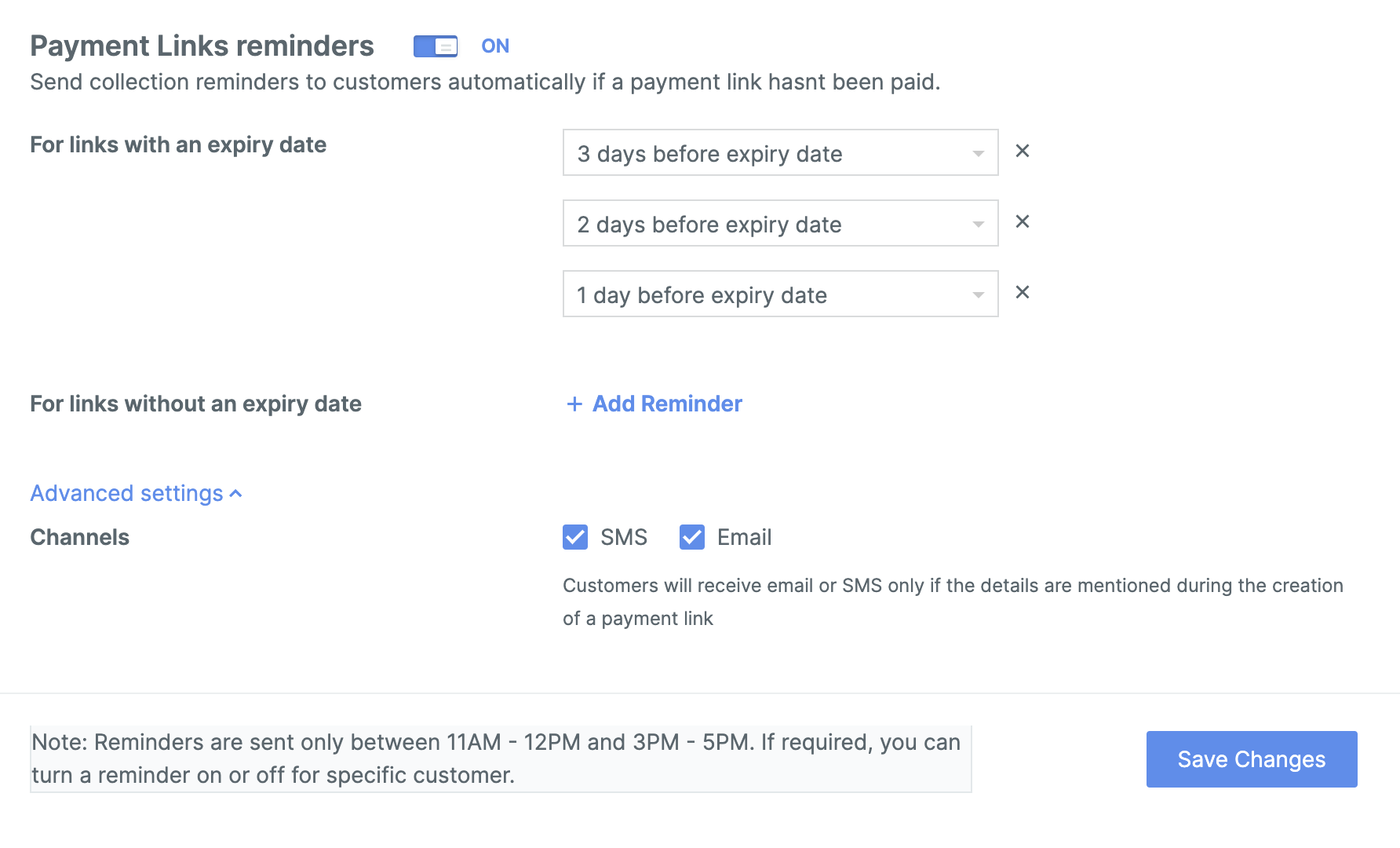
expiry date of 30 Nov 2024, you can set three reminders:Payment Links Without Expiry Date
Payment Links Without Expiry Date
If you have not set any expiry date for the Payment Link, you can configure a maximum of three reminders to be sent after the issued date. For example, if you have 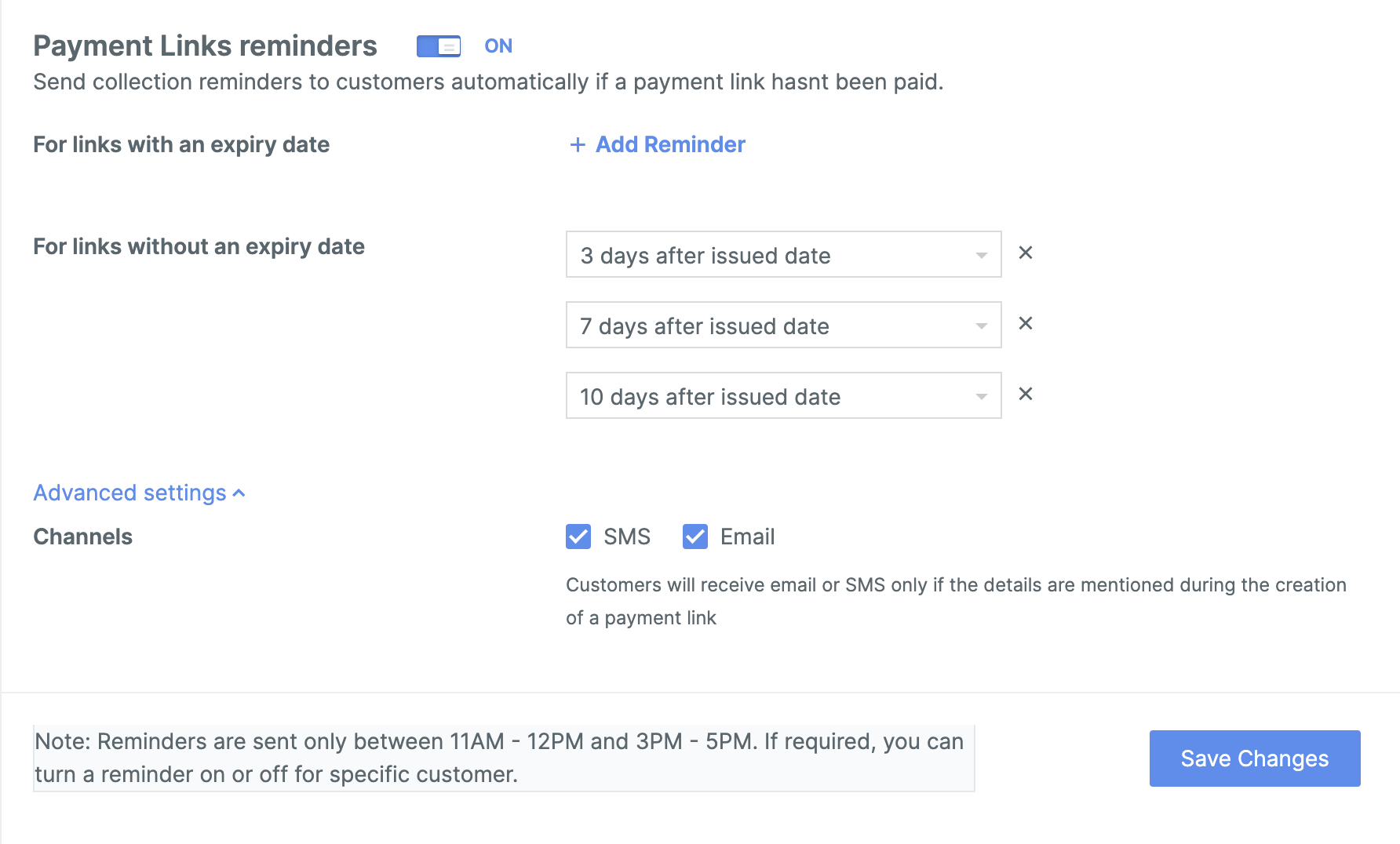
issued a Payment Link on 25 Nov 2024, you can set three reminders:Advanced Settings
Select the Channels through which the reminders must be sent. Available channel options are SMS and email.Handy TipsReminders are sent only between 11AM–12PM and 3PM–5PM.
Set Reminders For Individual Payment Links
You can enable or disable reminders for individual Payment Links.During Payment Link Creation
During Payment Link Creation
To enable reminders while creating a Payment Link: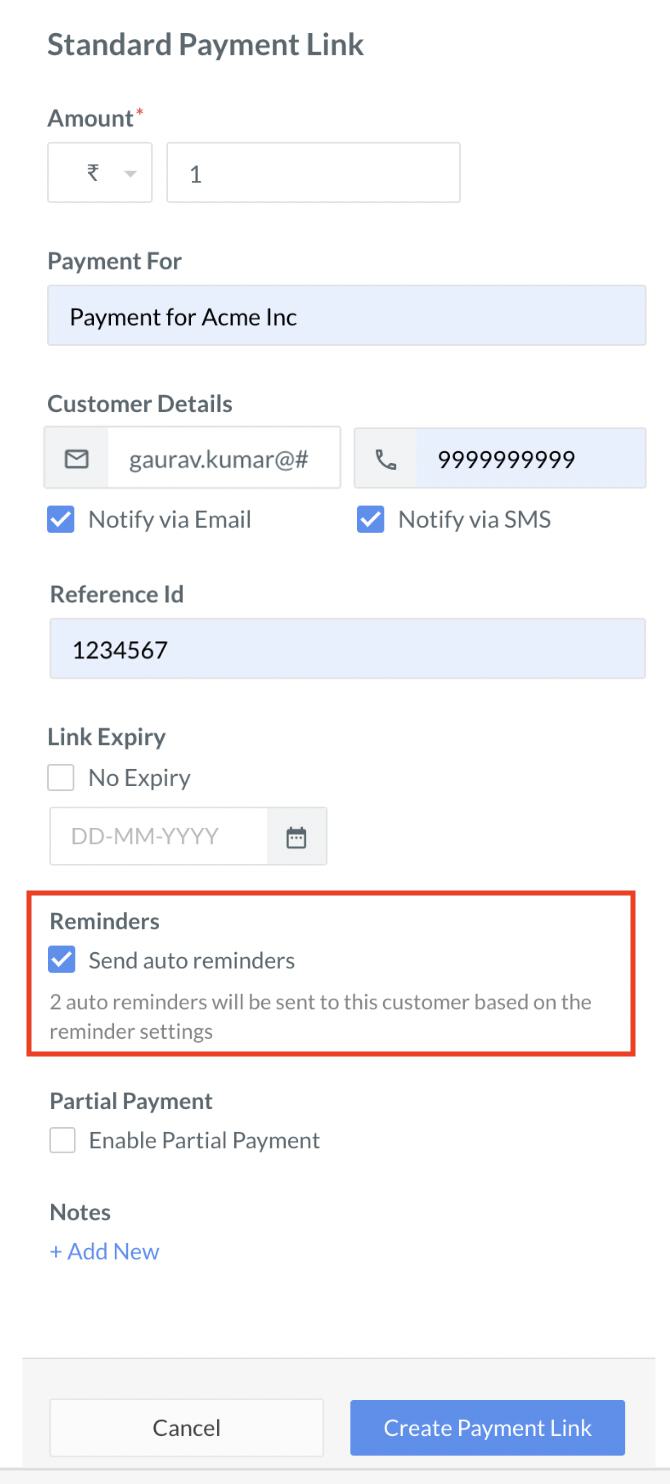
- Log in to the Dashboard.
- Navigate to Payment Links.
- Click + Create Payment Link.
- Enter the necessary details such as Amount and Payment For.
- Enable the Send auto reminders option.
- Click Create Payment Link to create the Payment Link.
After Payment Link is Issued
After Payment Link is Issued
You can edit the Payment Link and enable or disable reminders after issuing it.To enable or disable reminders by editing a Payment Link:
- Log in to the Dashboard.
- Navigate to Payment Links.
- Click the Payment Link for which you want to enable or disable reminders. The details of the Payment Link appear on the right pane.
- Enable or disable the Send auto reminders option.
Set Reminders For Bulk Payment Links
You can set reminders for Payment Links when creating them via bulk upload.Handy TipsBy default, reminders are not enabled during batch creation of Payment Links.
 Know more about enabling or disabling reminders when creating Payment Links using Bulk Upload.
Send Reminders Using API
You can send reminders for Payment Links to customers using the API. Reminders are enabled by default during Payment Link creation.reminder_enableparameter in Create a Standard Payment Link APIreminder_enableparameter in Create a UPI Payment Link API