Available in🇮🇳 India
Cardless EMI Changelog
Discover new features, updates and deprecations related to Cardless EMI (since Jan 2024).
Feature EnablementCardless EMI as a payment method is not enabled by default. Raise a request with our Support Team to enable this feature.
Supported Payment Partners
Following is the list of supported Payment Partners for Cardless EMI and the minimum order amount stipulated by them:- Banks
- Non-Banking Payment Partners
- Optimizer Providers
Handy TipsCheck the standard interest rates charged by Banks/Partners.
Payment Flow
Given below is a diagram that explains the payment flow for Cardless EMI: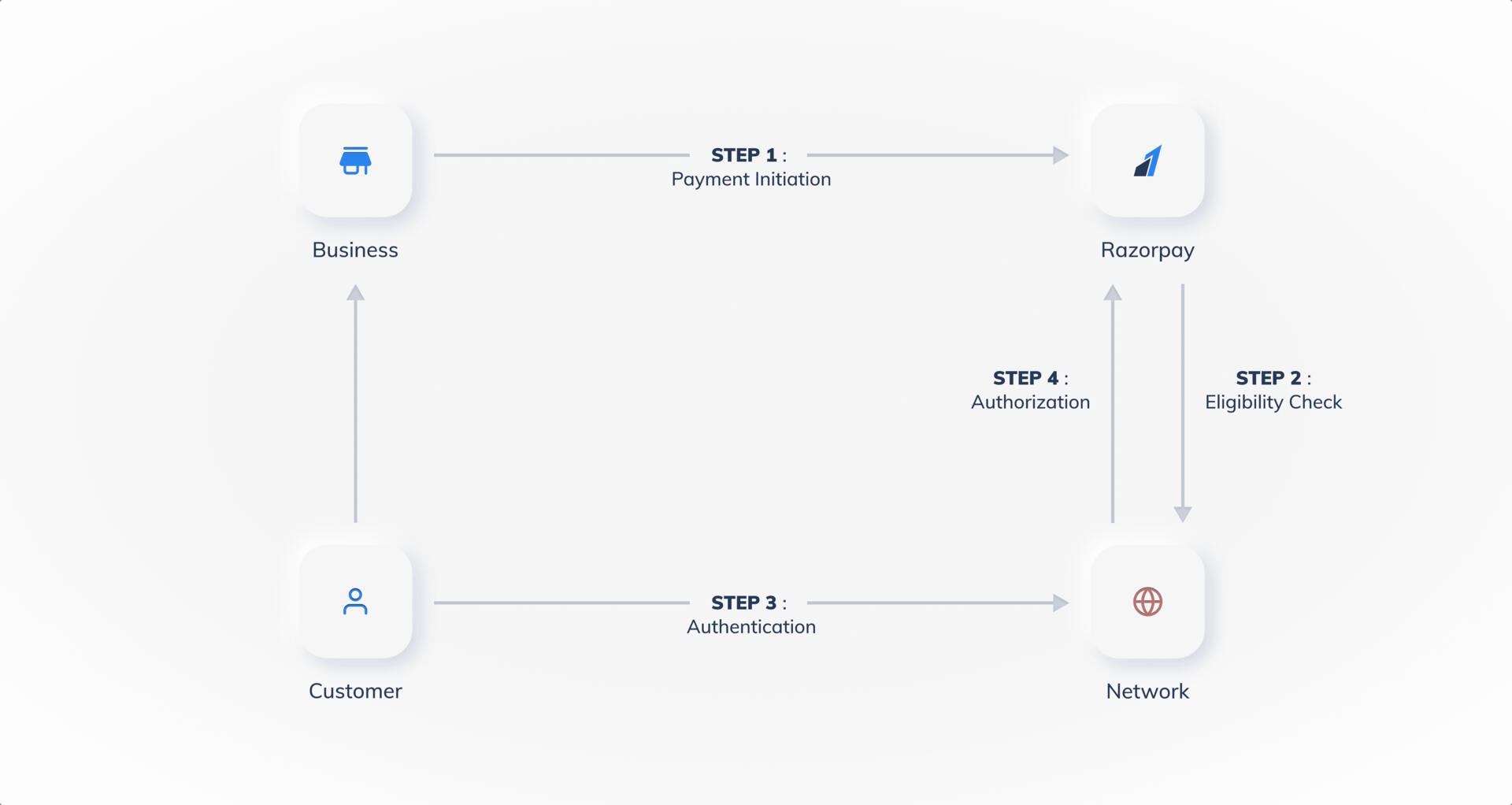
Payment Flow on Standard Checkout
Customers select the products on your website or app and proceed to Checkout. On the Checkout page, the customers:- Enter their Phone Number and click Continue.
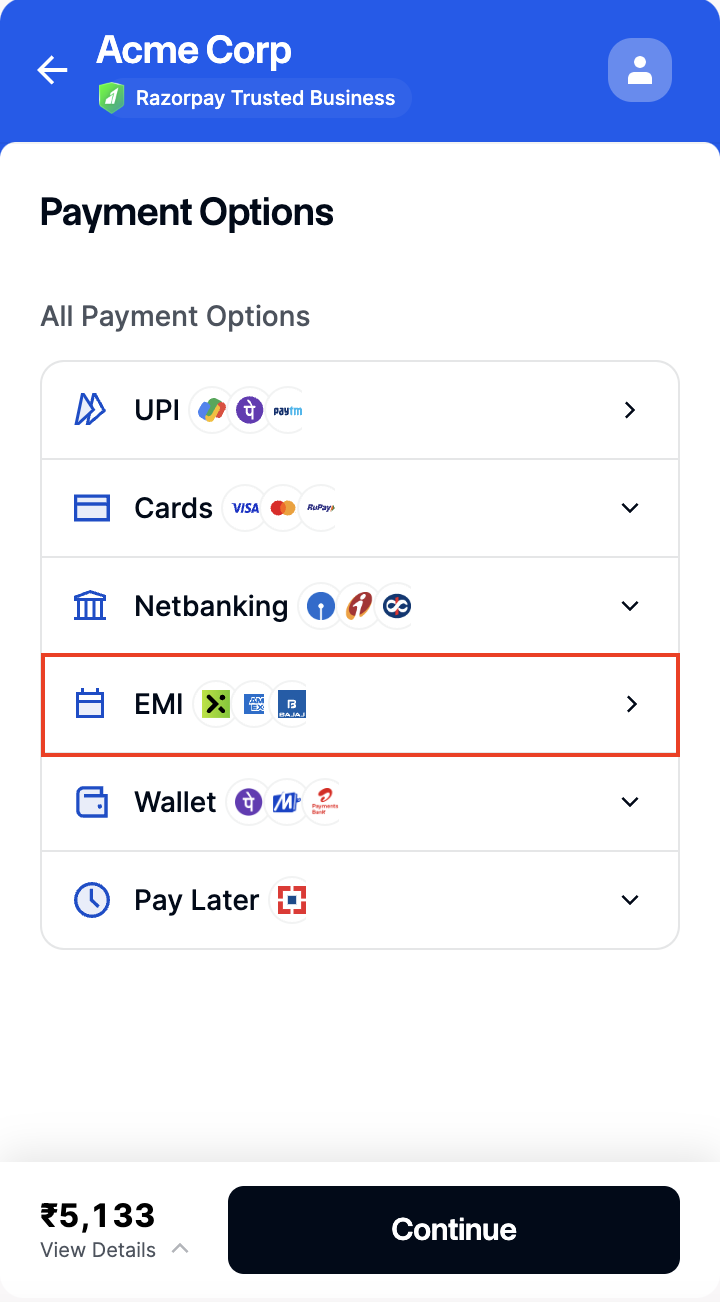
- Select EMI as the payment method.
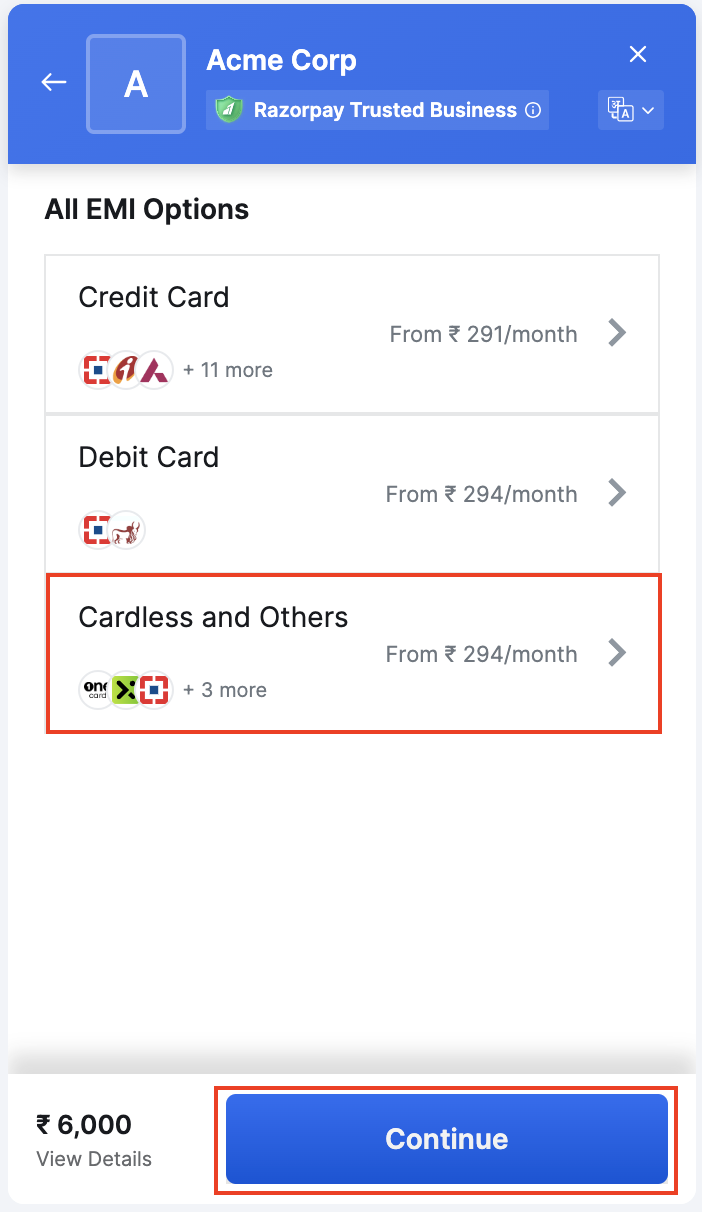
- Select Cardless and Others.
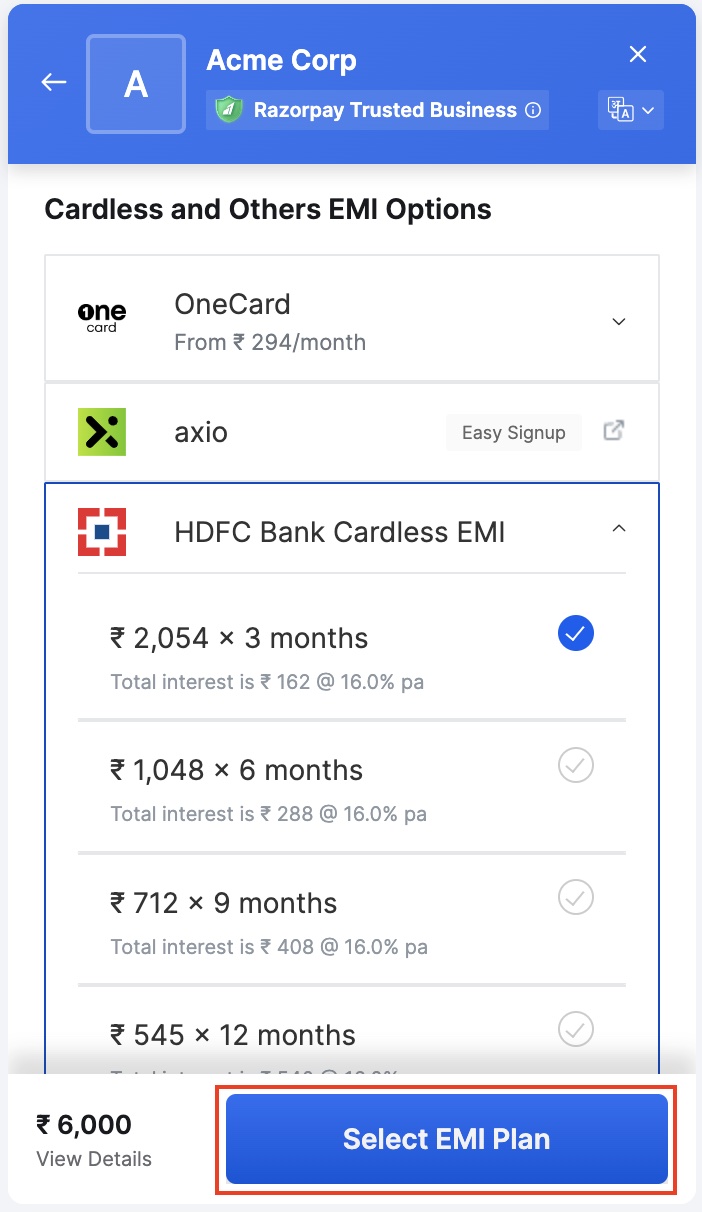
- Choose a payment instrument from the list and select the EMI tenure. Click Continue.