

Available in🇮🇳 India
EMI provides an option to your customers for making total payment in easy equal monthly installments at the applicable interest rates from the list of banks and partners. This payment option encourages your customer to make big value purchases without worrying about paying the full amount upfront. Customers pay principal amount and interest in monthly equal installments.
With Razorpay, you can offer your customers EMI as a payment method to buy various products on EMI using Debit Cards, Credit Cards, No Cost EMI, Low Cost EMI and Cardless EMI.
EMI Types
You can view the EMIs enabled for your Razorpay account from the Account & Settings → Payment Methods tab.

Additional Payment MethodsYou can raise requests for additional payment methods. Know more about Payment Methods.
Payment Flow on Standard Checkout
On your website or app, customers select the products and proceed to Checkout.On the Checkout page, the customers:
On the Checkout page, the customers:
- Enter the Phone Number and click Continue
- Select EMI, No Cost EMI or Low Cost EMI as the payment method as highlighted below.
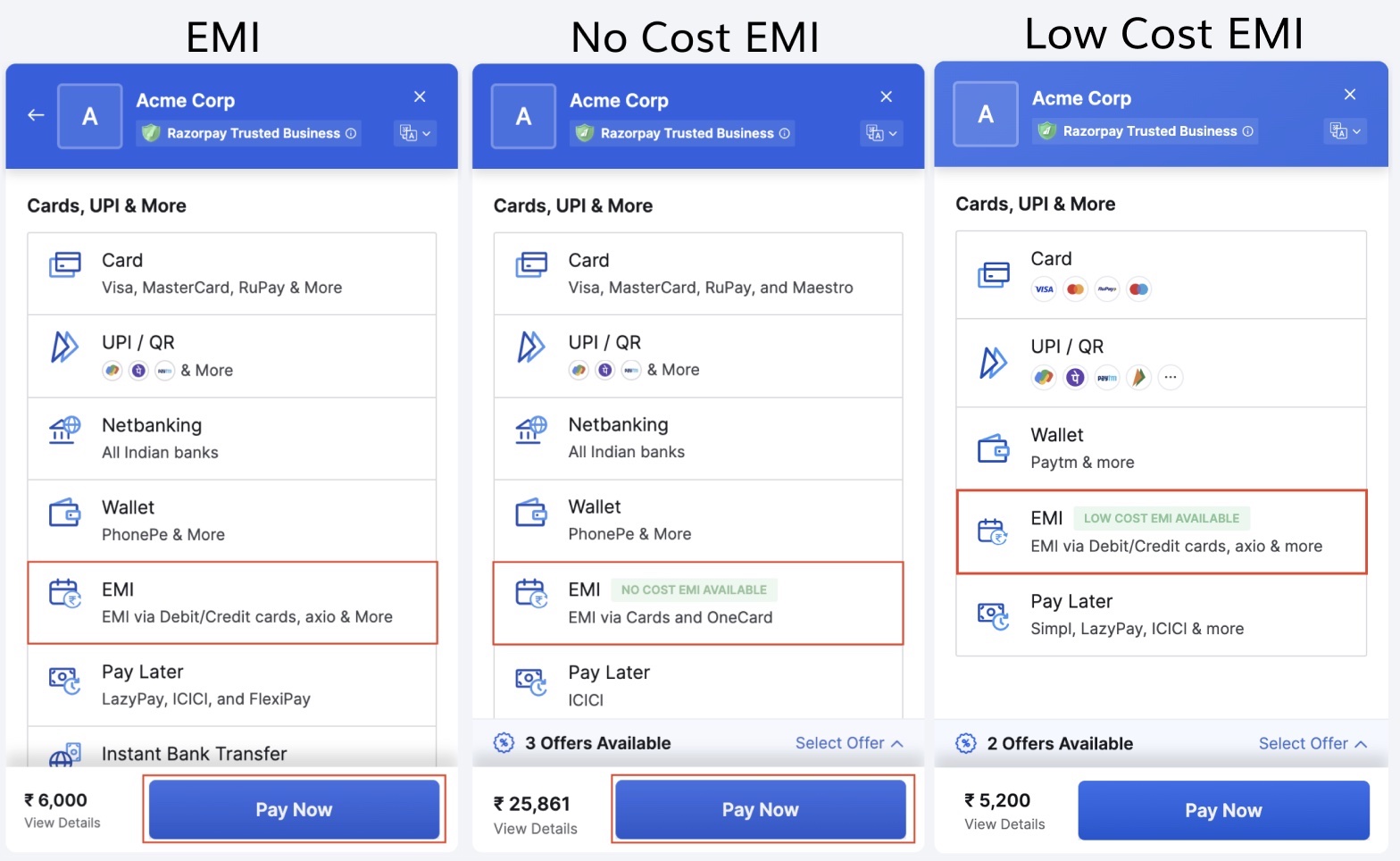
- Select a preferred EMI type, Credit, Debit or Cardless.
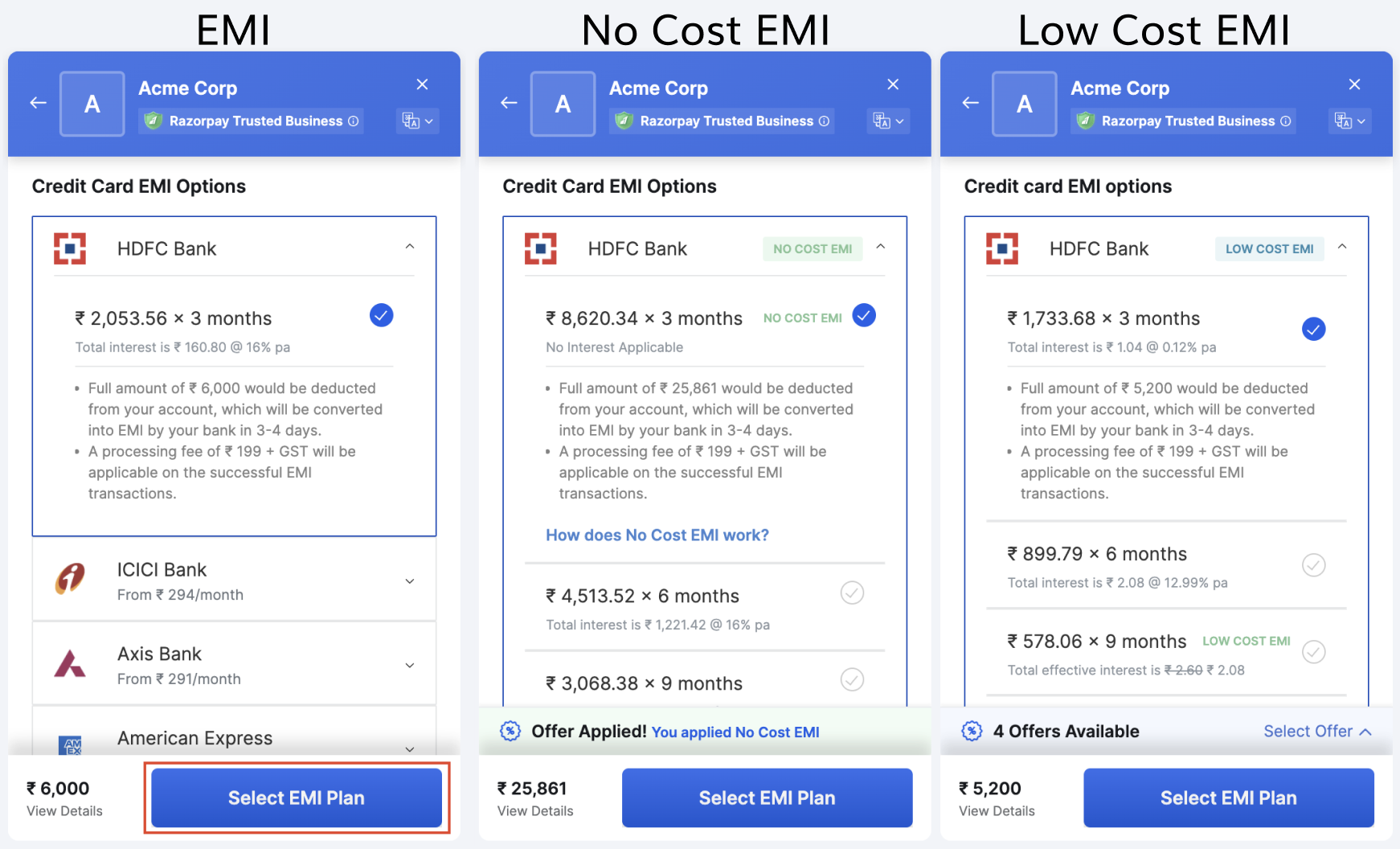
- Choose a bank from the list and select the EMI tenure. This flow is for Credit Card EMI. Click Continue.
- Enter the required details and choose if they want to Save this card as per RBI guidelines or pay without saving the card.
- Click Continue.