

Available in🇮🇳 India
Scheduling payouts helps to manage your payments in a more organised way. You can use the Vendor Payments app in RazorpayX to schedule payouts.
Here are some typical business use cases where you can schedule payouts:
- You receive an invoice from your vendor with a due date against it. You decide to pay the invoice exactly on the due date.
- You wish to pay all the invoices of a particular vendor in a specific time range at the end of the fortnight/month or payment cycles.
- You receive an invoice based on some payment terms agreed with the vendor, which mandates payment to be made exactly after
xdays post the invoice date.
Schedule Payouts
To schedule a payout:- Log in to your RazorpayX Dashboard.
- Navigate to Menu → Vendor Payments.
- Click + INVOICE.
- Continue to upload the invoice or click CONTINUE WITHOUT UPLOAD to manually enter the details.
- Add the Invoice Details, Vendor Details, and Amount Details.
- Click REVIEW INVOICE to cross-check the payout details.
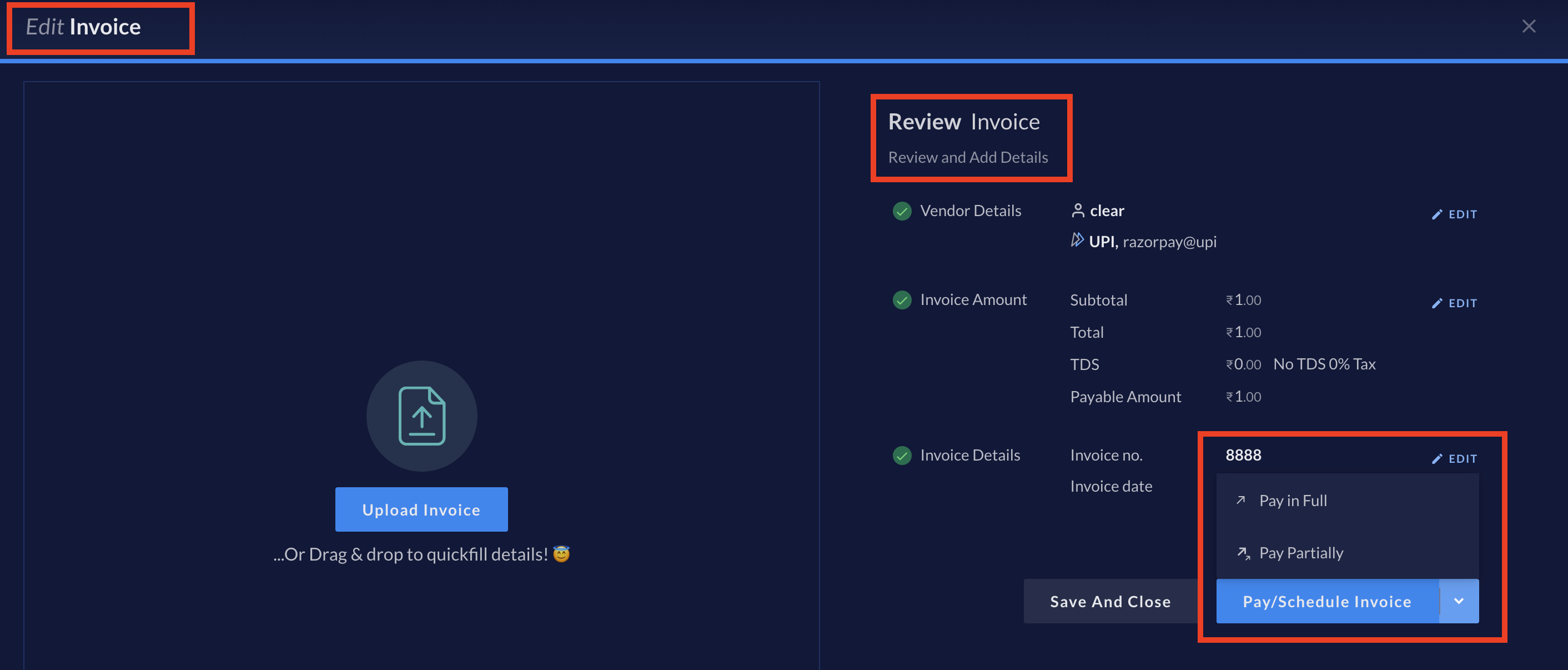
- Click Pay/Schedule Invoice as shown here:
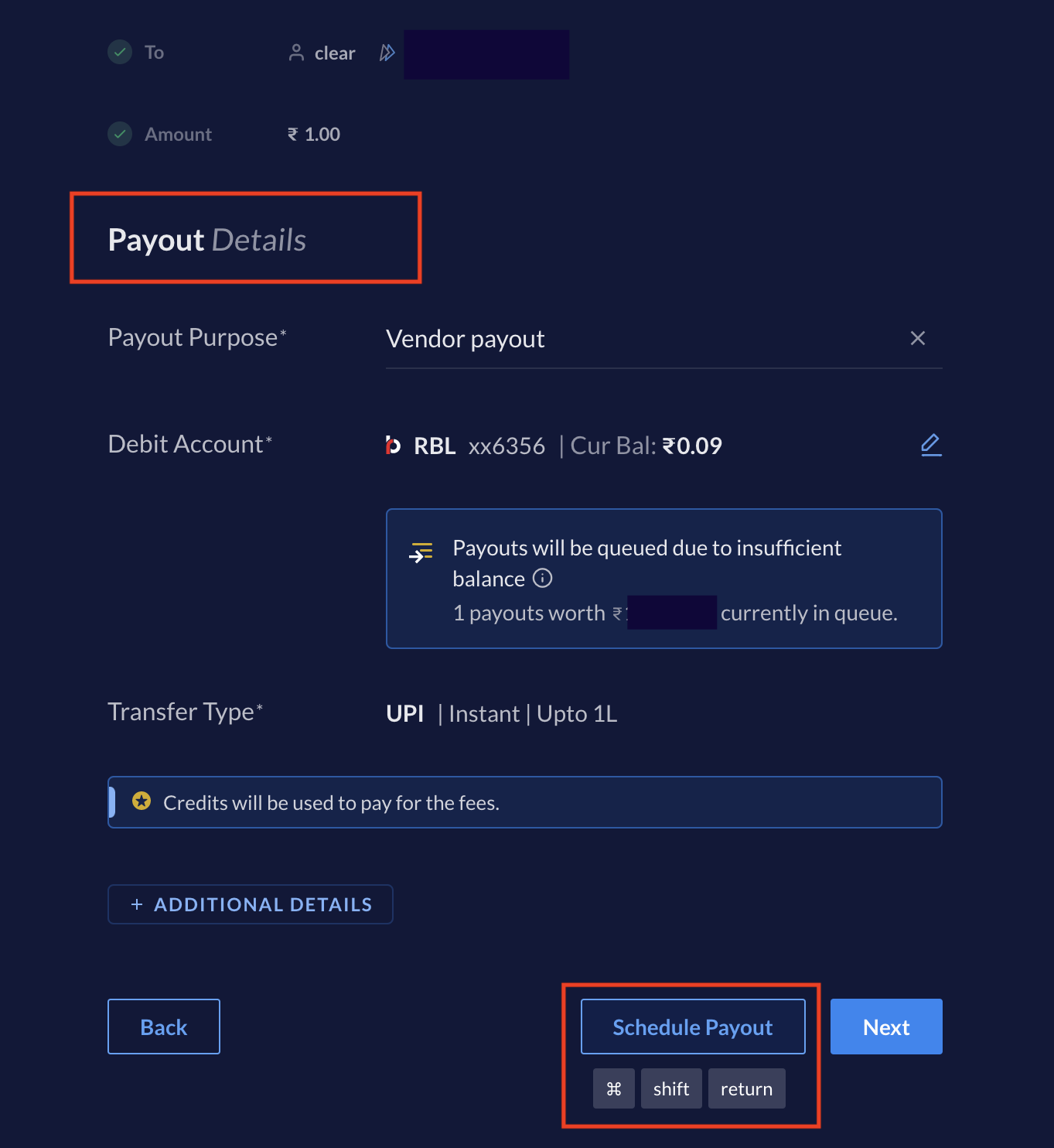
- It takes you to the New Payout window. Here you can finalise the payout details. Once done, click Schedule Payout, as shown.
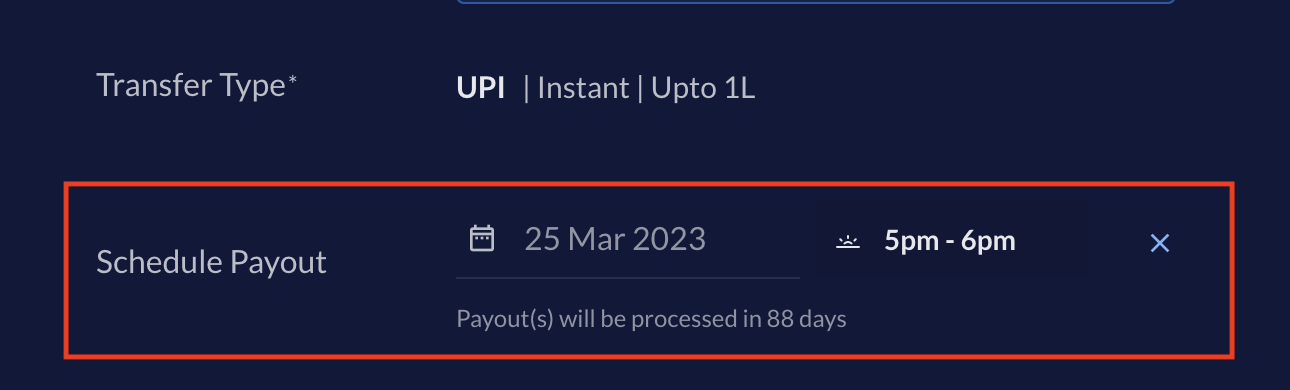
 Once you click Schedule Payout, you see the calendar and time options on your screen. Select the date on the calendar and also the time of day when you want RazorpayX to process your scheduled payout, as shown.
- Click CONFIRM.
- Authenticate the transaction using OTP.
Scheduled.