Available in🇮🇳 India
iThink logistics is a third-party logistics service provider that makes your ecommerce shipping process easier.
Integration Steps
Copy the API Keys
Copy the API Keys
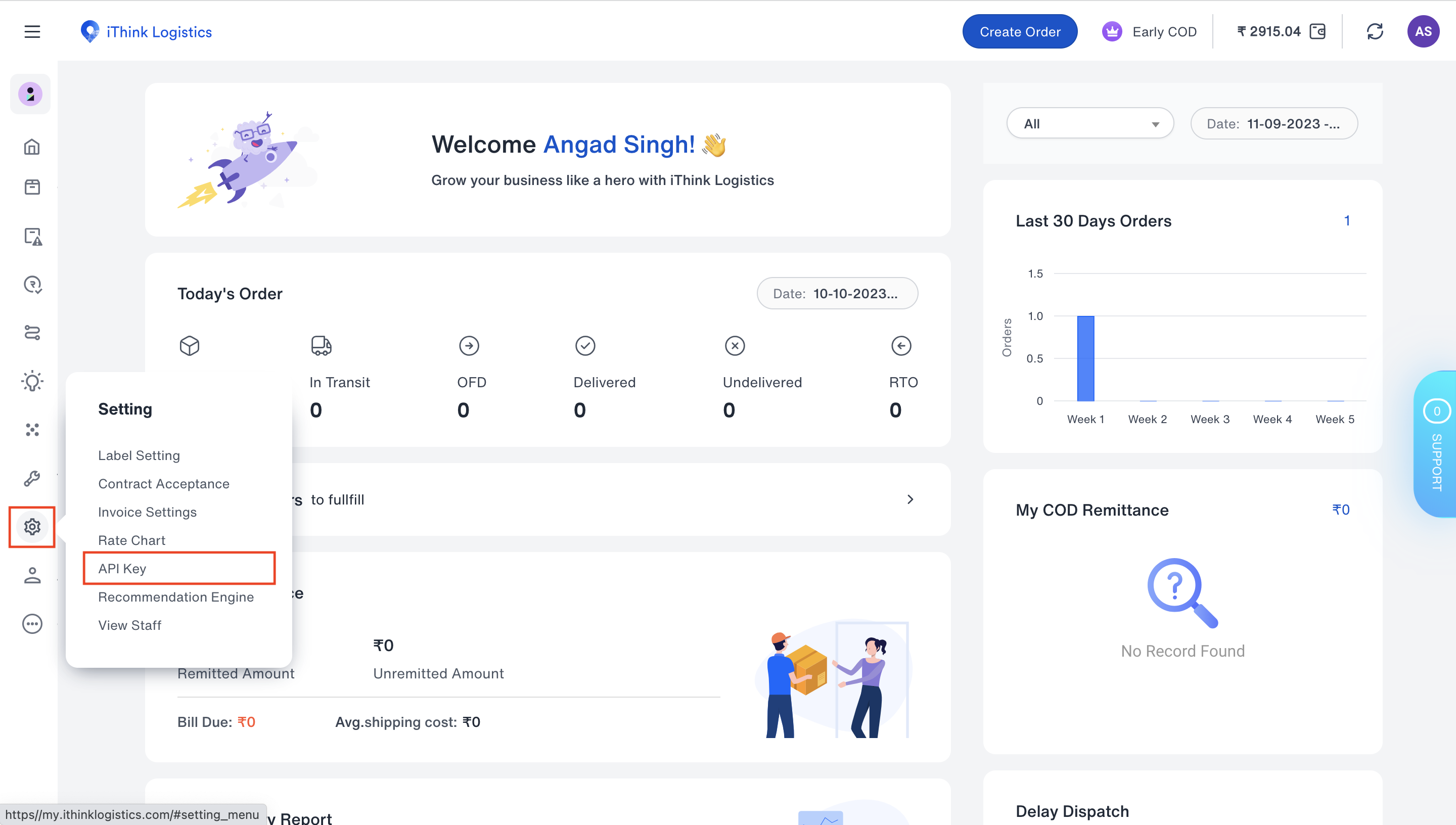
- Log in to the iThink Logistics Dashboard and hover over the settings icon on the bottom left.
- Click API Key.
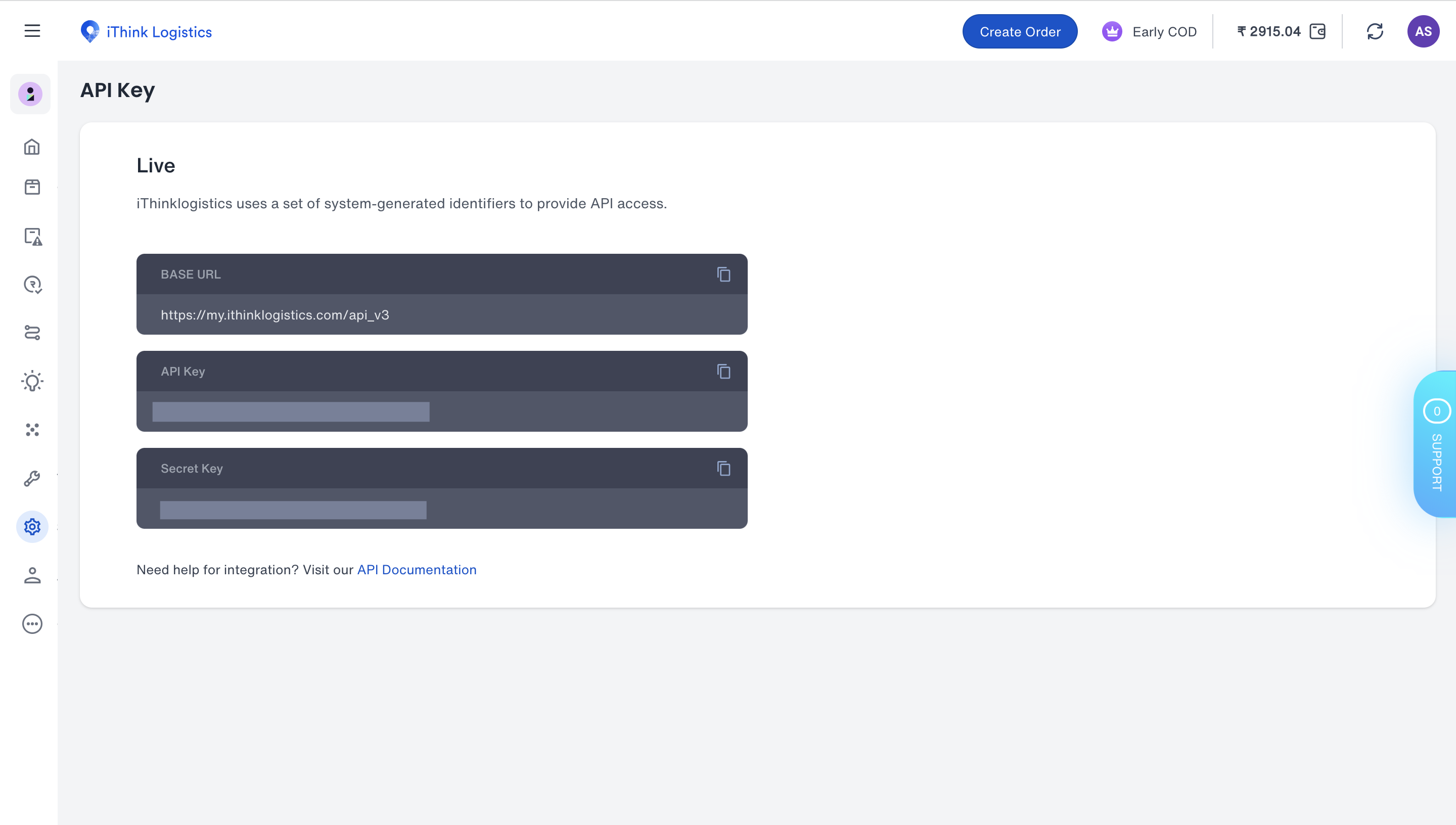
- Copy the API Key and Secret Key.
Enable iThink Logistics on Razorpay Dashboard
Enable iThink Logistics on Razorpay Dashboard
- Log in to the Dashboard and navigate to Magic Checkout.
- Select the platform of your e-commerce website, enter the relevant details and click Next.
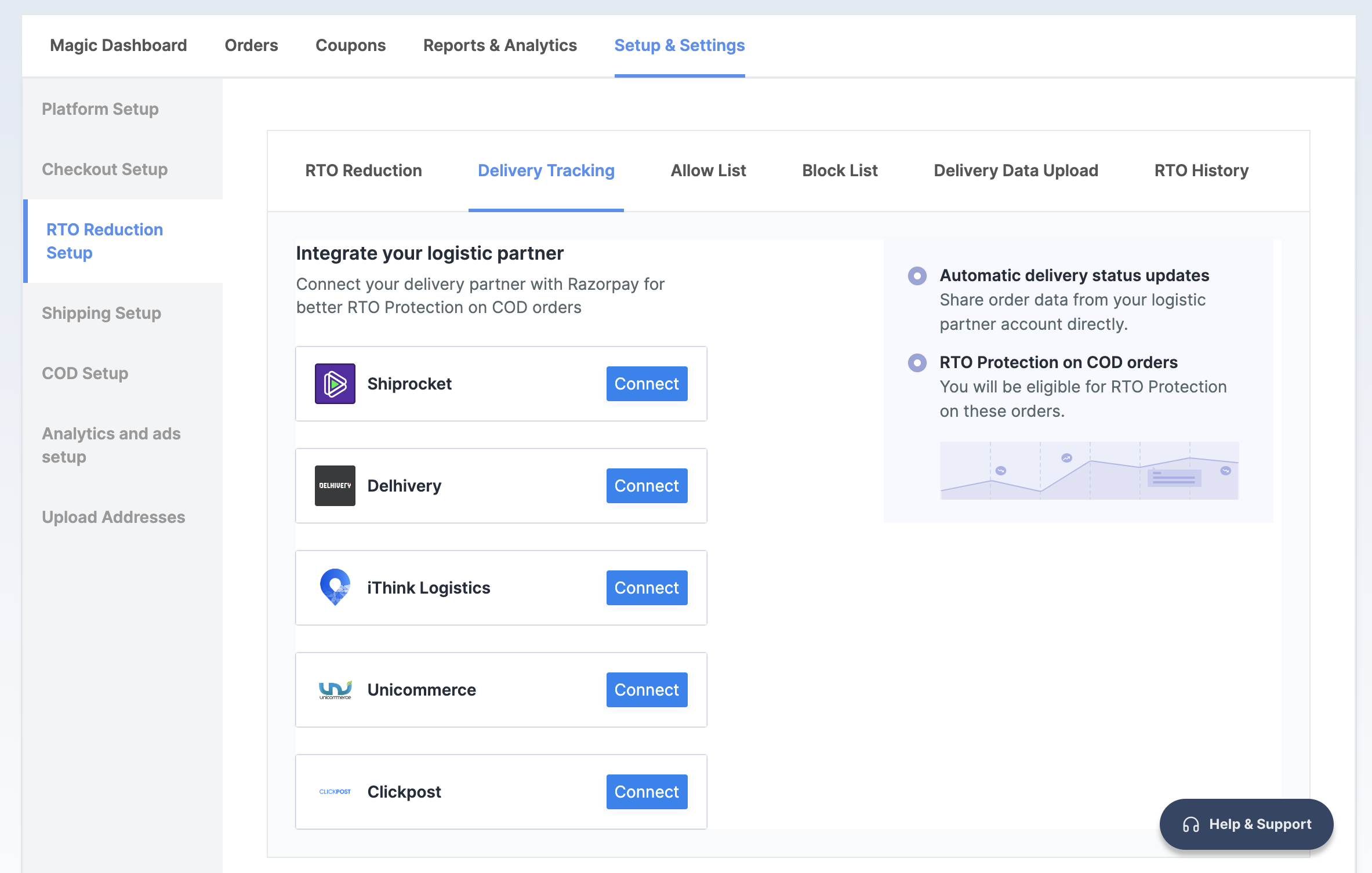
- In the RTO Reduction Setup section, navigate to the → Delivery Tracking tab.
- Click Connect next to iThink Logistics.
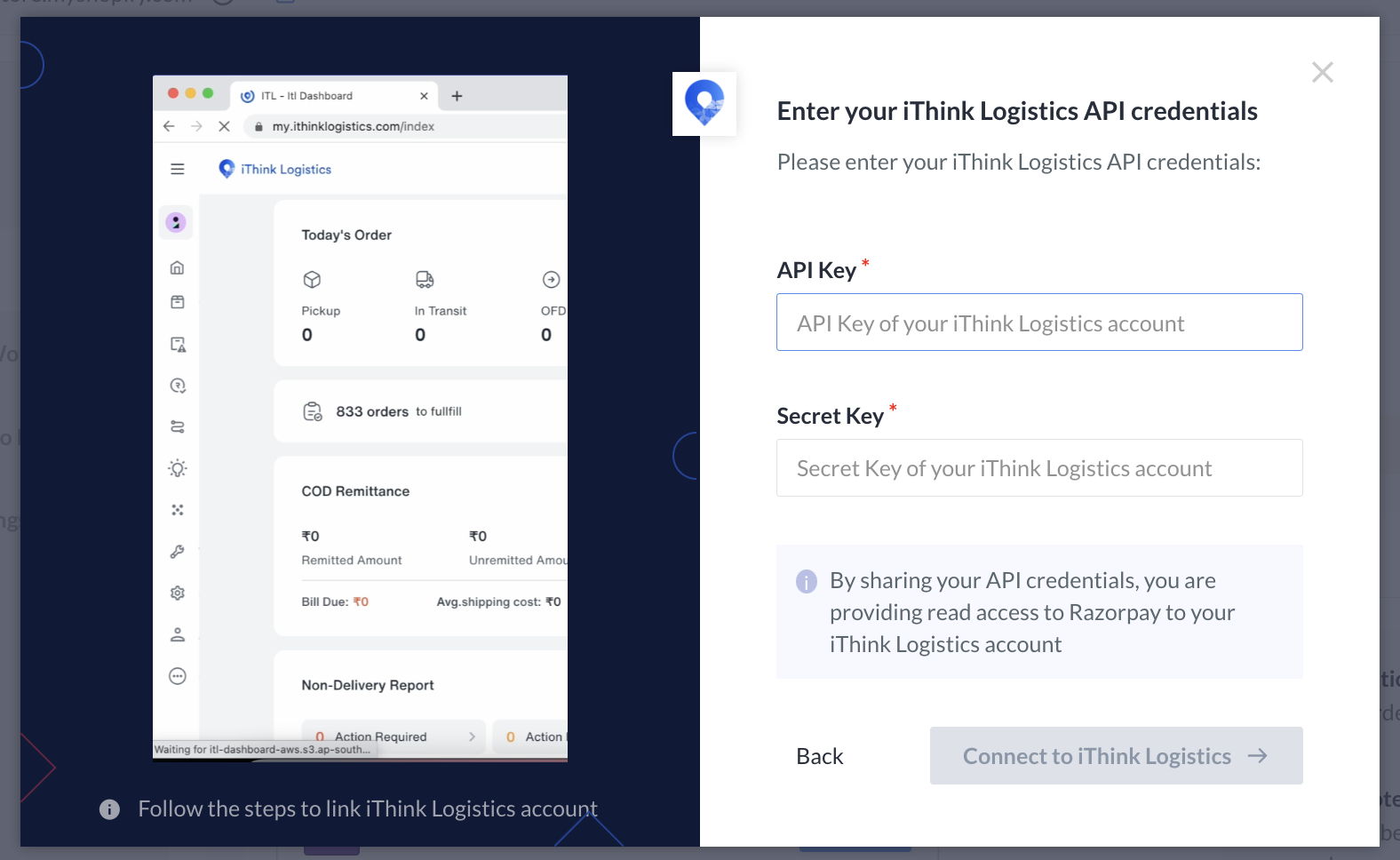
- Paste the API Key and Secret Key copied from the iThink Logistics Dashboard.
- Click Connect to iThink Logistics.