

Available in🇮🇳 India
You can make UPI payments easier for your customers by enabling UPI Intent on your application Checkout.
Benefits
Enjoy the benefits such as higher conversion rates, decrease in abandoned carts and a decrease in time to complete the payment. Your customers are also benefited in the following ways:- No need to handle push or SMS notifications.
- No need to switch between applications to complete a payment (merchant, SMS and app).
- No need to remember their VPAs.
Understand Intent flow
The payment flow for UPI Intent payments is given below.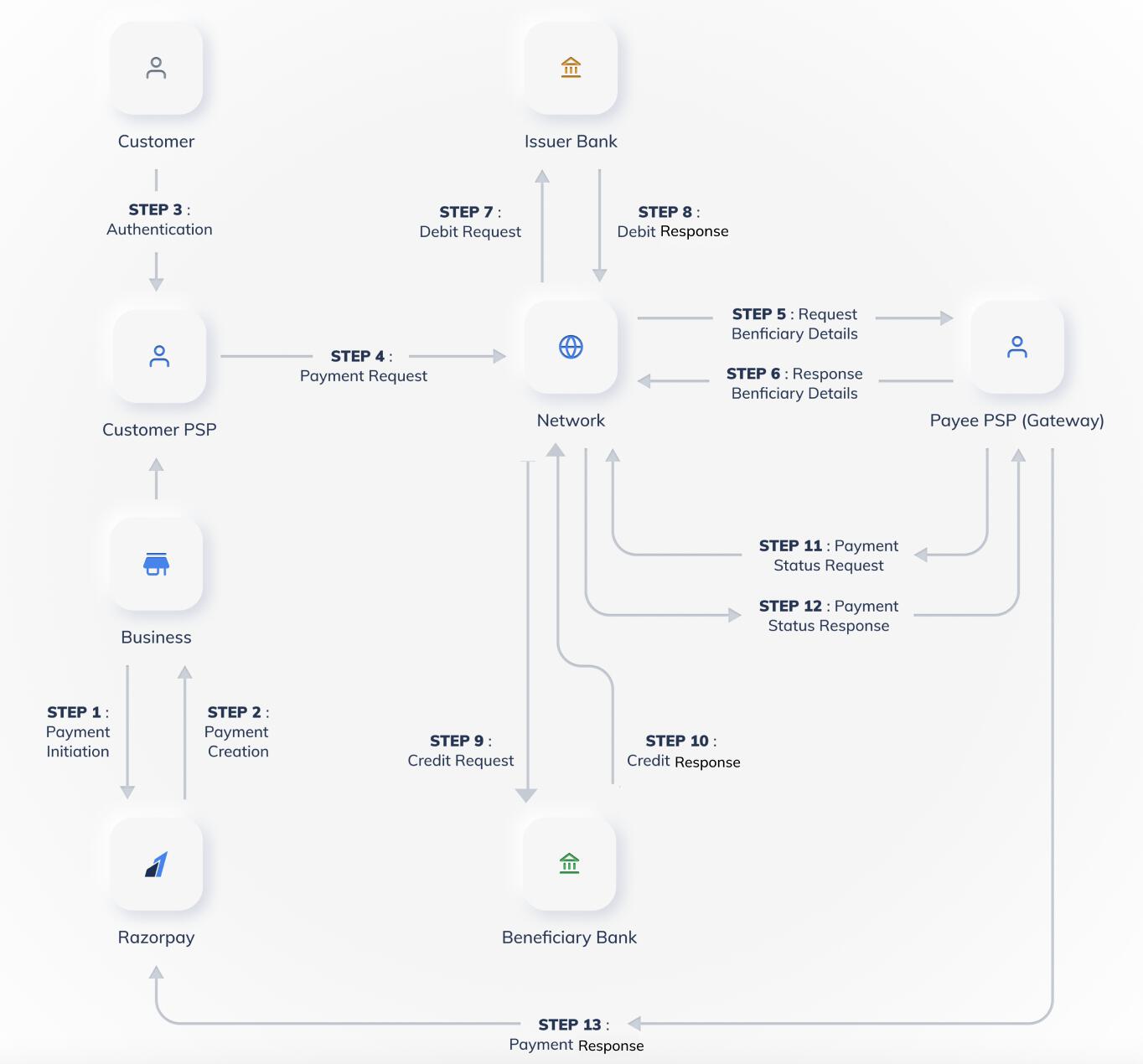
- In the UPI Intent flow, the customer selects UPI as the payment method on your website or app. A list of UPI apps supporting the intent flow is displayed.
- The customers select their preferred app. The UPI app opens with pre-populated payment details.
- The customers enter their UPI PIN to complete their transactions.
- After the payment is successful, the customers are redirected to your app or website.
Supported Platforms
Supported Platforms
UPI Intent is supported on mWeb (Android and iOS) and Mobile App (WebView). On Desktop Web, UPI Intent is not supported, a QR code is automatically displayed instead.
Integrate on Android, iOS and Mobile Web
- Android
- iOS
- Mobile Web
Use the Android SDK to support UPI Intent payments when a payment is processed through Razorpay in a WebView inside an app.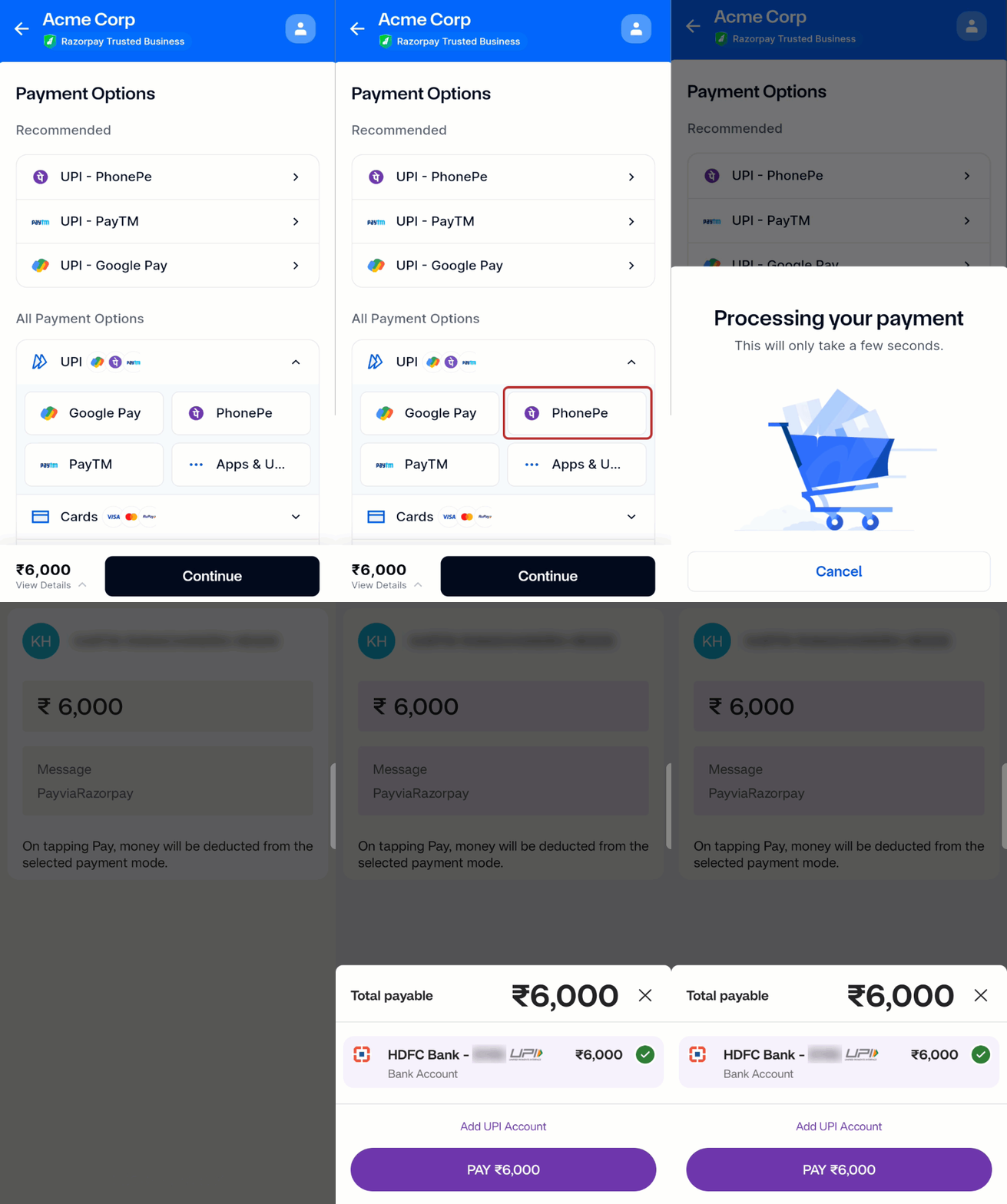 Refer to the list of supported UPI intent apps for Android SDK.
Installation
Download the JAR file and include it in thelibs folder.Initialisation
To initiate the SDK, call the Razorpay class constructor in your project and passkey as Razorpay API key and webView as the object that handles the payment flow.Passing Result to Razorpay
After UPI is selected as the payment method, Razorpay invokes the Intent Flow page that lists all the available intent flows for the user to select and make the payment. Upon payment completion, the UPI app returns the result back to youractivity in onActivityResult method. This should be passed to Razorpay as shown below: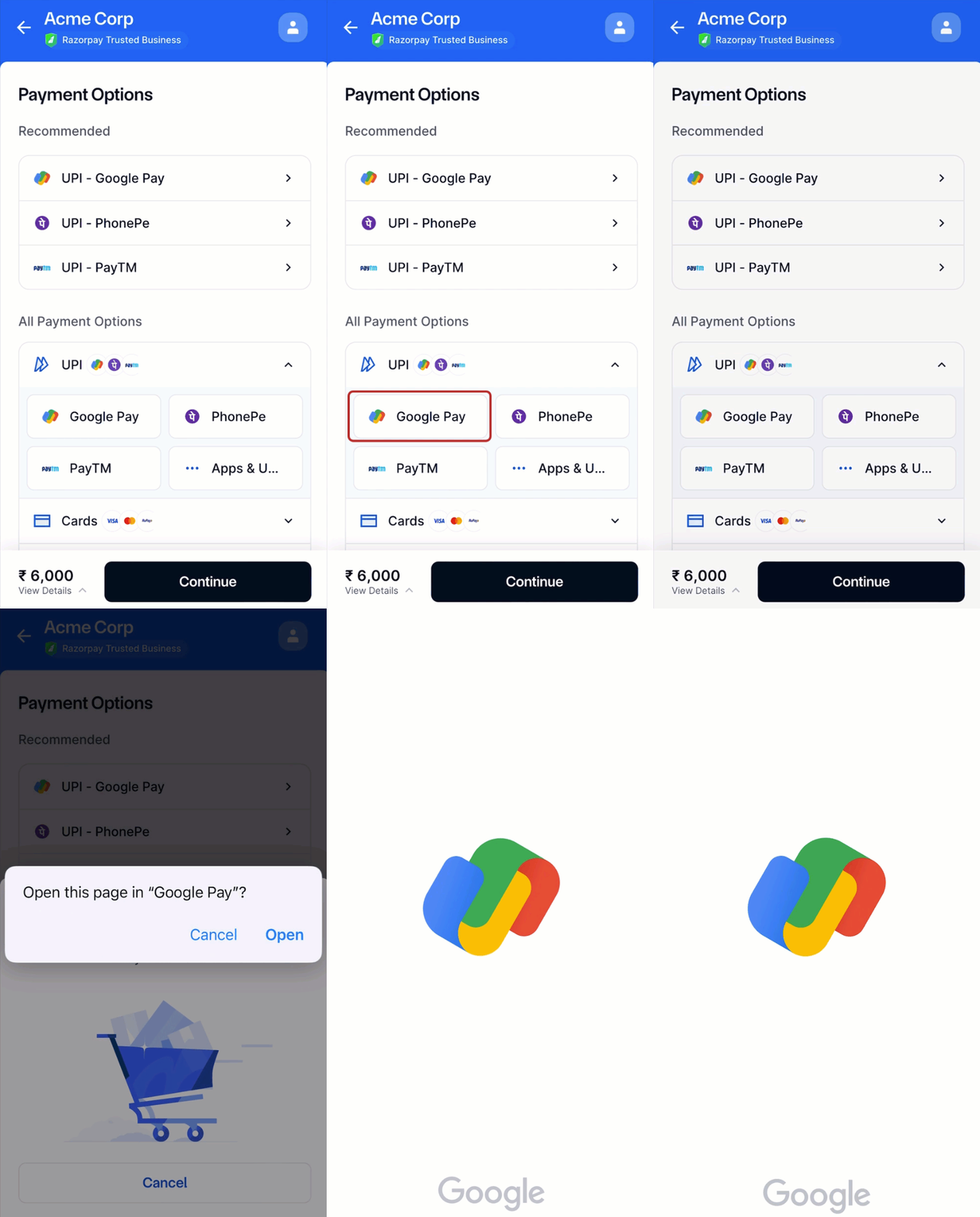
Best Practices
Following are the best practices to be followed to accept online payments using UPI intent flow. You must show the list of UPI apps in 2 sections:- Top performing apps (GPAY > PhonePe > Paytm > BHIM)
- Other apps