

Available in🇮🇳 India
Perquisites management in Payroll handles all non-monetary benefits provided to employees, ensuring proper valuation and tax treatment as per Income Tax regulations. The system automates perquisite calculations, maintains compliance with tax laws and provides transparent reporting of taxable benefits.
Features
Features
Accessing Perquisites
Navigate to People → Employee’s Name → Pay → Perquisites to access the perquisites management interface. The dashboard displays all active perquisites with their taxable values. The perquisites screen presents:- Active Perquisites List - All current non-monetary benefits.
- Perquisite Valuation - Calculated value as per tax rules.
- Employee Contribution - Amount paid by employee.
- Net Taxable Value - Final taxable perquisite amount.
Managing Perquisites
Adding Perquisites
To add a new perquisite:- Click Add Perquisites for Employees Name(here Employee’s Name).
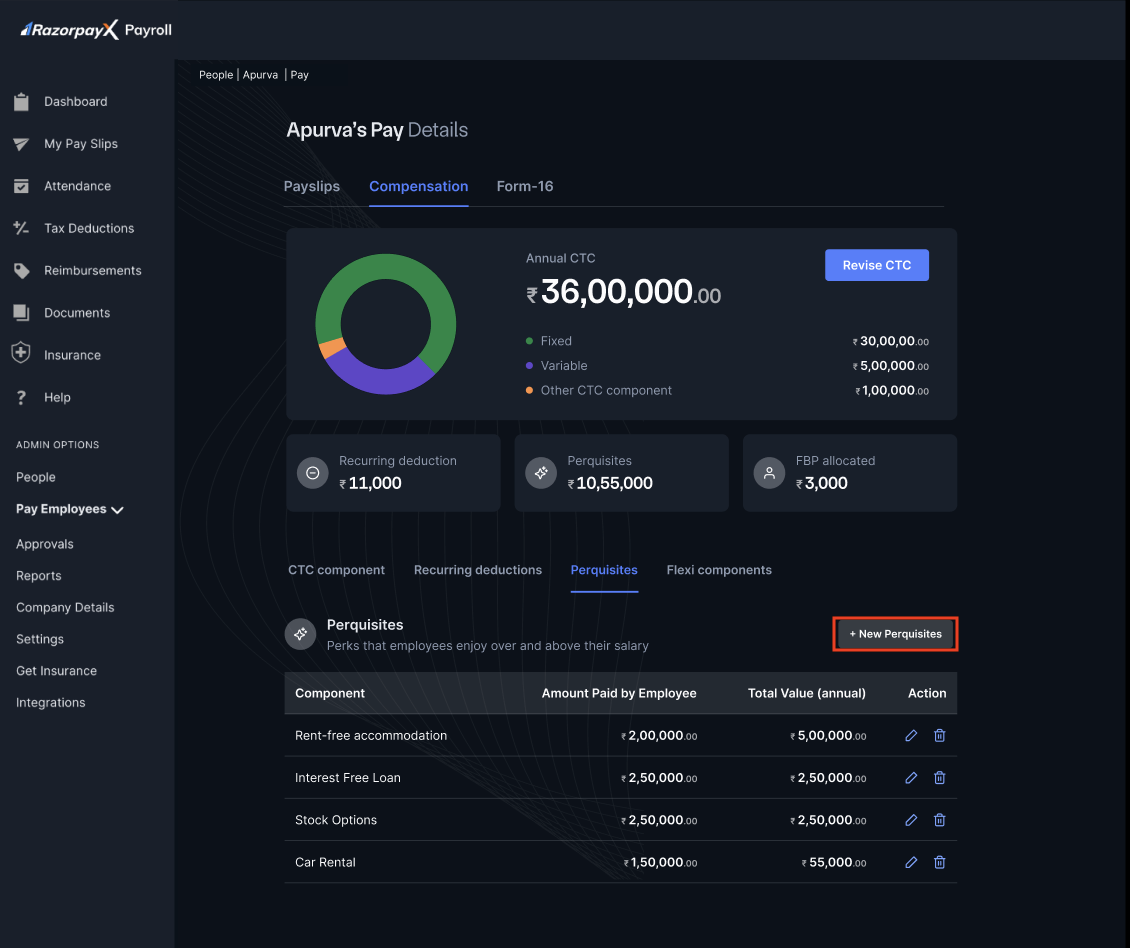
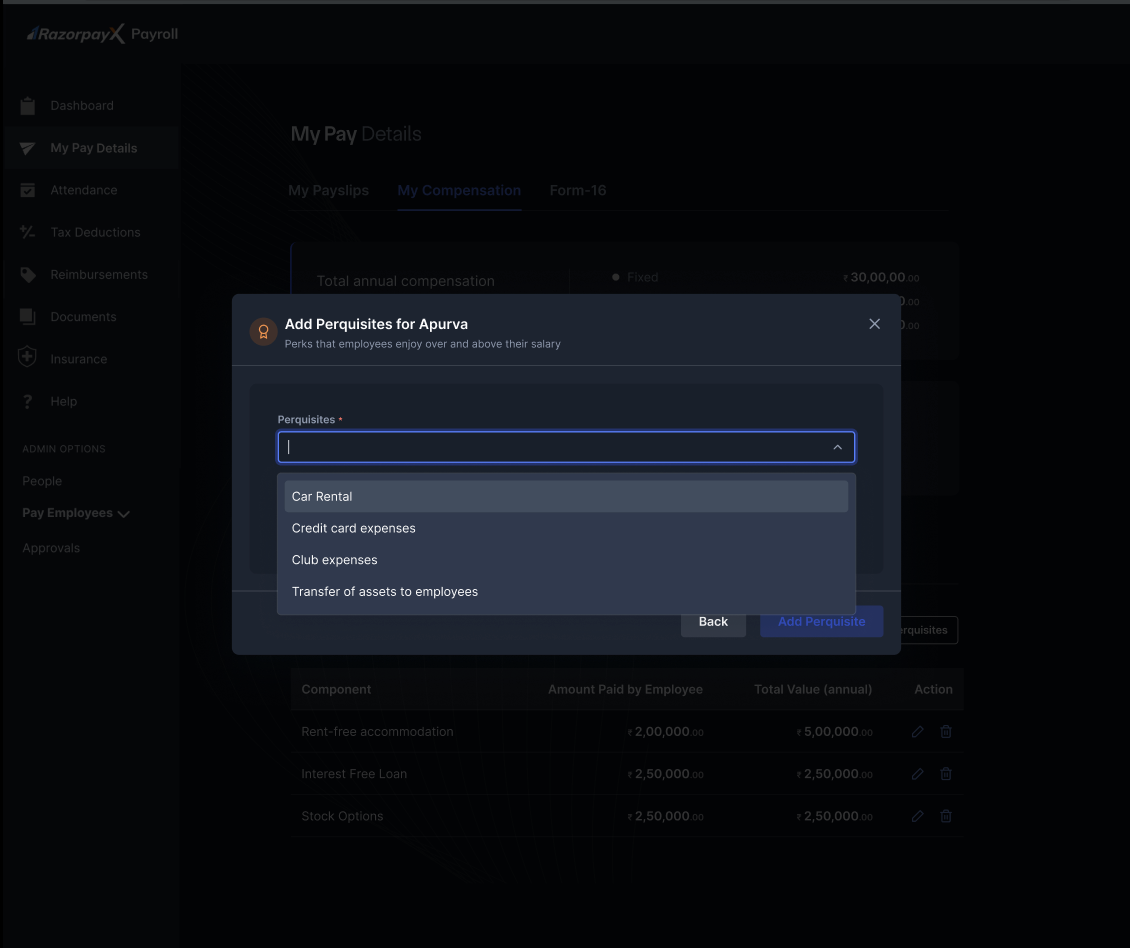
- Select the perquisite type from the dropdown:
- Rent-free accommodation
- Interest-free loan
- Stock options
- Car rental
- Enter the total value amount.
- Specify the amount paid by the employee (if applicable).
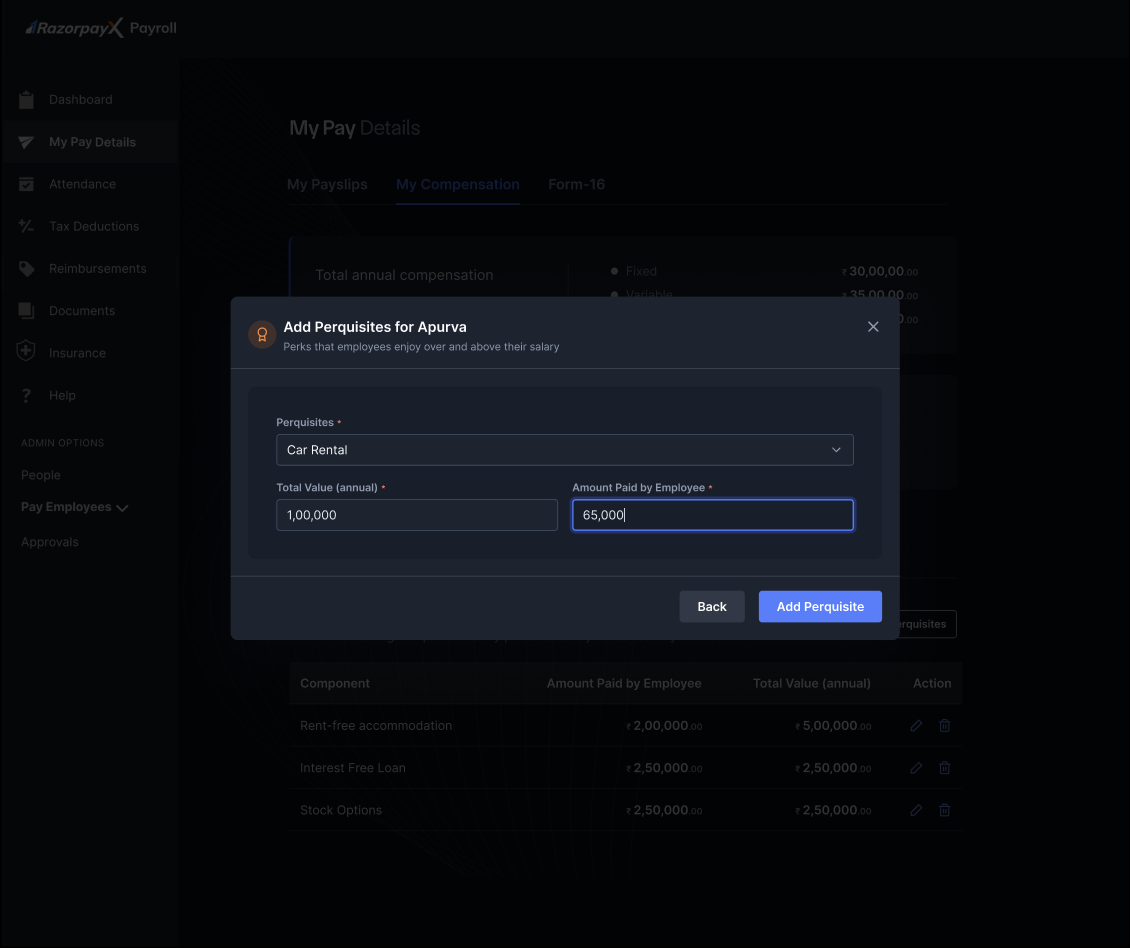
- Click Add Perquisites to save.
Editing Perquisites
To modify existing perquisites:- Click Edit Perquisites for Employee’s Name.
- Select the perquisite to modify.
- Update the parameters:
- Total value amount
- Employee contribution
- Perquisite period
- Save the changes.
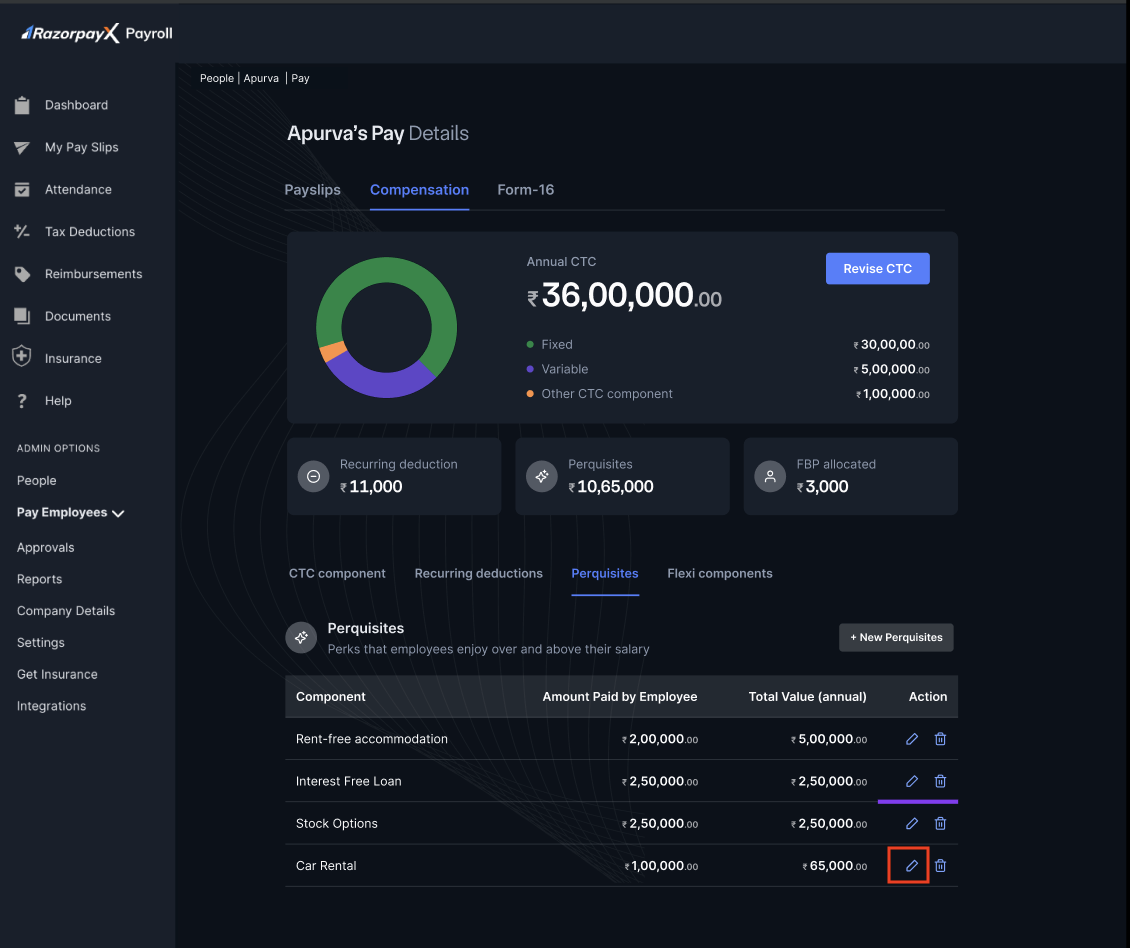
Deleting Perquisites
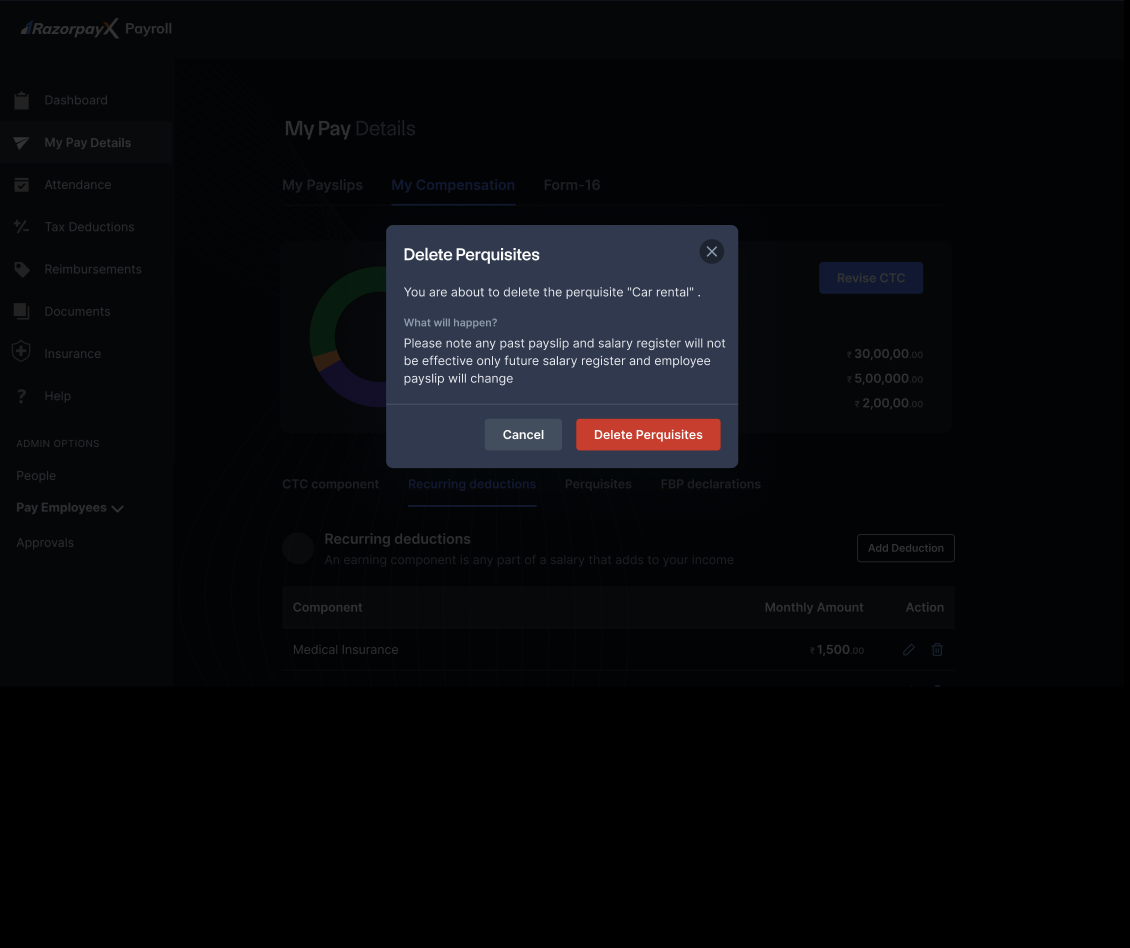
To remove perquisites:- Click Delete Perquisites.
- Review the perquisite details in the confirmation dialogue.
- Click Delete Perquisites to confirm.
Tax Implications
Perquisites are valued as per Income Tax rules and may be:- Fully taxable
- Partially taxable
- Exempt under specific conditions
- Market value of the benefit
- Employee contribution
- Applicable tax rules
NotePerquisite valuation follows Income Tax Act provisions and is subject to change based on government notifications. The system automatically updates valuation rules as per latest tax regulations.