

Available in🇮🇳 India
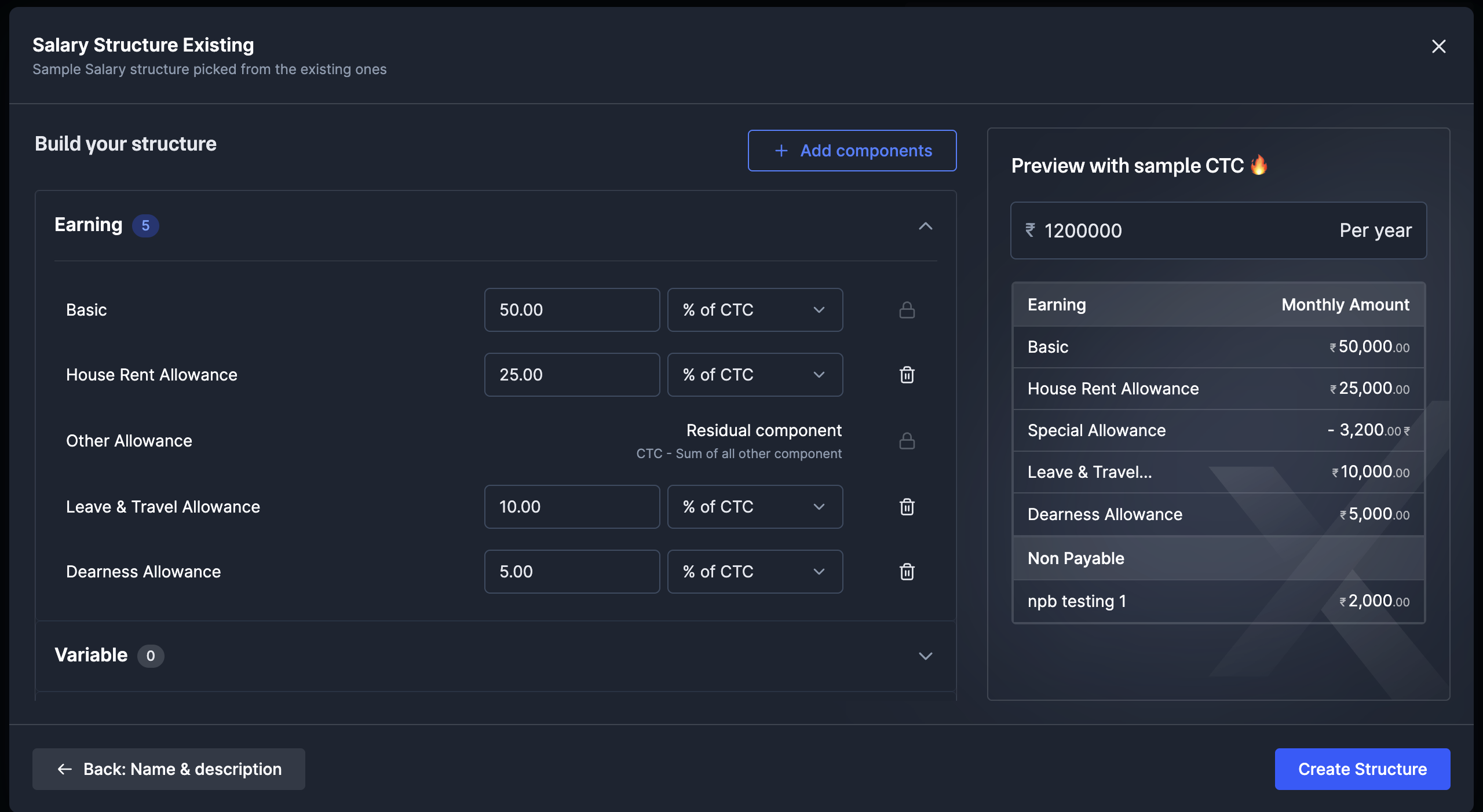
In Payroll, Special Allowance is a balancing component, not a value you set directly. It is the amount left in the CTC after every other component and employer contribution is allocated:
How Special Allowance is calculatedSpecial Allowance = Annual CTC - (Basic + HRA + other fixed allowances + Employer PF + Employer ESI)
Why is Special Allowance showing negative?
This usually happens in one of two situations:Employer PF/ESI and the CTCEmployer PF and ESI are met from within the CTC in both Payroll’s older system and Payroll 2.0. They are employer contributions, not employee earnings, so they do not appear in the Earnings section of the payslip and you do not need to add them as earning components.
Payroll’s older system vs Payroll 2.0
If a structure worked earlier and now shows an error, it is because of how each system handles a CTC overflow:How to fix it
Reduce how much of the CTC is locked into Basic, HRA and other fixed components so there is room for a positive Special Allowance. The CTC stays the same.- For a specific employee
- Go to People → employee’s profile → Compensation.
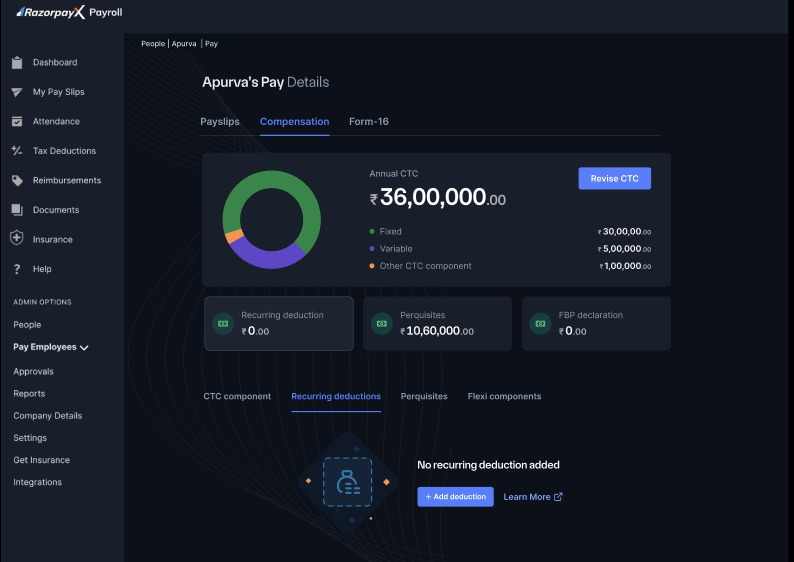
- Assign a different salary structure for the same CTC, with a lower Basic/HRA allocation.
- Save, then confirm Special Allowance is zero or positive.
- Re-attempt finalisation.
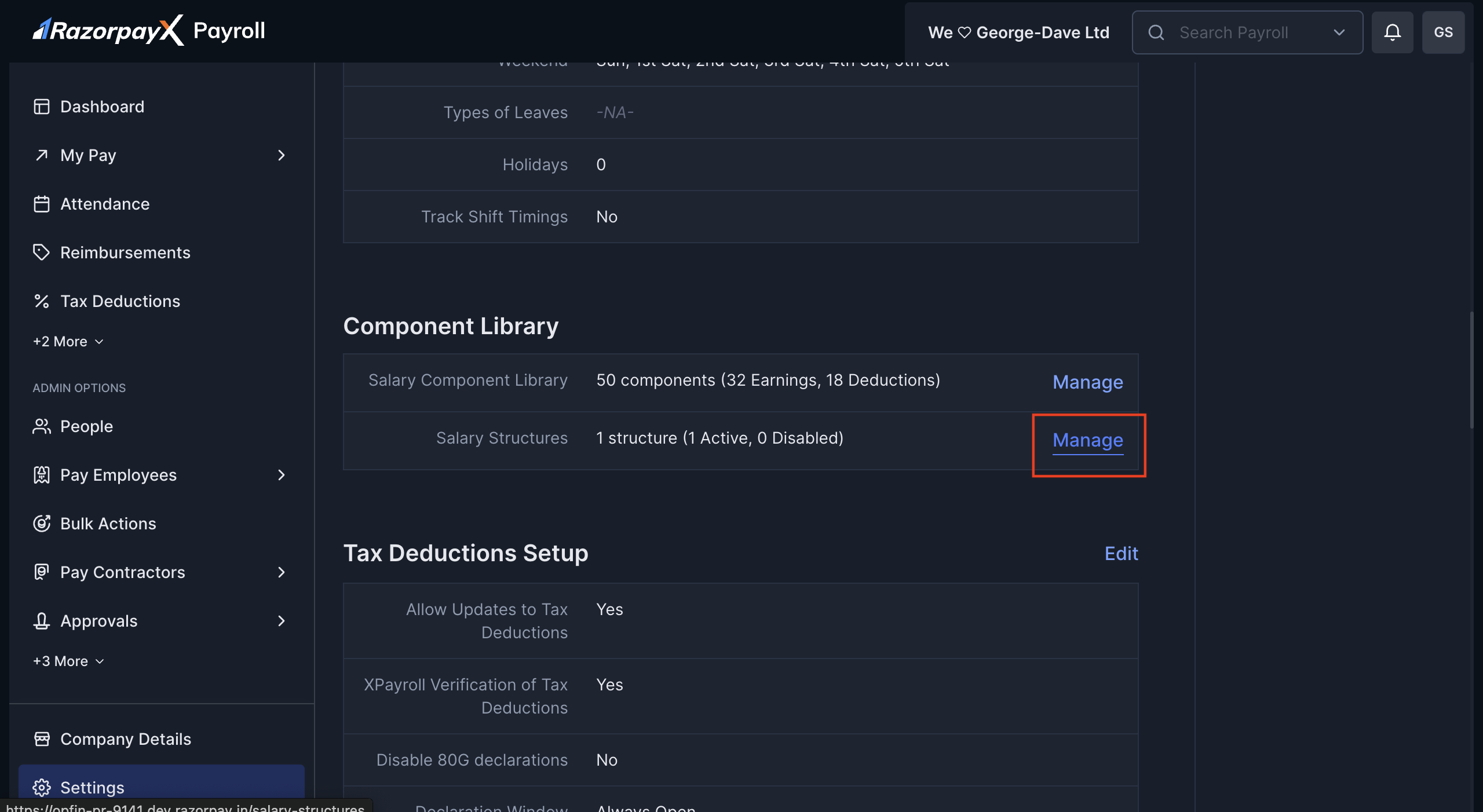
Worked examples
Example 1: Employer PF makes Special Allowance negative
Example 1: Employer PF makes Special Allowance negative
Annual CTC ₹6,00,000. The only change in the fix is dropping HRA from 30% to 25%; the CTC stays the same.
Example 2: 100% allocated, no room for Special Allowance
Example 2: 100% allocated, no room for Special Allowance
Annual CTC ₹4,80,000. The only change in the fix is dropping HRA from 50% to 40%; the CTC stays the same.