Available in🇮🇳 India
The WhatsApp integration is a quick and convenient method to raise and submit reimbursement requests and proofs, and also view the latest payslips.
How it Works
- Ensure your organisation has integrated WhatsApp with Payroll.
- Connect your WhatsApp account with Payroll.
- Chat with the WhatsApp bot to raise requests.
Connect WhatsApp
The WhatsApp integration is available only if your organisation has integrated WhatsApp with Payroll. You can also contact your Manager/HR to check if the integration is available. To check and enable the WhatsApp integration:- Log in to the Payroll Dashboard.
- Navigate to My profile → Other Information → EDIT.
-
Check if the Connect to WhatsApp is visible.
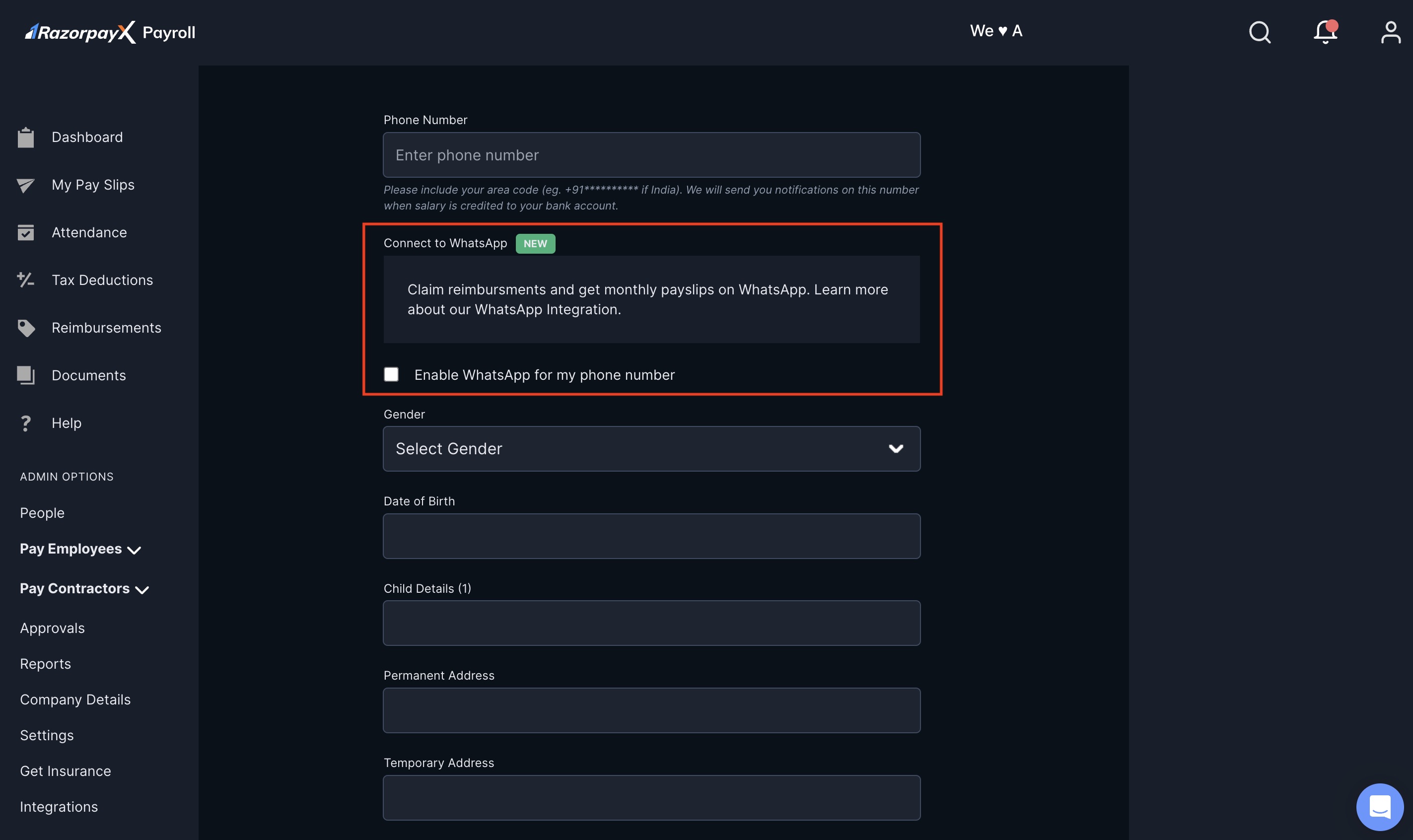
- In the Phone Number text box, provide your WhatsApp-enabled phone number.
- Select the Enable WhatsApp for my phone number check box.
hi to get started.
Use WhatsApp
You can use the WhatsApp integration to:Claim Reimbursements
Claim Reimbursements
To claim reimbursements via WhatsApp:
- Open your WhatsApp application → RazorpayX Payroll chat.
- Text Hi in the chat.
- Tap File Reimbursement.
- Select the Reimbursement Type from the pop-up modal. You can select from the reimbursement types your organisation has configured.
- Type the Reimbursement Amount without any special characters. For example,
1500.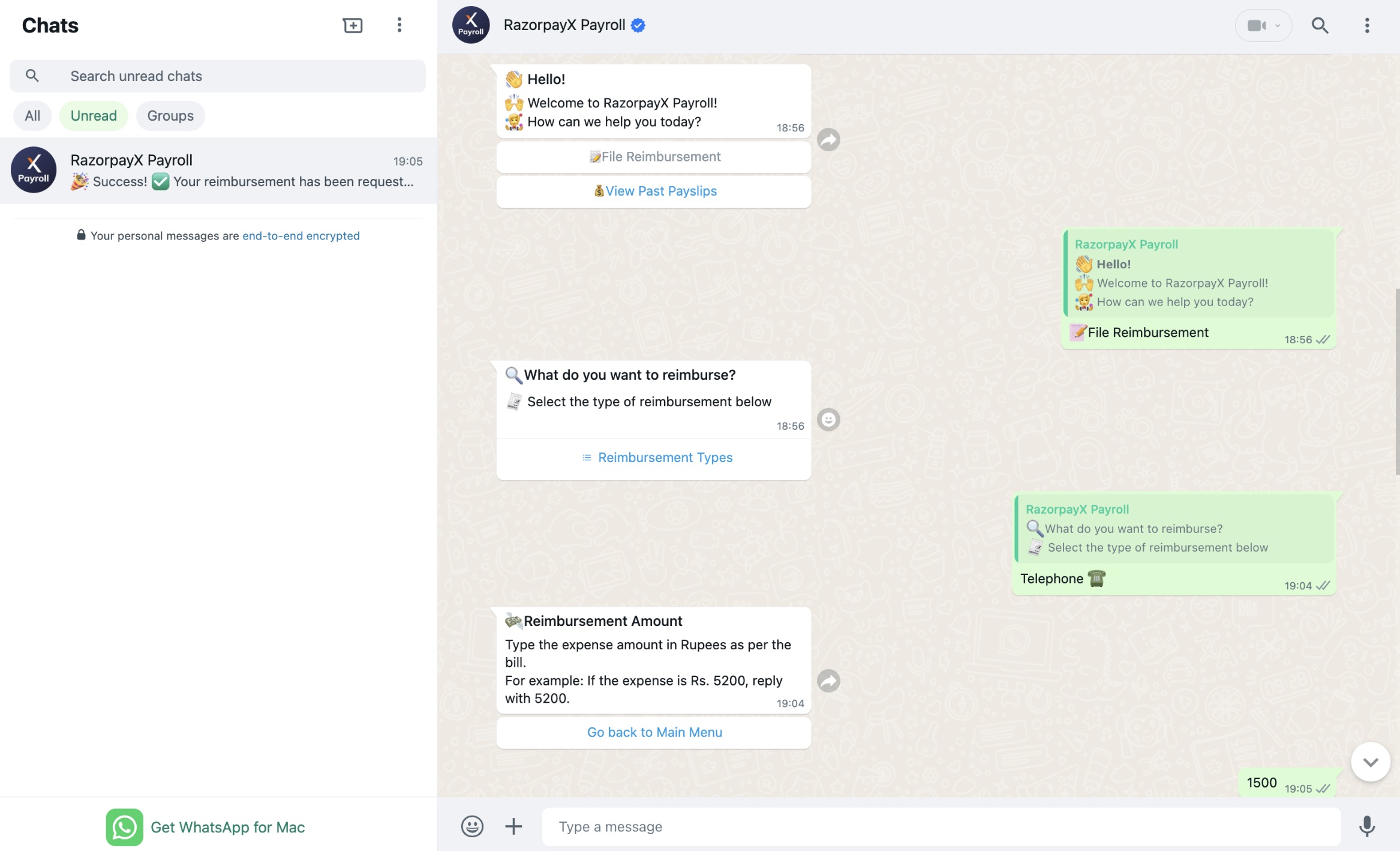
- Enter Remarks, if applicable. Else, tap Skip.
- Enter the expense date in a
DD/MM/YYYYformat. For example,01/09/2024.- Ensure you enter the forward slashes
/in the date entered. - For single digits, add 0. For example, 01.
- Ensure you enter the forward slashes
- Upload Attachments, if any.
- On your mobile phone, click the attachment icon to select an existing file or click the camera icon on your mobile phone to take a picture of the bill.
- On the web app, click the + icon to select an existing file.
- Click the send icon.
- Tap Confirm to proceed. To cancel or discard the reimbursement request, tap Restart.
View Payslips
View Payslips
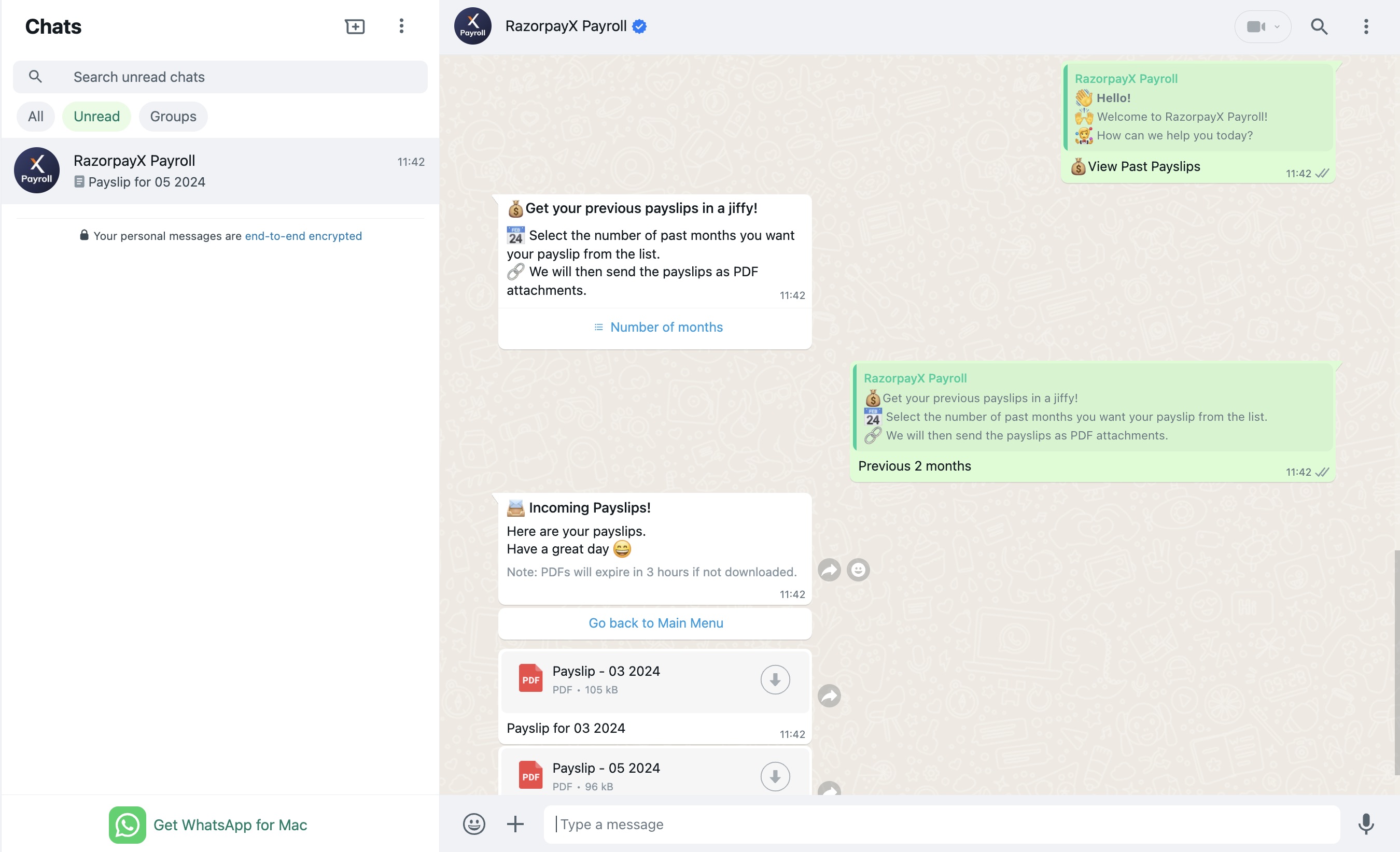
You can use the WhatsApp integration to view past payslips.
- Open the WhatsApp application and text Hi. You can also click Go Back to Main Menu.
- Tap View Past Payslips.
-
Select the Number of Months in the pop-up modal.