

Available in🇮🇳 India
Use the RazorpayX Scheduled payouts to schedule payouts to your Contact’s bank account or VPA, to be processed at a later time. For example, you can use Scheduled payouts to schedule salary payouts for your employees.
- Your account balance is not blocked when you create a Scheduled payout.
- You can schedule as many payouts as you like irrespective of your account balance. We check your account balance at the time of processing.
- You can schedule payouts up to 3 months in advance, thus allowing you to better plan the float in your account.
Handy Tips
- This feature is only available on the RazorpayX Dashboard. It is not available on APIs.
- You cannot schedule payouts to cards.
How it Works
You can create Scheduled payouts via the RazorpayX Dashboard or using Bulk Upload. The process to create a Scheduled payout is similar to how you create a regular payout.- Create a Contact.
- Create a Fund account for the Contact.
- Create a payout.
Individual Payout
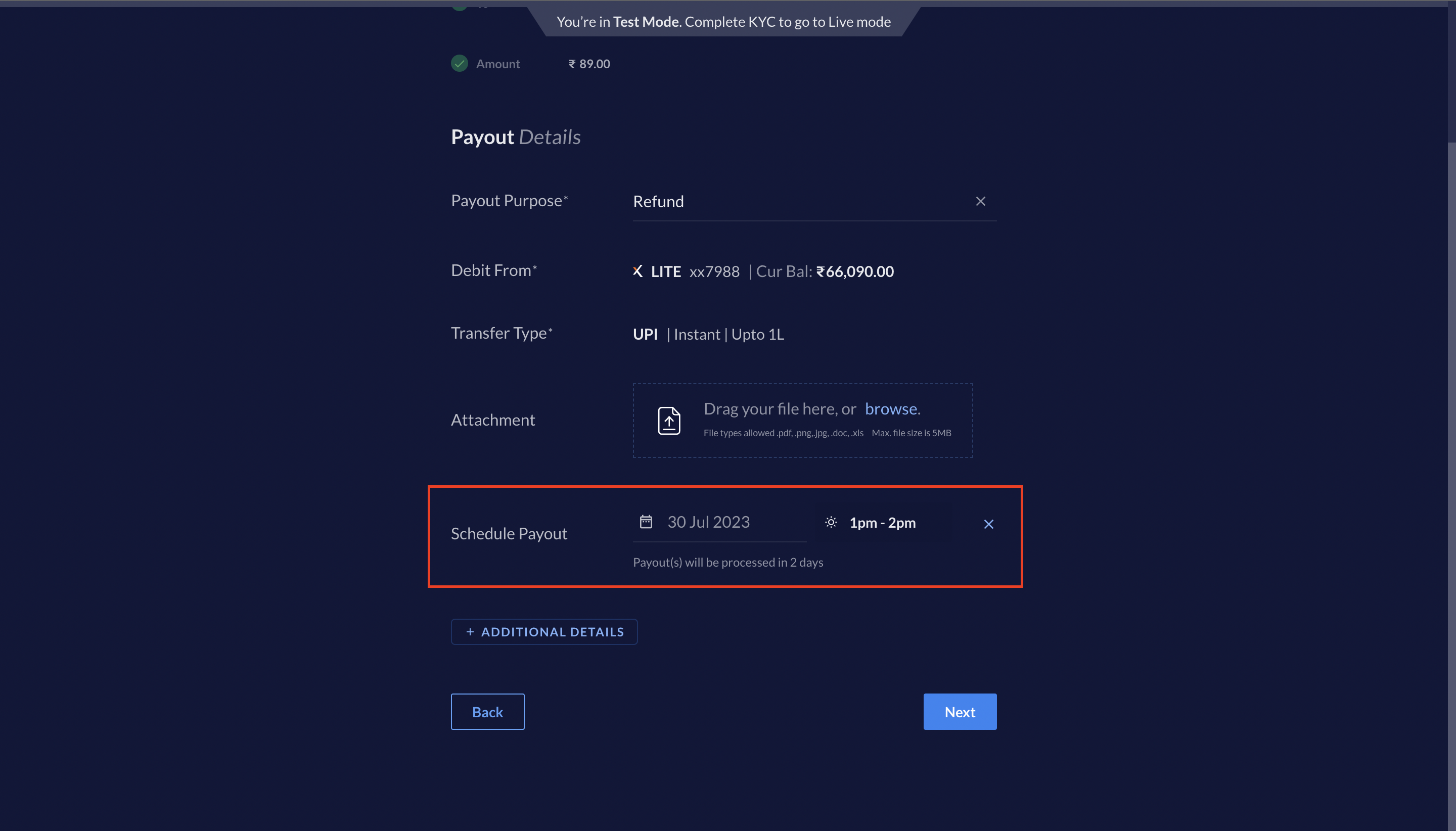
You can create a Scheduled payout via the RazorpayX Dashboard. To create a Scheduled payout, select the following options while creating a payout:- Select Schedule the payout.
- Select a date when you want the payout to be processed. You can schedule payouts up to 3 months in advance.
- Select a time slot when you want the payout to be processed. Following are the 4 slots available:
- 9 a.m. to 10 a.m.
- 1 p.m. to 2 p.m.
- 5 p.m. to 6 p.m.
- 9 p.m. to 10 p.m.
pending or scheduled state.
Bulk Upload
You can create Scheduled payouts created using Bulk Upload. Select the following options while uploading the bulk upload file:- Select Schedule the payout.
- Select the date when you want the payout to be processed. You can schedule payouts up to 3 months in advance.
- Select a time slot when you want the payout to be processed. Following are the 4 slots available:
- 9 a.m. to 10 a.m.
- 1 p.m. to 2 p.m.
- 5 p.m. to 6 p.m.
- 9 p.m. to 10 p.m.
pending or scheduled state.
Handy TipsYou cannot use this feature to schedule when a bulk upload file is picked up for processing. Once uploaded, the bulk upload file is processed immediately. The individual payouts created are scheduled as per the selected options.
Life Cycle
A scheduled payout can have the following statuses during its life cycle:pendingscheduledprocessingprocessedreversedcancelledrejectedfailed
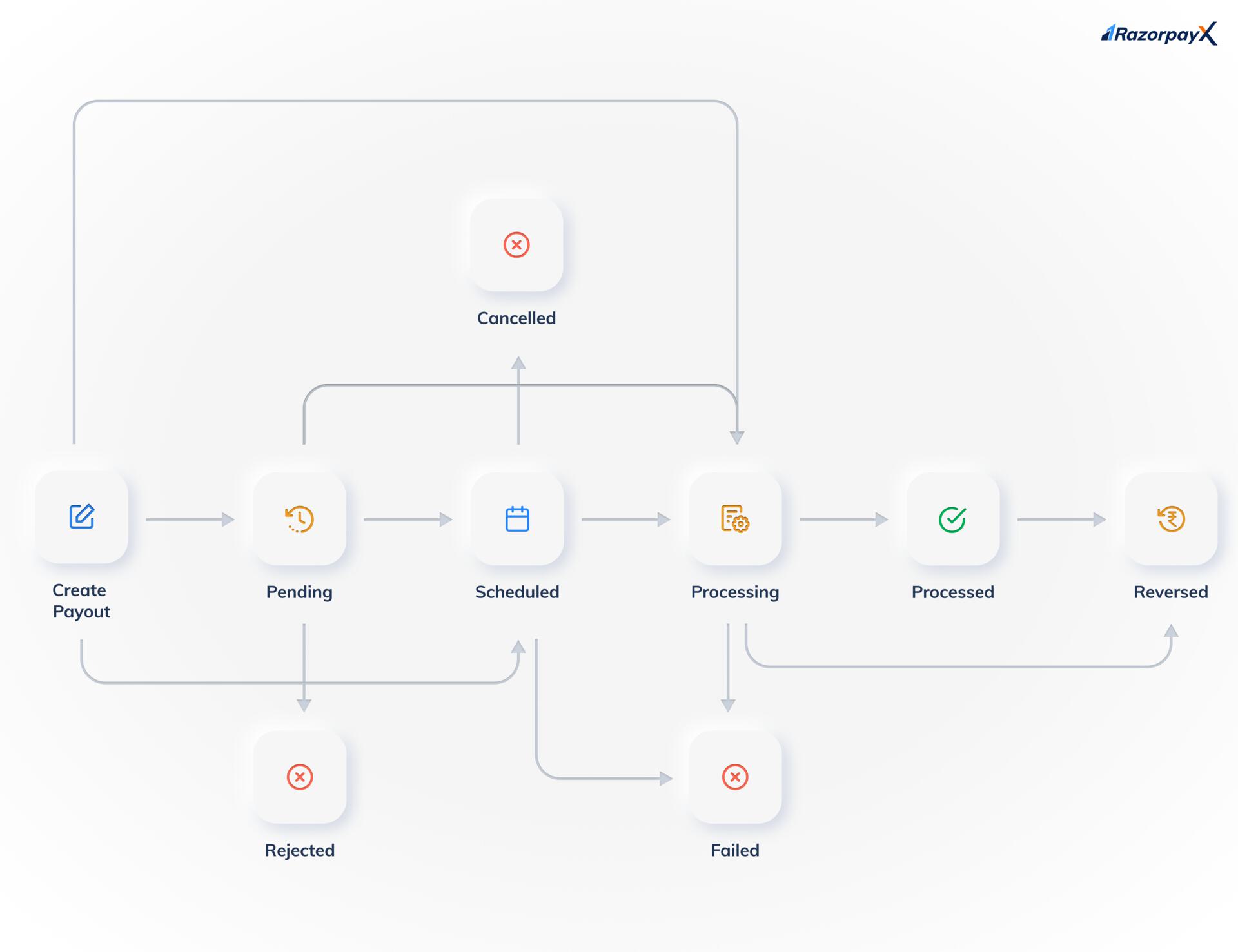 Know more about the states and the life cycle of a payout.
Handy TipsThe
Pending and Rejected states are available only if you have Approval Workflow enabled on your account.