

Available in🇮🇳 India
To make Tally e-Payments payouts using RazorpayX, you must export the payout data file from TallyPrime and import it to the RazorpayX Dashboard.
You can approve these in bulk and then export the approved payouts back to TallyPrime to reconcile your payments automatically. Know more about Tally e-Payments.
Following is the process to move the data between TallyPrime and RazorpayX.
Export Data
You must first set up a RazorpayX ledger in TallyPrime and then export the CSV file data to RazorpayX. To export the payout data you have on TallyPrime into RazorpayX:- Open TallyPrime and navigate to the Gateway.
- Go to Utilities → Banking.
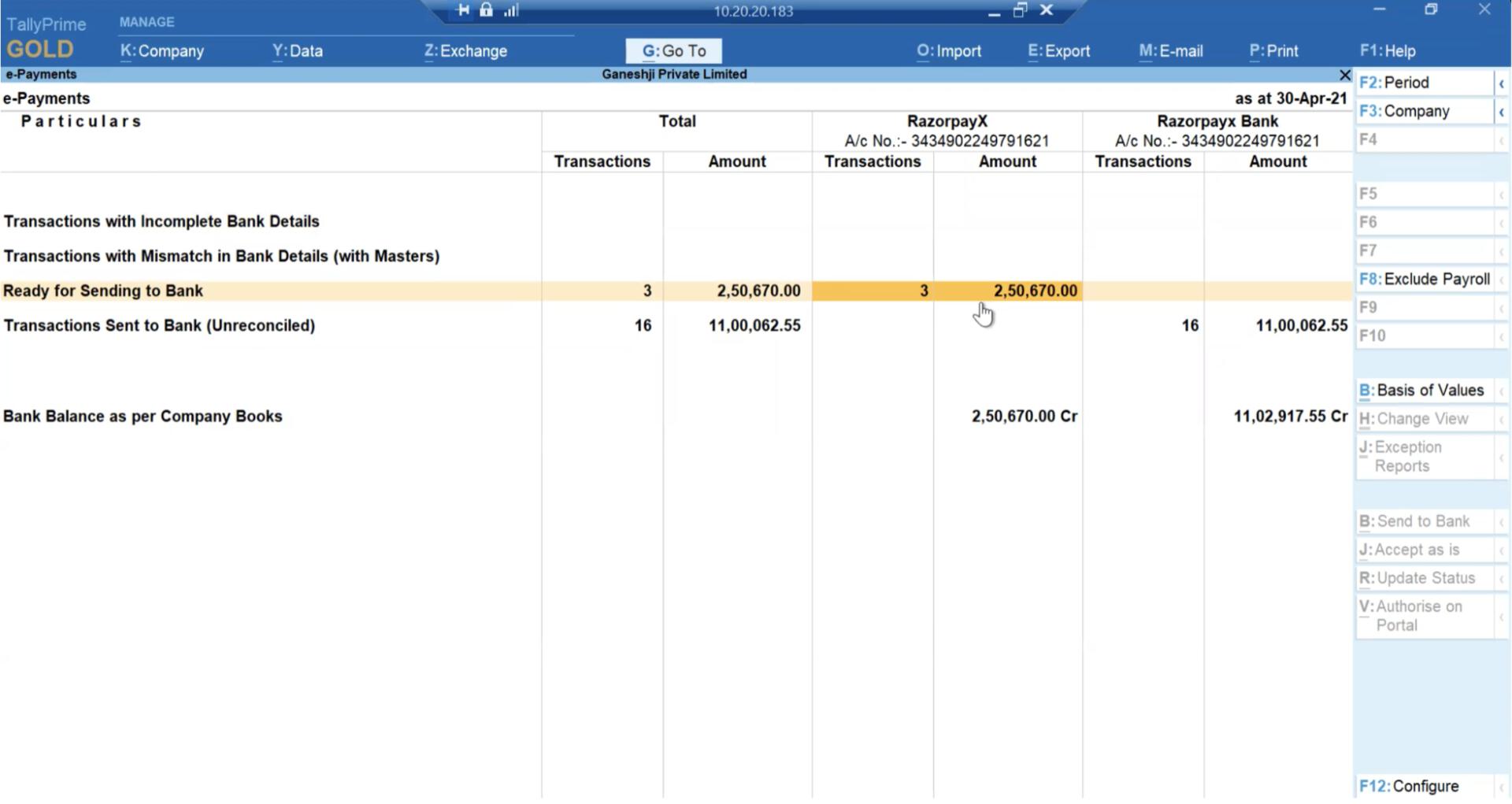
- Select e-Payments. The e-Payments screen is displayed.
- Select the Ready for sending to bank row as shown below:
- Select the transactions which you wish to export from the list.
- On the top menu, select Export → Payment Instructions.
- Click Yes to confirm.
RazorpayX Dashboard Actions
Switch to your RazorpayX Dashboard to upload and approve the payouts.Upload Payout Data
To upload payout data:- Log in to your RazorpayX Dashboard.
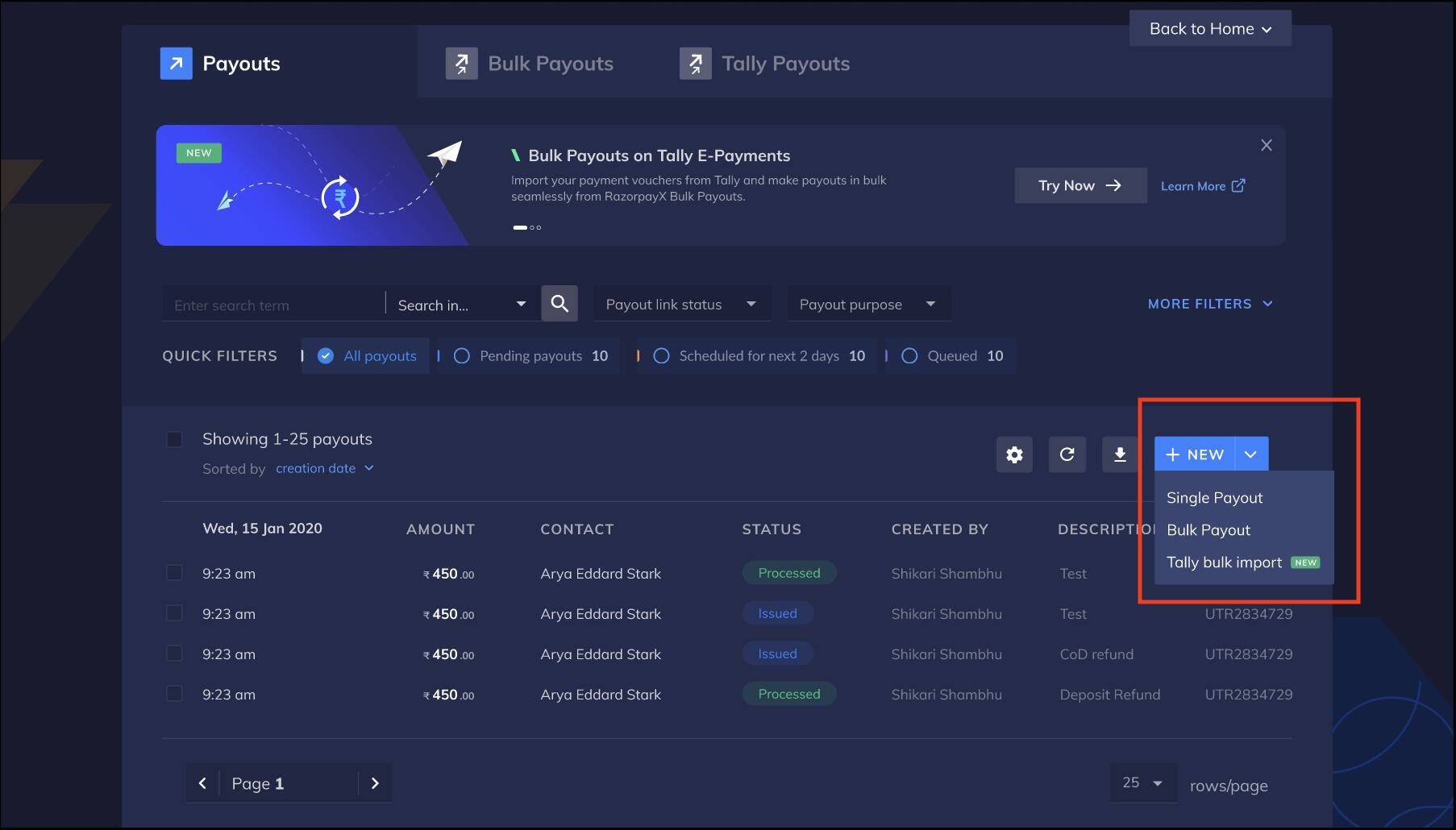
- Navigate to Payouts → Tally Payouts.
- Click Tally bulk import under the + NEW drop-down menu, as shown below.
- Click + BULK PAYOUT.
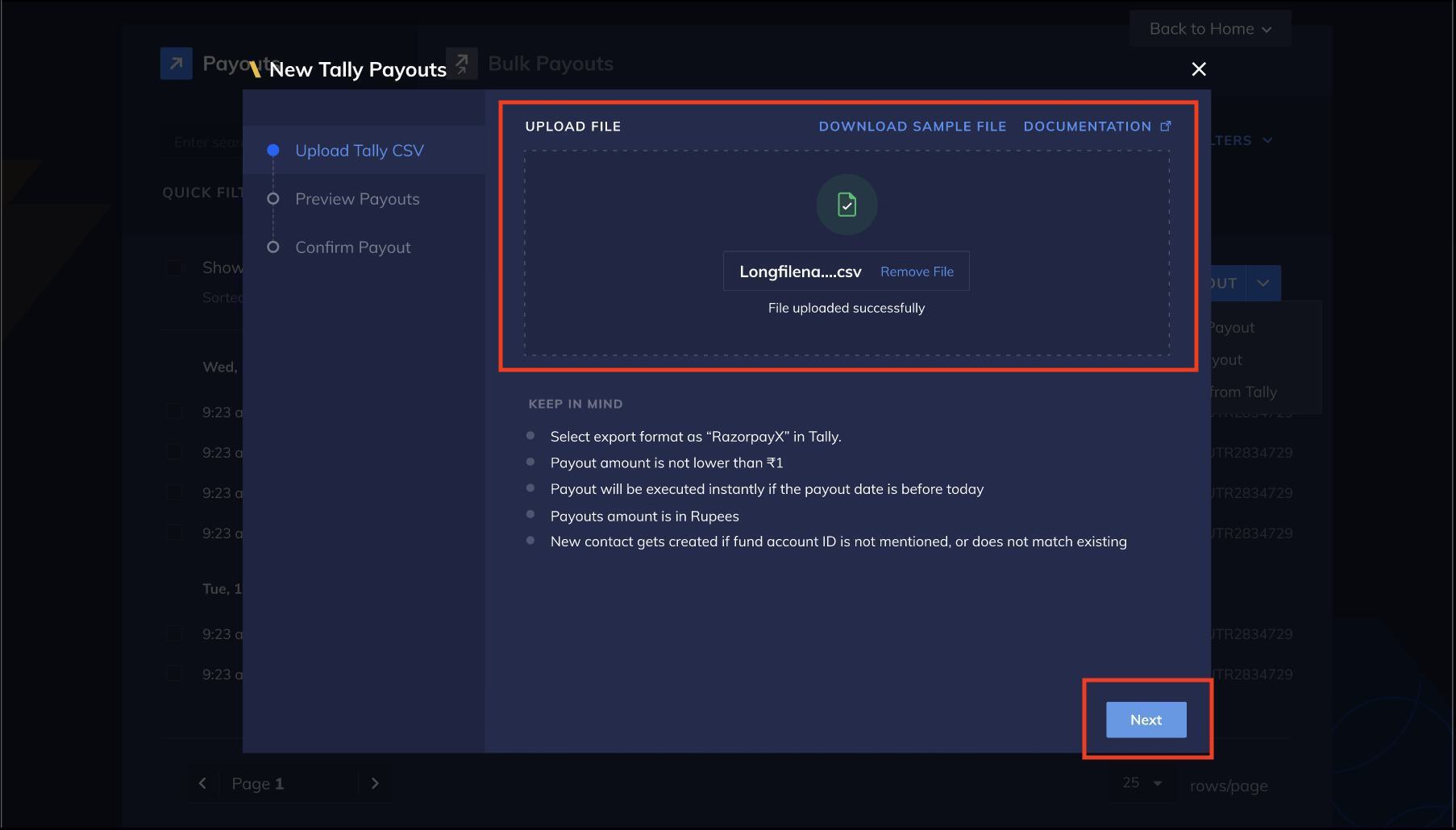
- Upload the payouts data file exported from TallyPrime and click Next.
- Preview the payouts and click Next.
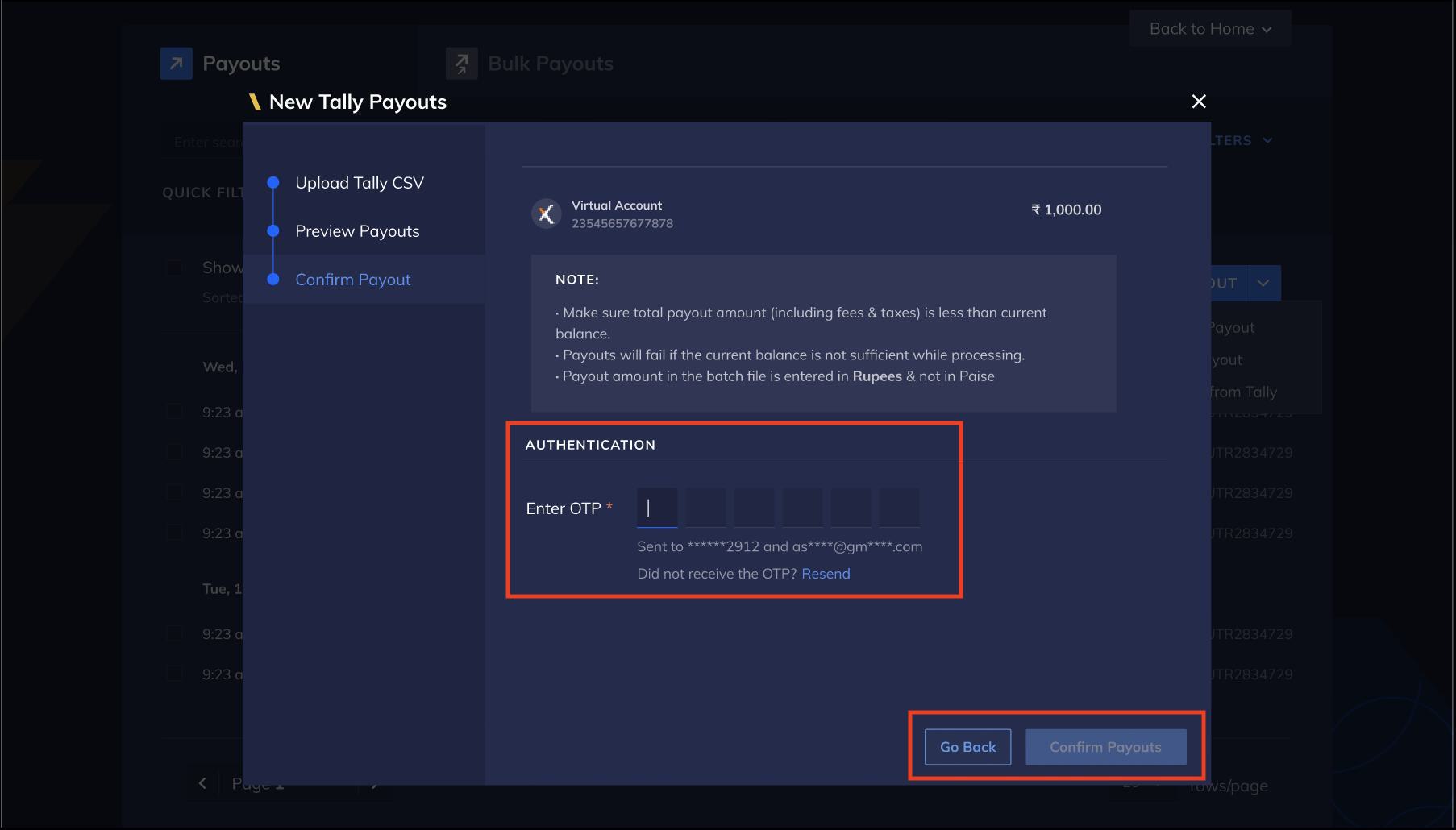
- Enter the OTP sent to your registered mobile number and email address and click Confirm Payouts.
Approve Payouts
After the payouts are uploaded to the RazorpayX Dashboard, you can access the payout data for further review and approval. To approve these payouts in bulk:- Go to Payouts → Pending on you.
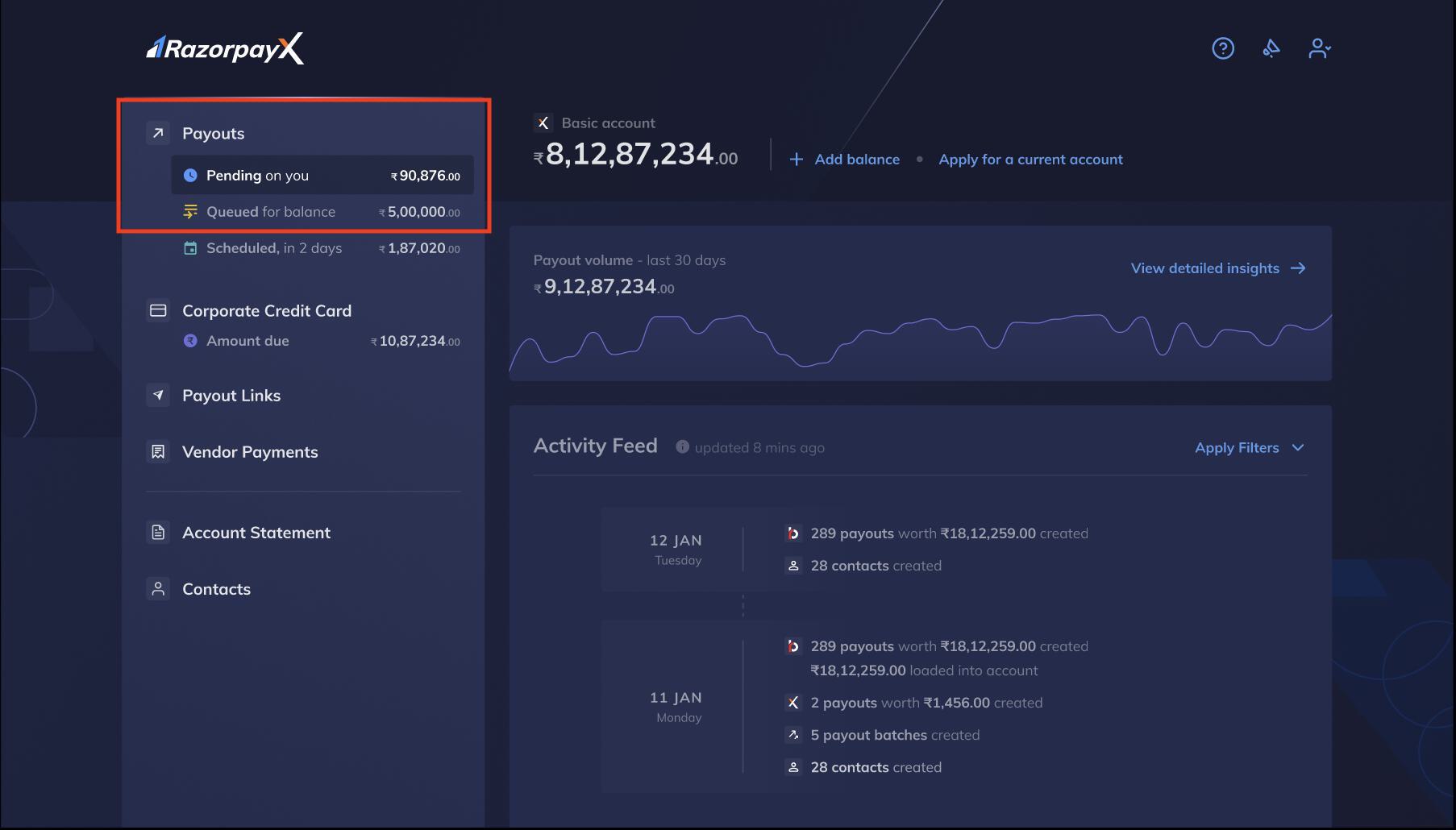
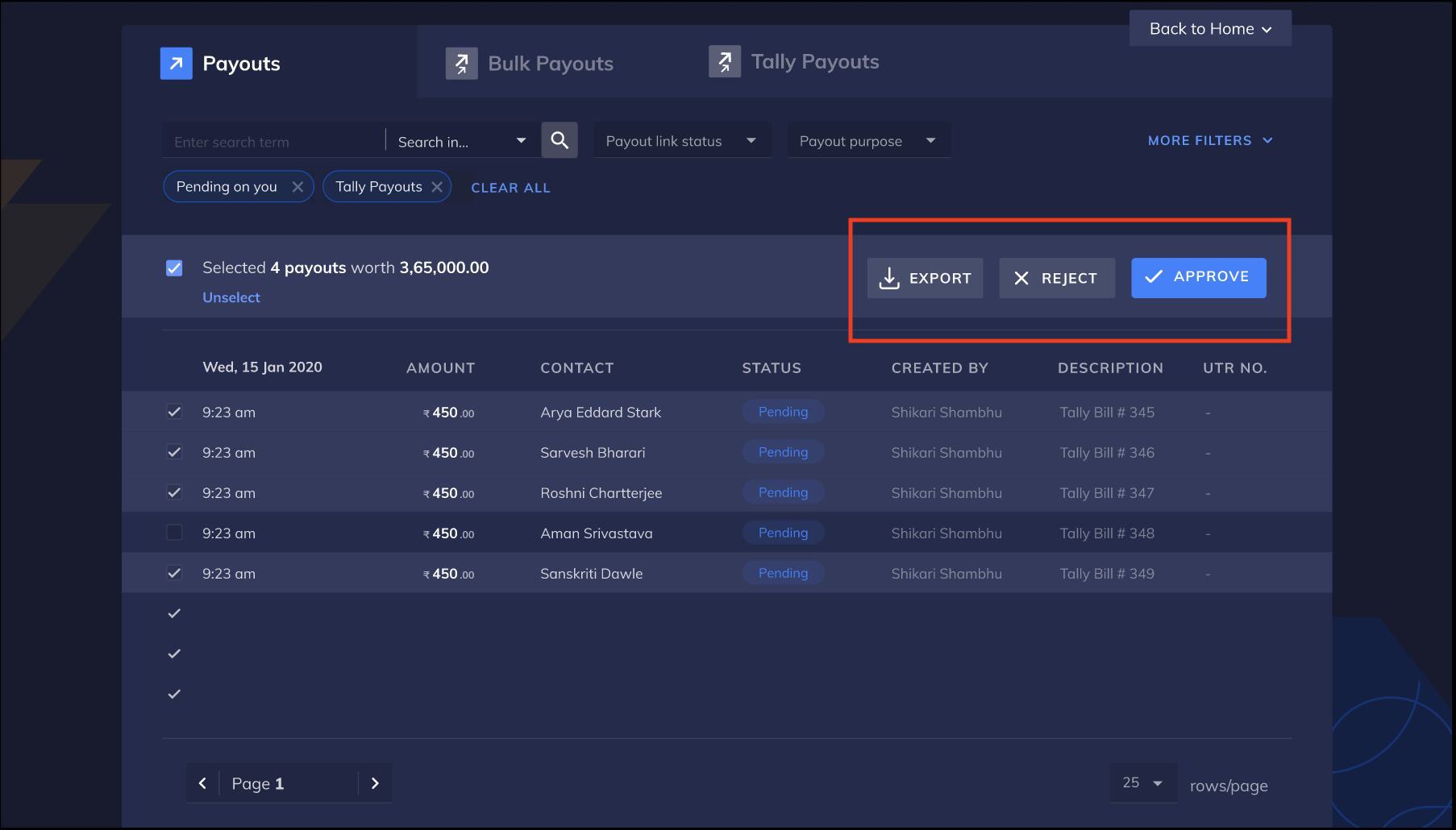
- All payouts pending on you are displayed in the Payouts page.
- Use the check box to select the payouts you want to make.
- Click APPROVE as shown below.
View Payouts and Download Reports
Click VIEW PAYOUTS to view all the processed payouts. Click DOWNLOAD to view information about unprocessed rows by downloading the error report.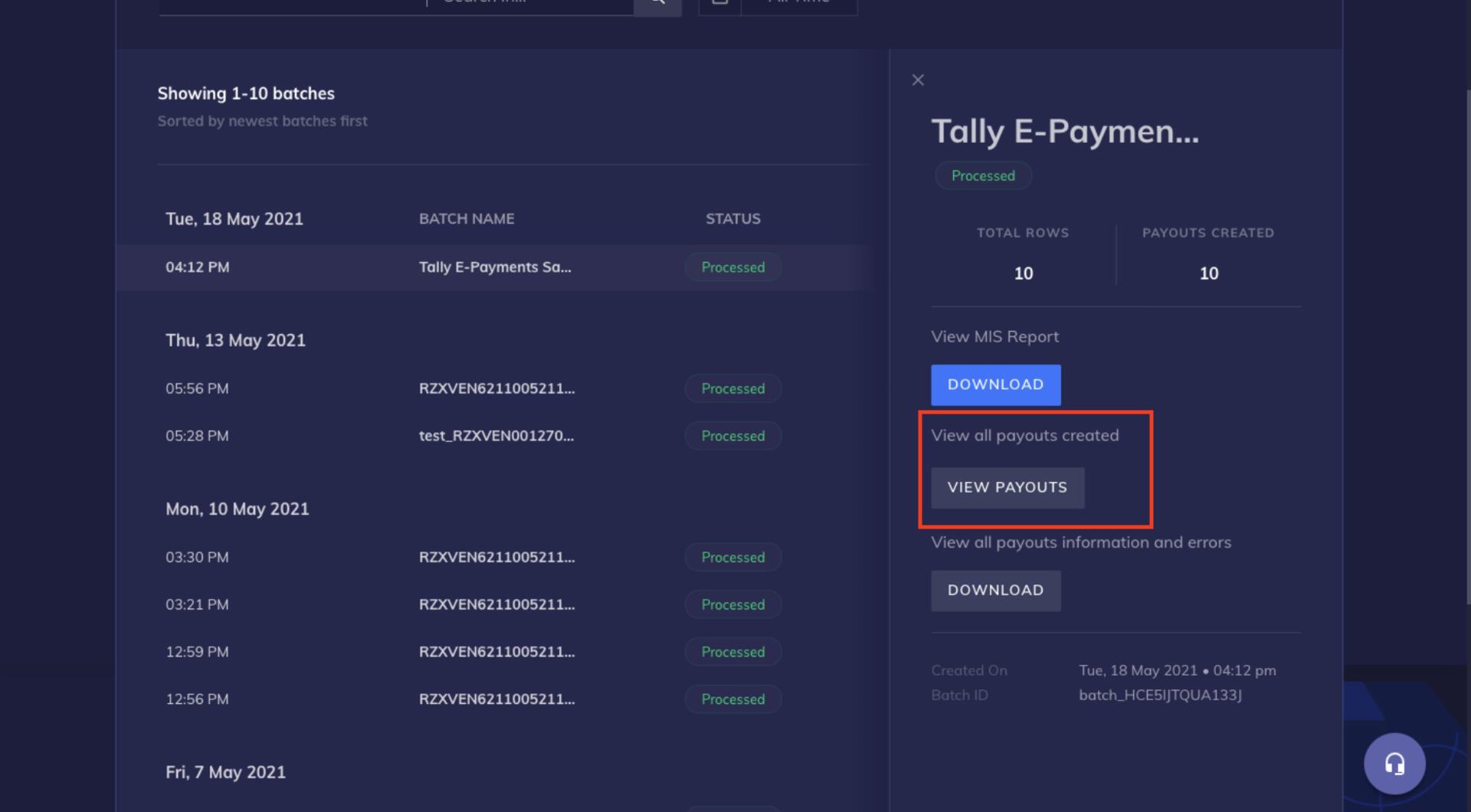 You can then download the MIS report and reconcile payouts in TallyPrime.