

Available in🇮🇳 India
You can use the Ledger feature in TallyPrime to create a RazorpayX Ledger.
Handy TipsIf you are a Current Account user having a RazorpayX/RBL Bank account ledger in TallyPrime, create a new ledger for RazorpayX Bank.
All existing unpaid bills that you wish to pay through RazorpayX using this integration will be credited to the new RazorpayX ledger account.
All existing unpaid bills that you wish to pay through RazorpayX using this integration will be credited to the new RazorpayX ledger account.
Create a Ledger
To create a ledger:- Open TallyPrime and navigate to the Gateway of Tally.
- Go to Create, as shown.
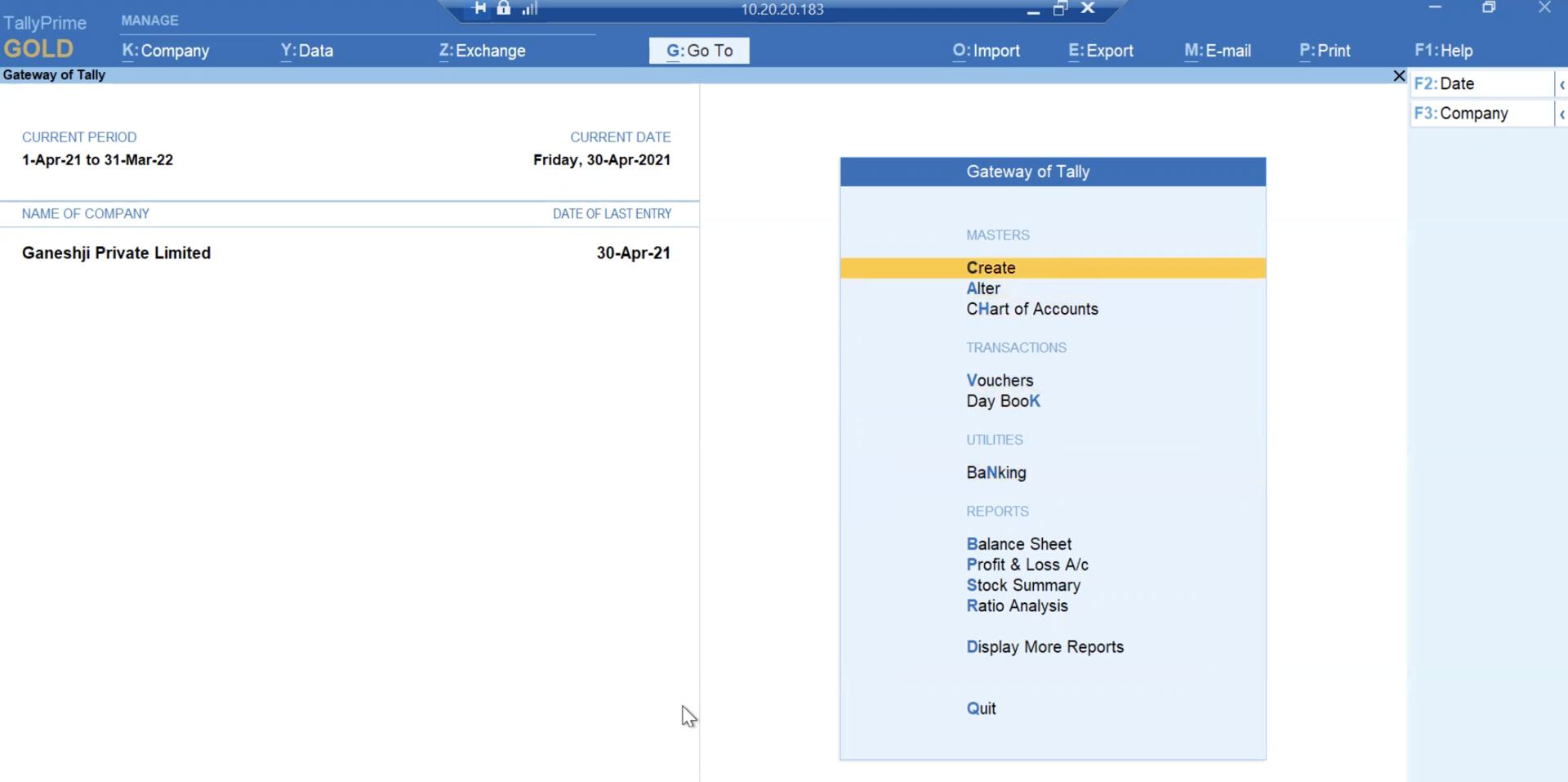
- Select Ledgers and enter a name for the ledger.
- In the Bank Accounts Details section, type RAZ in the Bank Name field. A List of Banks pop-up page is displayed.
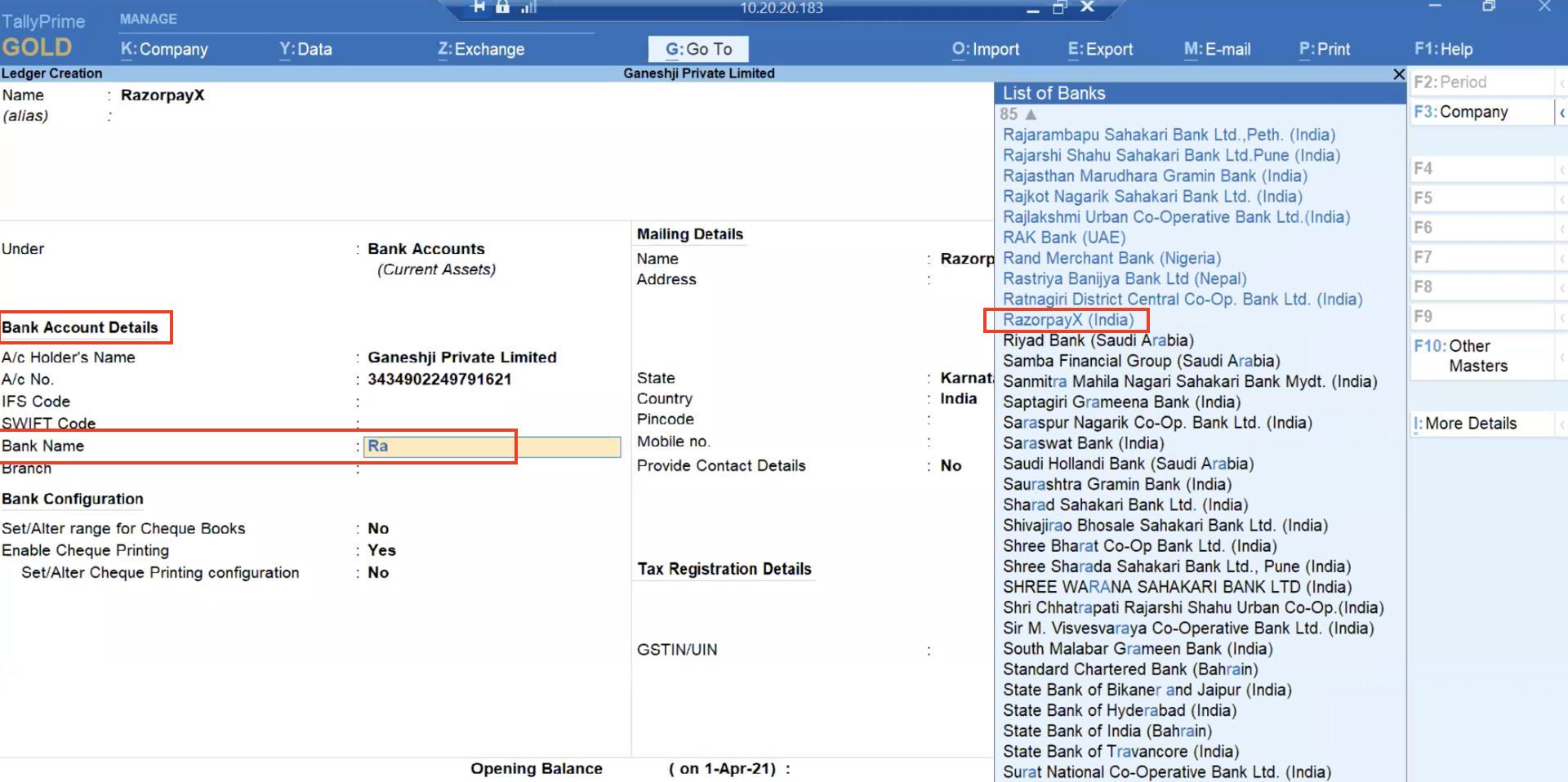
- Select RazorpayX (India).
- Set the fields under Bank Configuration to Yes or No as required.
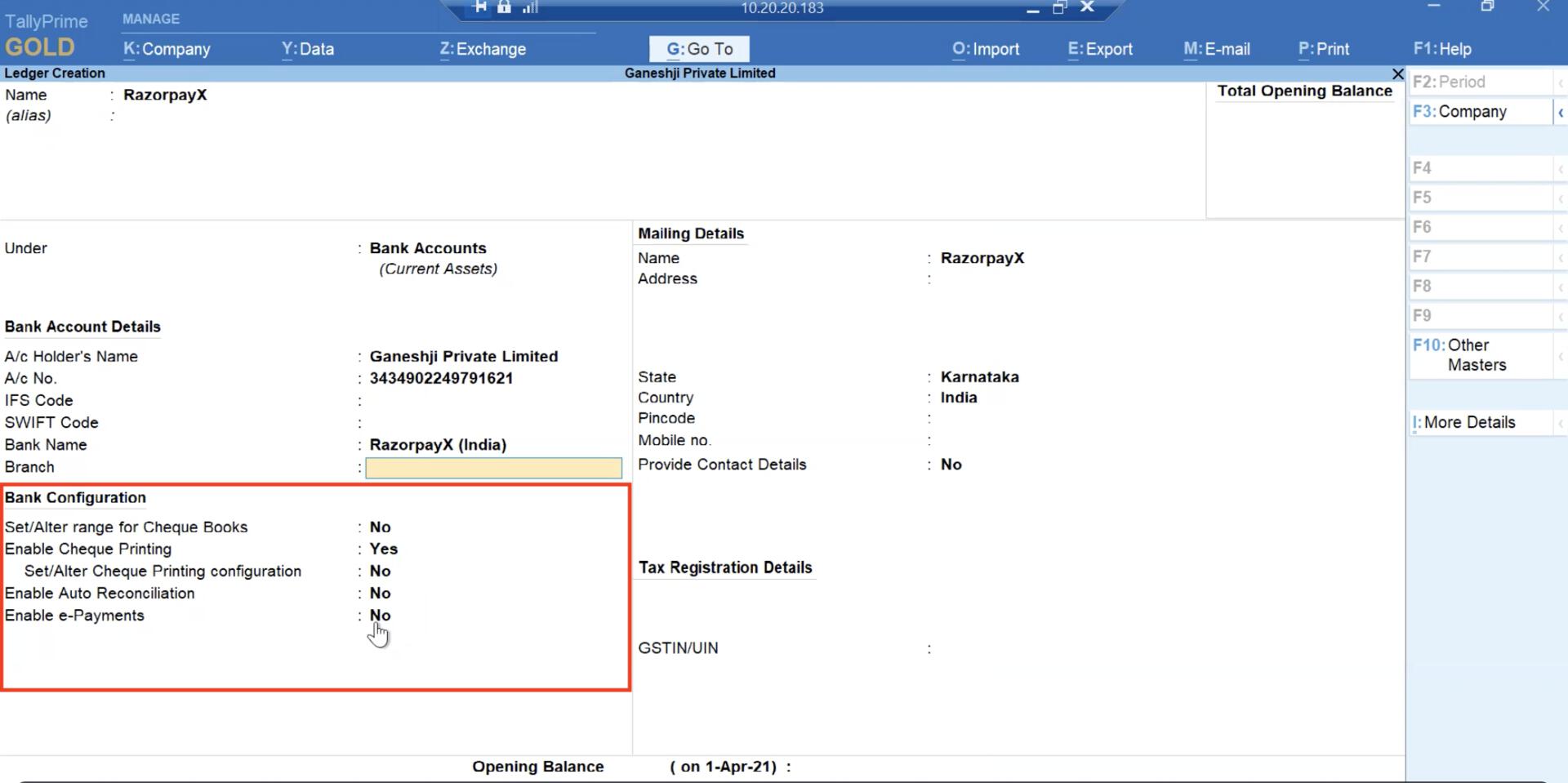
- Set Enable e-Payments under Bank Configuration to Yes. This is mandatory.
- Under Enable e-Payments, select Set/alter e-Payments configuration. Select the requisite parameters for e-Payment.
- Click Yes in the Accept window to save your selection.
- Click Yes in the Confirm RazorpayX ledger creation window.
Related Information
- Keyboard shortcuts in Tally Prime