Available in🇮🇳 India
After you approve the payouts on the RazorpayX Dashboard, reconcile them on TallyPrime using the Instrument Number and Bank Date.
To reconcile the payouts:
-
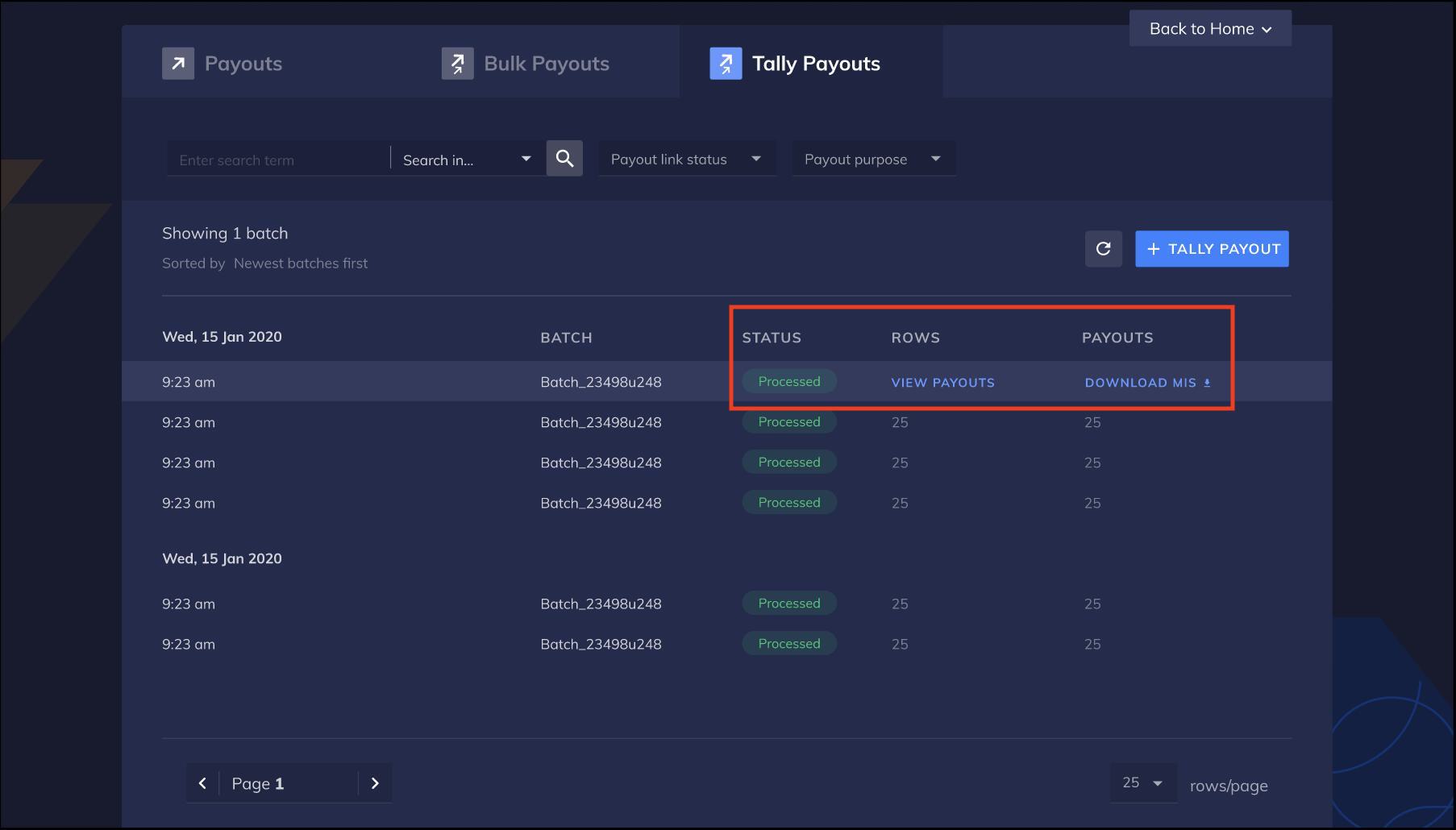
After the payouts are approved, hover on the batch of payouts on the Tally Payouts page and click the DOWNLOAD MIS option.
-
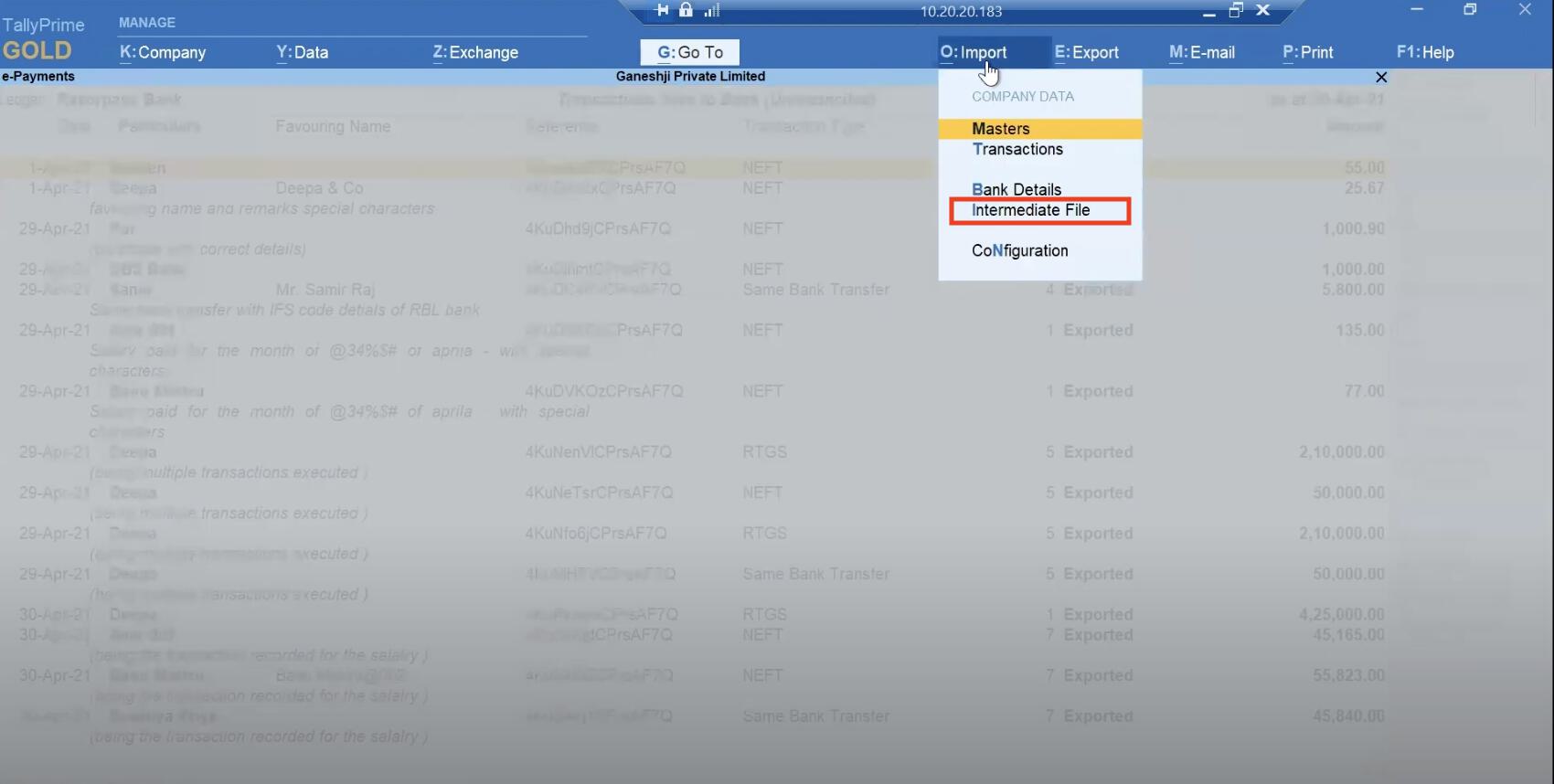
Now shift to TallyPrime. Go to TallyPrime → Import → Intermediate File.
-
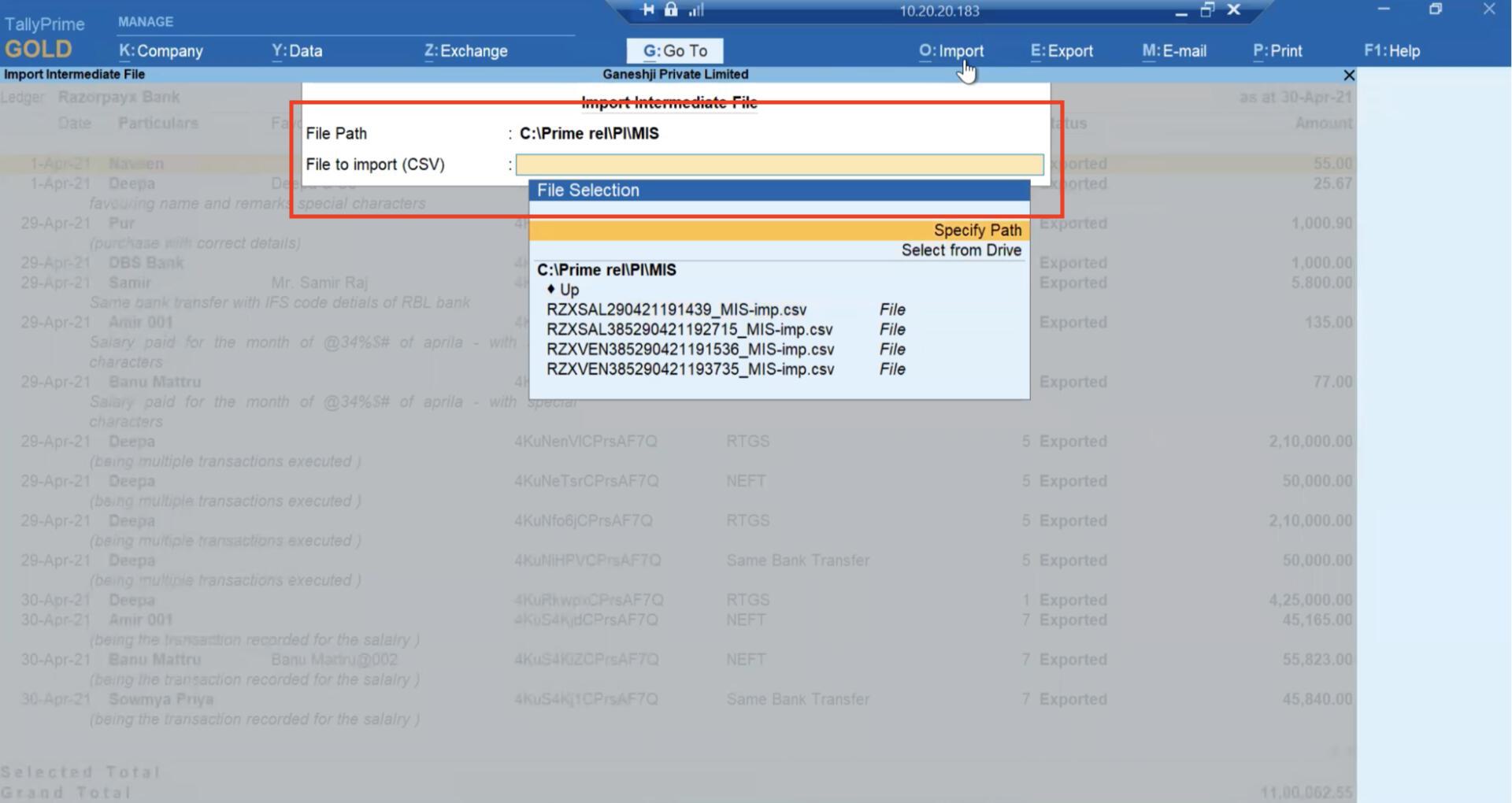
Upload the MIS file downloaded from RazorpayX in the File to import (CSV) field.
-
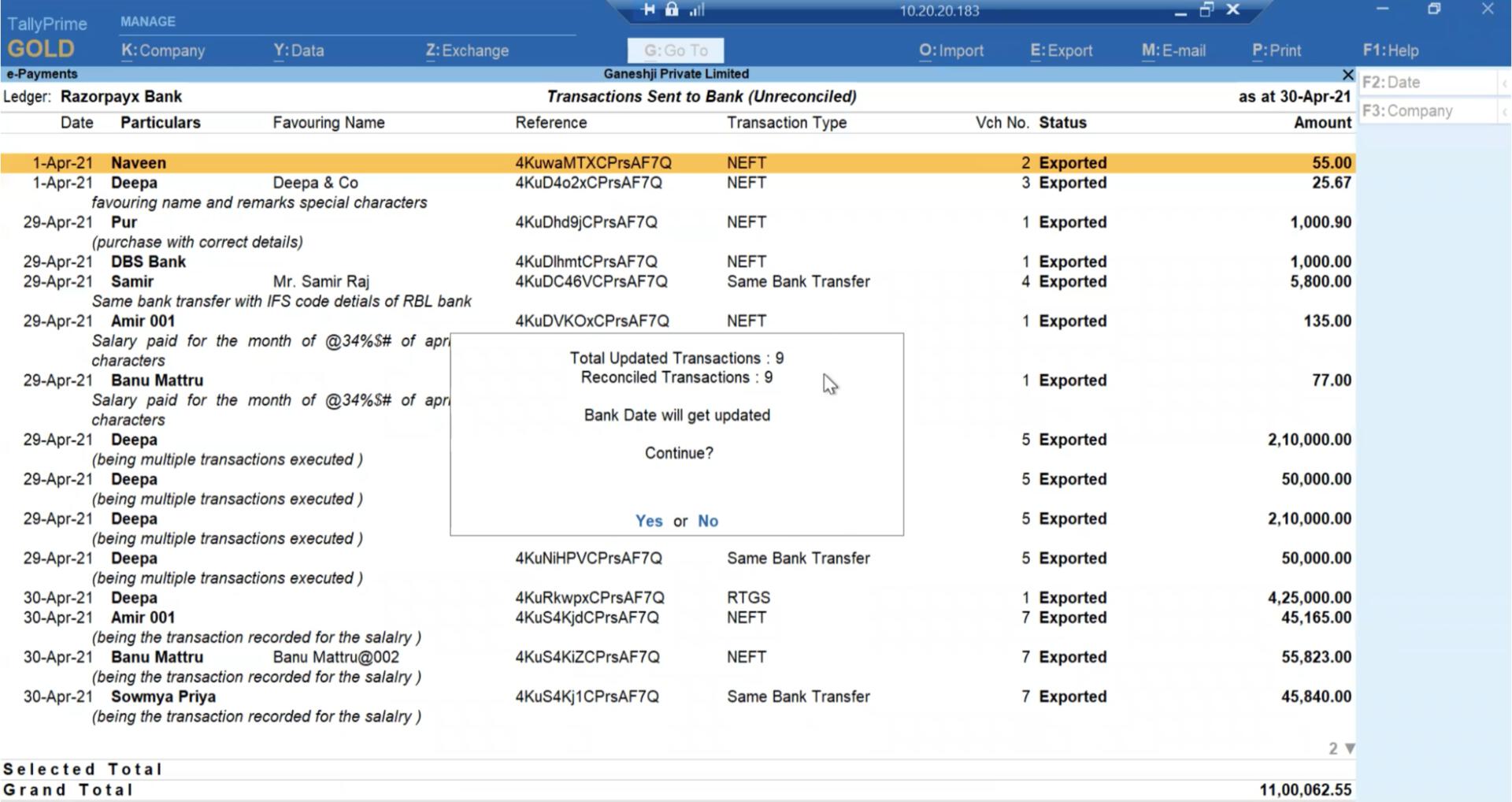
TallyPrime automatically reconciles all transactions and updates the bank date.