

Available in🇮🇳 India
You can edit a custom rule and change:
Edit Rule Details, Conditions and Target Payment Provider
To modify the rule details, conditions and target payment providers:- In the list of Custom Rules, click on the required rule name.
- In the side panel, click Edit Rule.
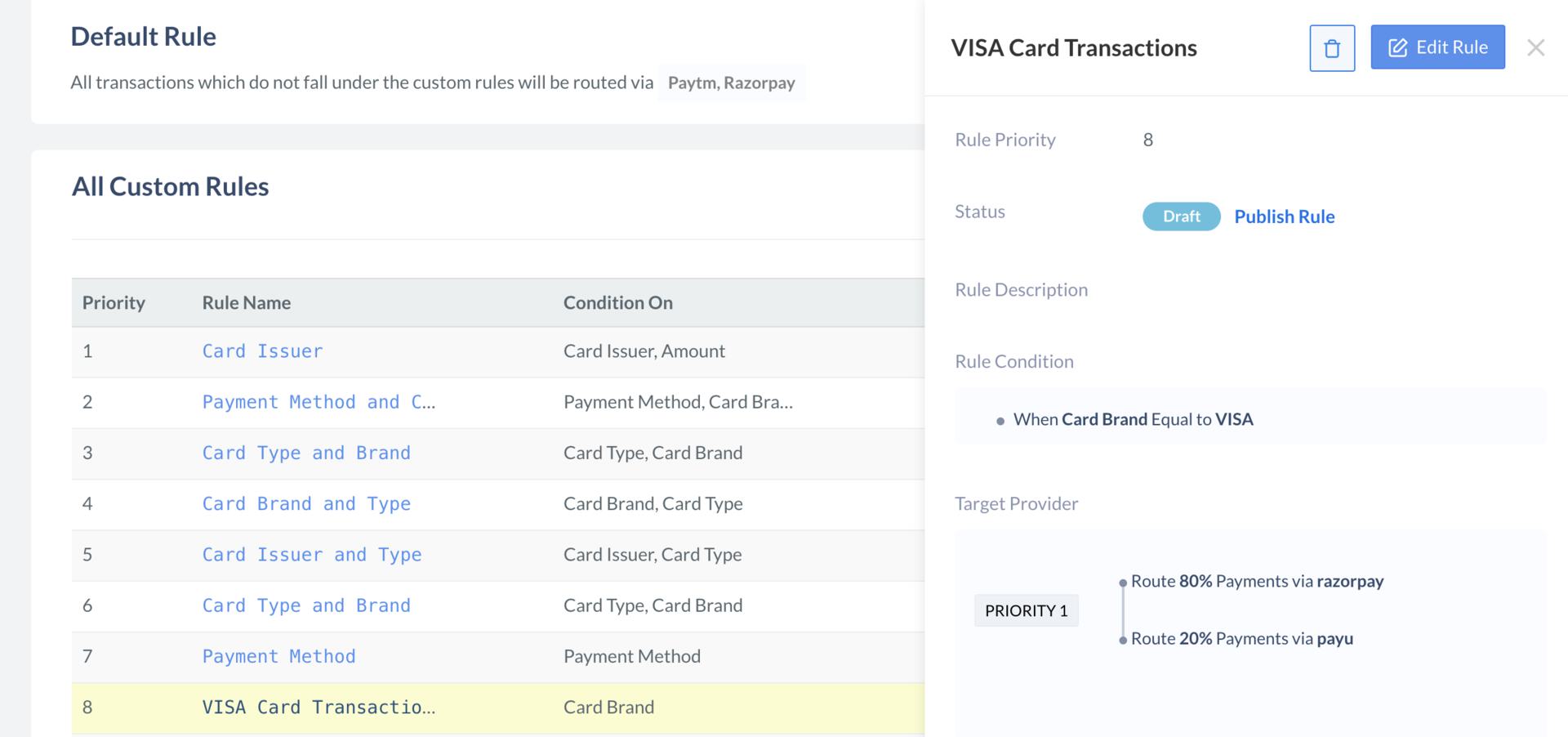
- The Edit Rule screen is displayed. You can edit the rule details, conditions and target payment providers.
- Click Publish Edits to update the rule.
Edit Rule Priority
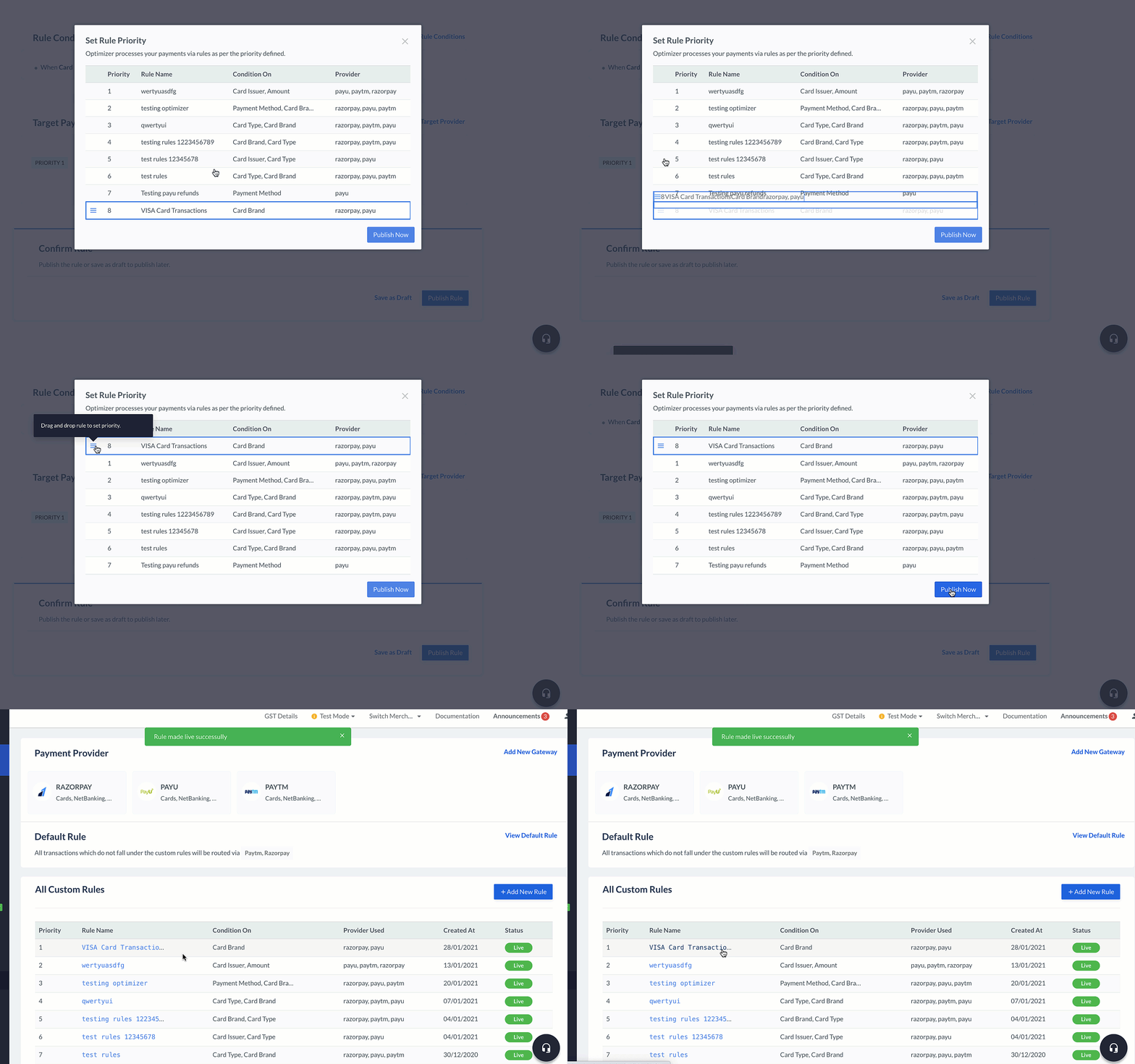
To modify the rule priority order using the drag-and-drop:- In the list of Custom Rules, click on the required rule name.
- In the side panel, click Change Priority.
- Drag and drop the custom rule as per your business need.
Edit Rule Status
You can deactivate or publish a rule.Deactivate Rule
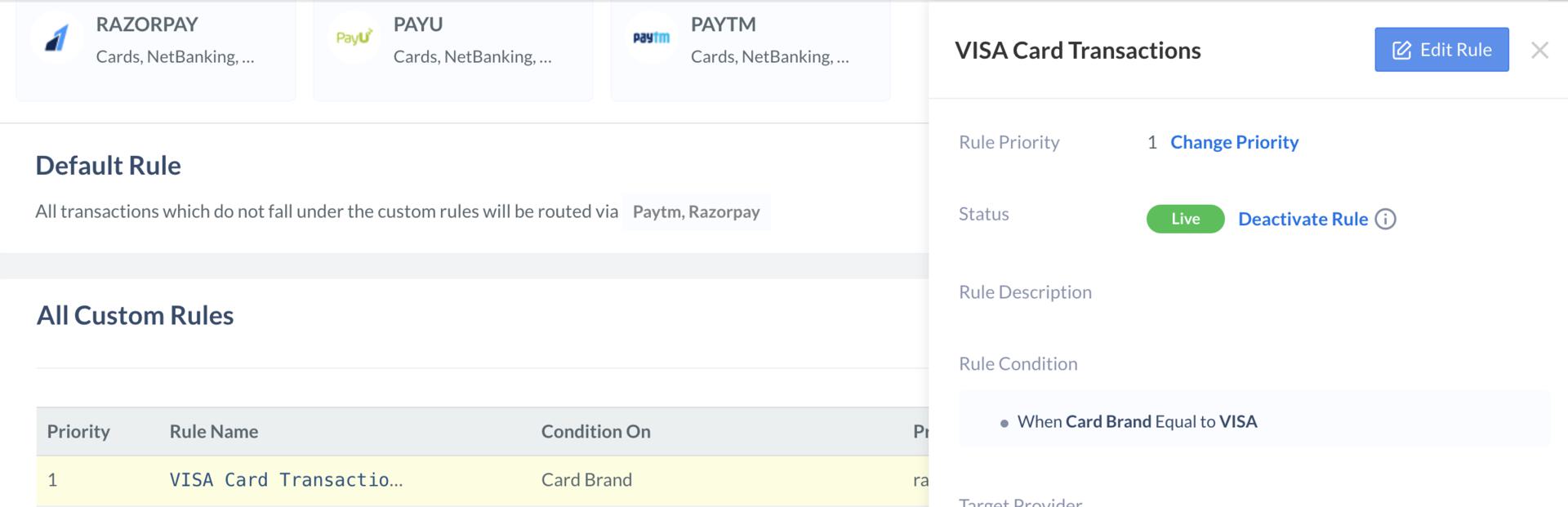
To deactivate a rule:- In the list of Custom Rules, click on the required rule name.
- In the side panel, click Deactivate Rule.
- Confirm the change by clicking Yes, Deactivate.
- Once the rule is deactivated, its status changes to
Draft.
Publish Rule
To publish a rule:- In the list of Custom Rules, click on the required rule name.
- In the side panel, click Publish Rule.
- Confirm the change by clicking Yes, Publish.
- Once the rule is published, its status changes to
Live. You can then drag-and-drop the rule to change its priority level as needed.