

General
Can I use RazorpayX as a freelancer/individual?
Can I use RazorpayX as a freelancer/individual?
What reports are available on RazorpayX platform?
What reports are available on RazorpayX platform?
.csv and .xls based reports are available. Know more about Reports.How to generate Account Statement report?
How to generate Account Statement report?
Is there a monthly invoice available for the charges deducted?
Is there a monthly invoice available for the charges deducted?
What are Actionable Insights?
What are Actionable Insights?
If an account has access to both Razorpay and RazorpayX platforms, is there a combined transactions report for both platforms?
If an account has access to both Razorpay and RazorpayX platforms, is there a combined transactions report for both platforms?
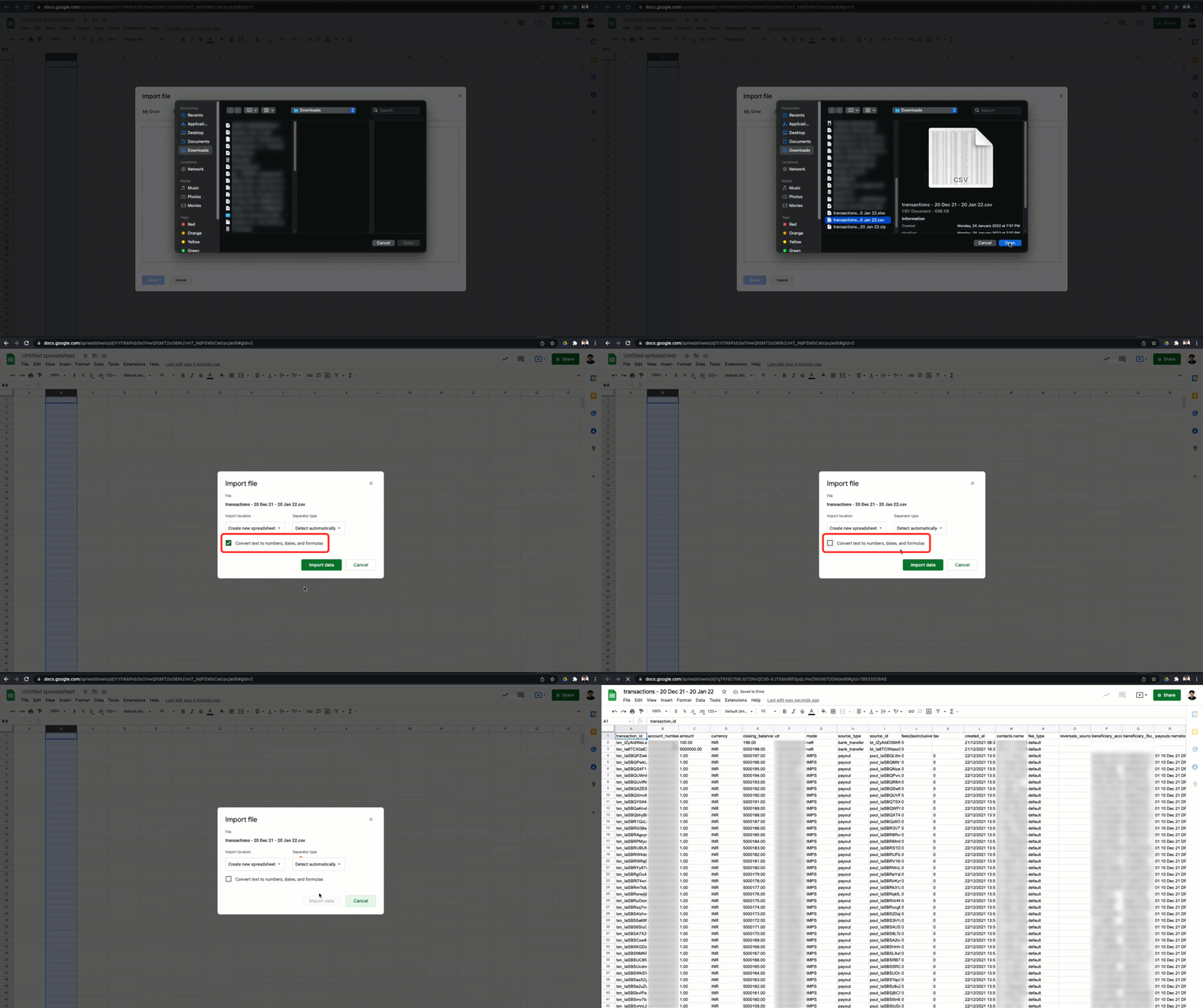
When I download reports from RazorpayX, the account numbers seem incorrect. What should I do?
When I download reports from RazorpayX, the account numbers seem incorrect. What should I do?
For example, in Google Sheets, you can unselect the Convert text to numbers, dates and formulas checkbox, as shown.
How do I contact the support team if my issue is not resolved?
How do I contact the support team if my issue is not resolved?
Two-Factor Authentication
What to do if a user account is locked?
What to do if a user account is locked?
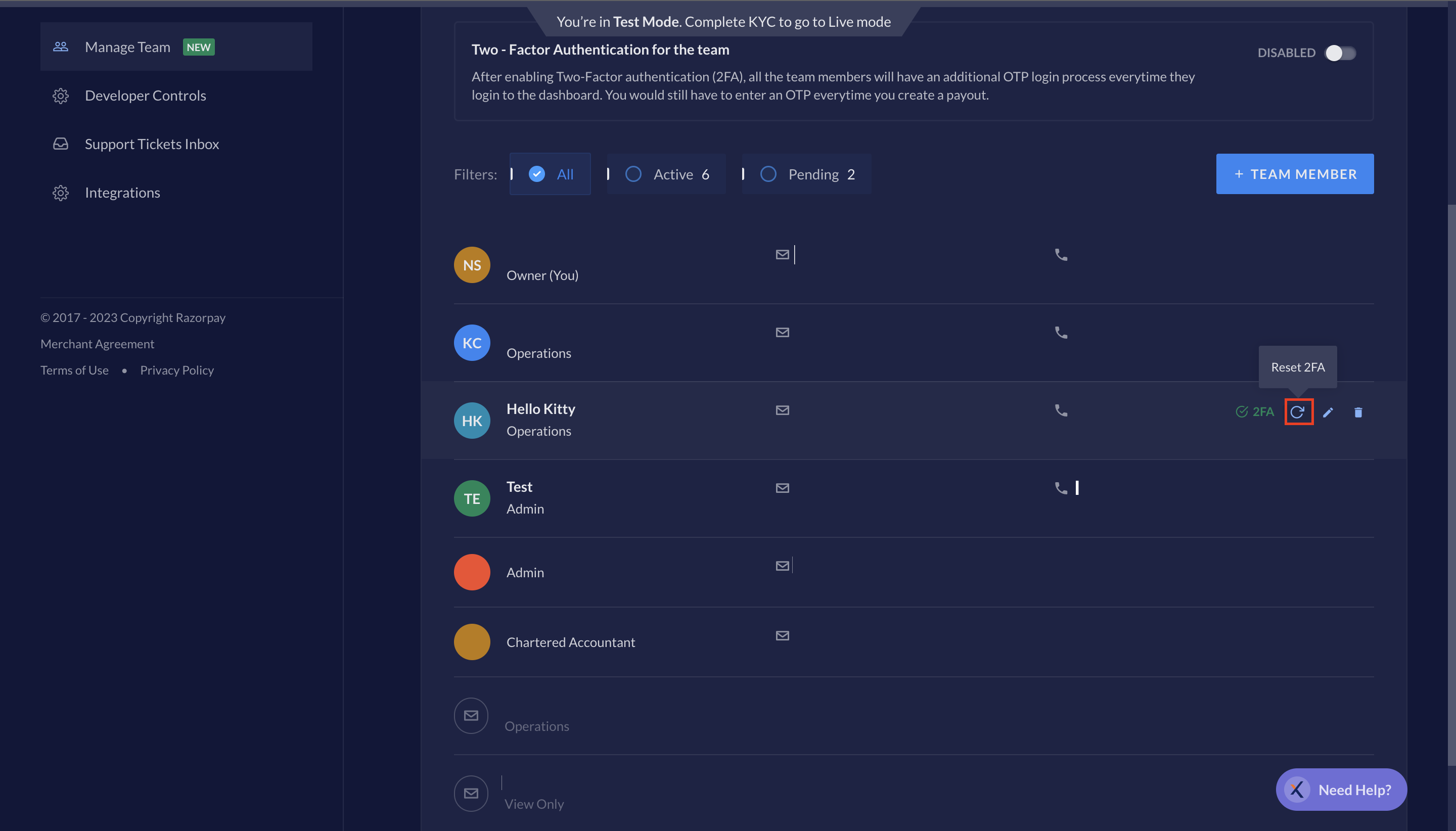
What to do if a user loses the mobile device?
What to do if a user loses the mobile device?
What to do if the account owner is locked?
What to do if the account owner is locked?
What to do if the account owner loses the mobile device?
What to do if the account owner loses the mobile device?
Manage Teams
Can a new or existing team member on Razorpay be invited to RazorpayX?
Can a new or existing team member on Razorpay be invited to RazorpayX?
Can different roles be assigned to my team members on RazorpayX?
Can different roles be assigned to my team members on RazorpayX?
Will the existing team members have access to RazorpayX?
Will the existing team members have access to RazorpayX?