

Available in🇮🇳 India🇸🇬 Singapore🇺🇸 United States
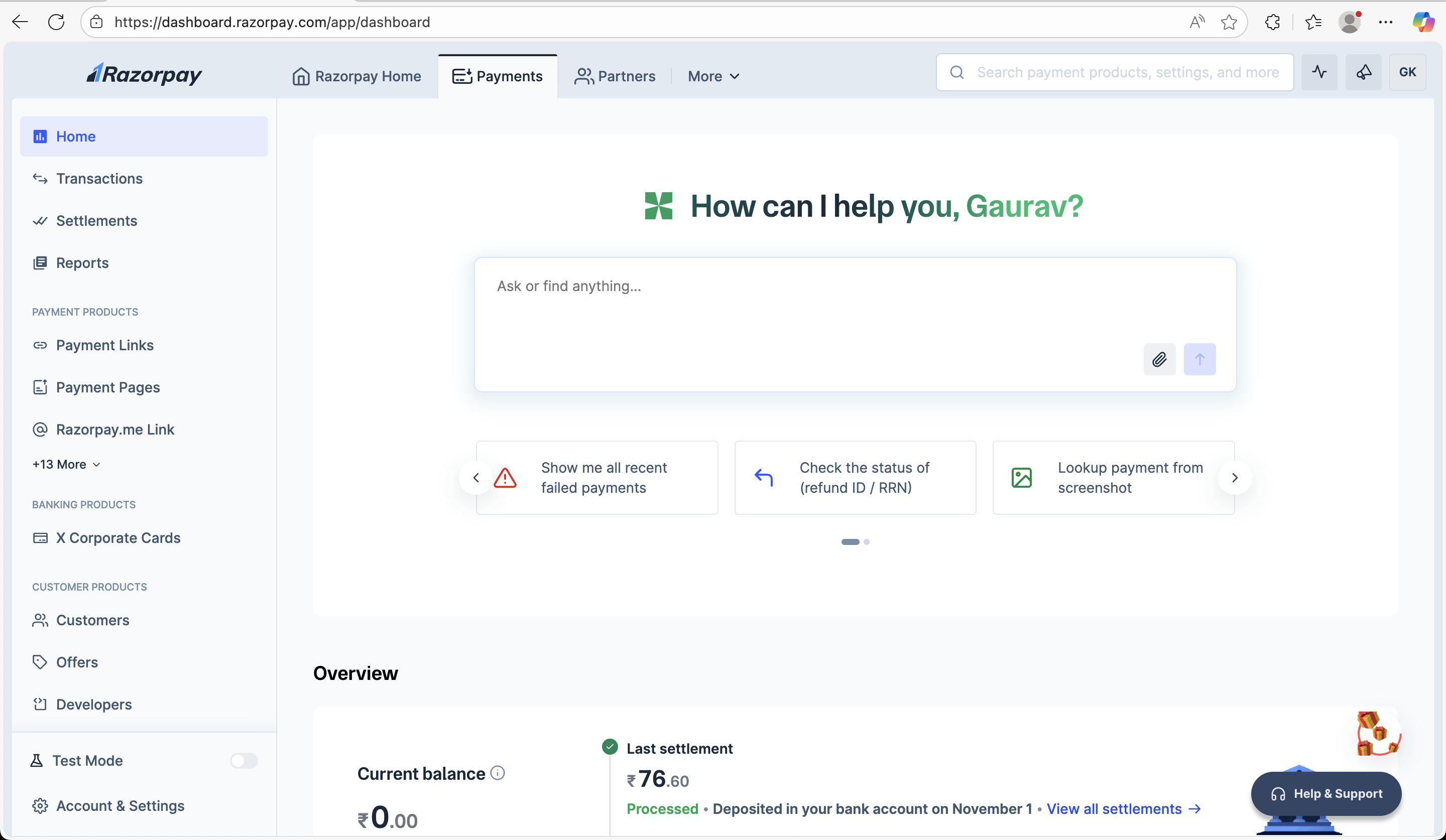
The Dashboard Home page serves as your central command center for managing payment operations on Razorpay. It provides a comprehensive overview of your account status, recent payment activity, key insights and personalised product recommendations to help you optimise your payment infrastructure.
The Dashboard offers a wide range of features, such as:
- Analytics and real-time charts that provide valuable insight into your business performance.
- List of recent activities that may require your action.
- Configure, operate, and manage your Payment Gateway (PG) account and other Razorpay products.
- An overview of recent payments, settlements and refunds.
Handy TipsYou must have a Razorpay account to access the Dashboard. Do not have a Razorpay account? Set up a Razorpay account.
Key Sections of Payments Dashboard Home Page
AI-Powered Assistant
AI-Powered Assistant
The dashboard features an AI assistant that greets you personally and provides contextual help. You can ask questions or search for anything related to your Razorpay account using the search bar. The assistant also offers quick actions like:
- Show me all recent failed payments
- Check the status of (refund ID / RRN)
- Lookup payment from screenshot
Account Overview
Account Overview
The overview section displays critical account information at a glance:
- Current Balance: Shows your available account balance.
- Last Settlement: Displays recent settlement information including amount and processing status.
- Settlement Details: Shows when funds were deposited to your bank account with links to view all settlements.
Key Updates
Key Updates
This section highlights important account updates and new features:
- Feature Announcements: Notifications about newly enabled features like international payments.
- Action Items: Important updates that may require your attention
Payments Overview
Payments Overview
A comprehensive view of your payment activity over a selected time period (default: last 7 days):
- Collected Amount: Total amount successfully collected.
- Refunds: Total amount refunded to customers.
- Orders: Total number of orders processed.
- Interactive Chart: Visual representation of payment trends with date-wise breakdown.
- Time Period Selection: Customisable date range picker for detailed analysis.
Top Insights
Top Insights
Key performance metrics displayed in an easy-to-scan format:
- Payment Count: Total number of payment attempts in the selected period.
- Payment Failure Count: Number of failed payment attempts.
- Refund Count: Total refunds processed.
- Refund Failure Count: Number of failed refund attempts. Each metric includes a View Details link for deeper analysis.
Payment Method Split
Payment Method Split
Visual breakdown of payment methods used by customers:
- Credit Cards: Number of credit card transactions.
- UPI: UPI transaction count.
- Netbanking: Netbanking payment attempts.
- Others: Other payment methods (wallets and so on.) Displays both numerical data and a pie chart visualisation for quick understanding of customer payment preferences.
Products for You
Products for You
Personalised product recommendations based on your business needs:
- Cross Border Payments: Accept payments from 200+ countries with multi-currency support (USD, EUR, AED, SGD)
- QR Code: Generate branded QR codes for contactless payments.
- Payment Links: Create shareable payment links for email, text and social media.
- Razorpay POS: Seamless payment acceptance solutions for physical stores. Each product card includes brief descriptions and visual previews of the functionality.
Key Tabs of Payments Dashboard
Following are the key tabs of the Payments Dashboard.Transactions
Transactions
Given below are the tabs present under Transactions and the supported actions:
Settlements
Settlements
Given below are the actions supported for Settlements:
Reports
Reports
Given below are the actions supported for Reports:
Account & Settings
Account & Settings
Given below are the Account & Settings sections and supported actions:
Payments Products
Payments Products
Given below are the payments products and the supported actions:
Customers
Customers
Given below are the actions supported for Customers: